Home > Creating DOF (Depth of Field) effects

Wes McDermott

Principal Director, Substance 3D Worldwide Evangelism

linkedin-icon

Creating DOF (Depth of Field) effects

Learn how to simulate realistic depth of field in a 3D composition, adding a cinematic blur to foreground or background elements for enhanced visual focus.

This summary is AI generated

Learning Outcomes:

  • Create depth of field effects in After Effects.
  • Utilize 3D channel extract for depth information.
  • Adjust blur effects using depth maps.

Level: Advanced

Skills you'll gain:

After Effects, 3D, Depth, Blur

Key Insights

  • Nest compositions to manage complex scenes.
  • Use 3D channel extract for depth masking.
  • Adjust levels to refine depth maps.
  • Create solid backgrounds for 3D scenes.
  • Apply gradient ramps for background effects.
  • Pre-compose layers to organize projects.
  • Select appropriate blur maps for depth effects.
  • Make subtle adjustments for realistic depth.
  • Explore continuous improvements in After Effects.
Learning outcomes

  • Create depth of field effects in After Effects.
  • Utilize 3D channel extract for depth information.
  • Adjust blur effects using depth maps.

Key insights

  • Nest compositions to manage complex scenes.
  • Use 3D channel extract for depth masking.
  • Adjust levels to refine depth maps.
  • Create solid backgrounds for 3D scenes.
  • Apply gradient ramps for background effects.
  • Pre-compose layers to organize projects.
  • Select appropriate blur maps for depth effects.
  • Make subtle adjustments for realistic depth.
  • Explore continuous improvements in After Effects.
Skills

After Effects, 3D, Depth, Blur

Transcript

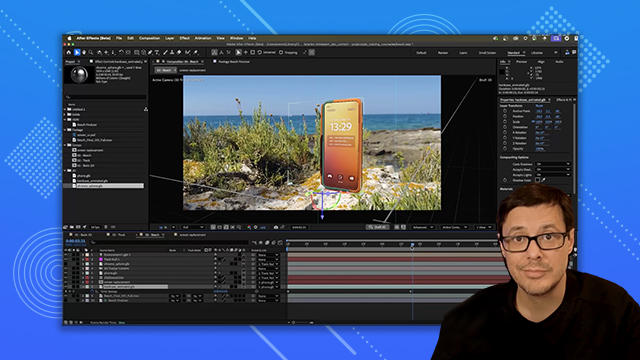
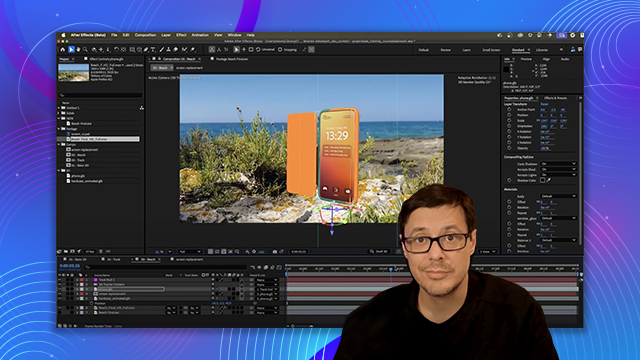
[00:00:00] So now let's finish off this scene by

[00:00:02] adding a depth of field effect. So what

[00:00:05] I'm going to do is take our beach comp

[00:00:07] and I'm just going to nest that into a

[00:00:09] new comp. And I'm going to come over

[00:00:11] here to my effects and presets. And

[00:00:14] under 3D channel, there's an option here

[00:00:16] for 3D channel extract. So we'll apply

[00:00:18] this 3D channel extract. And what this

[00:00:21] will do if I you can see it here if I

[00:00:22] start to adjust this black point is that

[00:00:25] it will actually create depth

[00:00:26] information from the 3D data in the

[00:00:28] scene. And so this is super powerful and

[00:00:31] really great to create a depth mask for

[00:00:33] various lens blur effects. So what I'll

[00:00:36] do is, you know, just set a value. The

[00:00:38] other thing I like to do in this case is

[00:00:39] I'm just going to grab a levels here.

[00:00:41] And let's apply the levels. And I'm just

[00:00:44] going to make a quick adjustment here to

[00:00:46] the levels to create here basically a

[00:00:49] depth map that is focusing on the phone.

[00:00:52] Now my shadow super noisy. Again, I

[00:00:55] haven't increased the quality of my

[00:00:57] shadows at this time, so we'll worry

[00:00:58] about that on the very last step. Okay,

[00:01:01] so next thing I want to do in this case

[00:01:03] is h take care of the background. Now,

[00:01:06] the only 3D object I have in my scene

[00:01:08] was the shadow catcher and the phone.

[00:01:11] So, I need to kind of fake a background

[00:01:13] in this case. And what I'll do is just

[00:01:15] come over and create a solid. And I'm

[00:01:18] just going to call this background.

[00:01:20] And let's look in our effects and

[00:01:24] presets for a gradient ramp. And we're

[00:01:28] going to apply this.

[00:01:30] And now I'm just going to play around

[00:01:31] with these values a little bit here. So

[00:01:34] let's grab something like this.

[00:01:37] And we're going to set the the blending

[00:01:39] mode here to add. So now it's just a

[00:01:43] matter of adjusting these values a

[00:01:44] little bit. So let's get something maybe

[00:01:47] close to here. Let's actually do this.

[00:01:50] And I said, just couple little quick

[00:01:52] adjustments. I think this is going to

[00:01:55] work.

[00:01:56] Uh, there we go. All right. So, very

[00:01:59] quick and dirty, we have a depth mat.

[00:02:02] So, with these two layers selected, I'm

[00:02:04] just going to pre-ompose these two guys.

[00:02:08] And we're going to call this depth. And

[00:02:10] we're going to move all the attributes

[00:02:11] into a new composition. And we'll click

[00:02:14] okay. All right. So, here we have our

[00:02:17] depth. Let's go back to our project. And

[00:02:19] I'm going to take here my beach and

[00:02:21] bring this into the top layer. Okay. So,

[00:02:25] with the beach layer selected, let's

[00:02:27] come over and grab a camera lens blur

[00:02:30] effect and apply that. Now, for the blur

[00:02:34] map, we want to choose that new depth

[00:02:36] pass that we just created. And I'll just

[00:02:38] increase this blur radius just a little

[00:02:40] bit. So, we'll get something like that.

[00:02:42] You can see how the depth effect is now

[00:02:44] starting to work. And we can just now

[00:02:46] play around with the focal distance. So,

[00:02:48] we'll just make a quick adjustment here

[00:02:50] to where we have our background blurred

[00:02:53] and that foreground, which is going to

[00:02:55] be that foreground rock element and our

[00:02:57] phone pretty much in focus. It's a it's

[00:03:00] a little intense right now. So, let's

[00:03:02] just back off that blur radius. Again,

[00:03:04] just a little bit of a subtle effect is

[00:03:06] all we're looking for. And there we go.

[00:03:08] Quick depth of field effect using the 3D

[00:03:11] channel extract to pull that depth

[00:03:13] information from our 3D data. Here's a

[00:03:15] final render. I've added some simple

[00:03:17] text and some color grading. So, I've

[00:03:19] hope you've enjoyed this video and

[00:03:20] learned a lot. There's so much you can

[00:03:22] do with 3D and After Effects and the

[00:03:23] feature is constantly improving. Thanks

[00:03:26] a lot for watching and I'll see you next

[00:03:27] time.