Learning outcomes not available.
Key insights not available.
Skills not available.
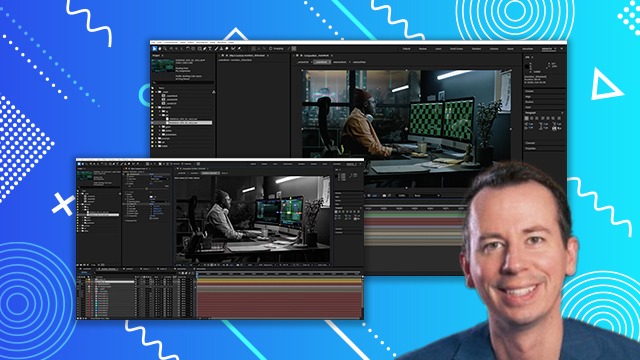
[00:00:00] Let's 3D track the shot. For the sake of
[00:00:00] time, we're going to speed through this
[00:00:00] process. Our shot has a nice steady
[00:00:00] camera move and a lot of detail in the
[00:00:00] scene. It should work pretty well using
[00:00:00] After Effects's built-in camera tracker.
[00:00:00] Starting with the D noiseis plate. Let's
[00:00:00] make a fresh pre-MP and name it
[00:00:00] pre-track. I found that the camera
[00:00:00] tracker plugin works best if you convert
[00:00:00] the footage from linear ASUS CG to sRGB
[00:00:00] first. This will only apply if you're
[00:00:00] working in linear ASUS CG like we are.
[00:00:00] Once we've done that color adjustment,
[00:00:00] we'll pre-mp it again to make sure that
[00:00:00] the camera tracker effect will
[00:00:00] acknowledge it. We'll plop the camera
[00:00:00] tracker effect on there and let it
[00:00:00] simmer.
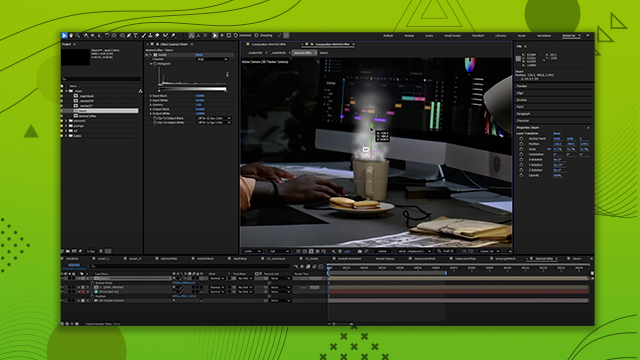
[00:00:00] We can increase the size of the markers
[00:00:00] if they're too small to see.
[00:00:00] Now, we can go through and hunt down
[00:00:00] erroneous trackers. You can click and
[00:00:00] drag around multiple markers at once and
[00:00:00] hit delete on the keyboard to get rid of
[00:00:00] them. It's a red flag if you see some
[00:00:00] markers that are uncharacteristically
[00:00:00] giant. Especially watch out for markers
[00:00:00] that are on moving objects. It doesn't
[00:00:00] take very many wacky markers to really
[00:00:00] mess up your track.
[00:00:00] Under the advanced tab, we can see the
[00:00:00] average error as a rough gauge on how
[00:00:00] good our track is. The lower the better.
[00:00:00] And it looks like we're actually at a
[00:00:00] good spot already. As we clean up the
[00:00:00] markers, you'll see the number update.
[00:00:00] Once we're happy, let's set the origin
[00:00:00] to a nice spot in the center of the
[00:00:00] scene, close to all the areas we'll be
[00:00:00] working with. Note that I'm selecting as
[00:00:00] many markers as I can that are on a flat
[00:00:00] surface in the scene. This will help
[00:00:00] give us a good ground plane and origin.
[00:00:00] Once the ground plane is set, we'll
[00:00:00] create some nles and the camera.
[00:00:00] Let's place a solid where the ground
[00:00:00] plane is.
[00:00:00] Now I'll create a couple more solids to
[00:00:00] help with the placement of the monitors.
[00:00:00] Again, just using the markers that we
[00:00:00] want that are on the correct plane.
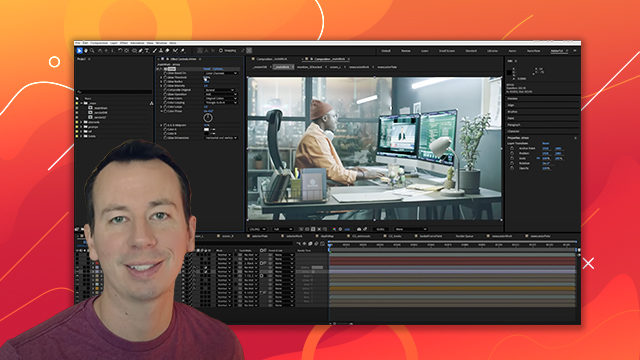
[00:00:00] I'm going to throw a checkerboard on
[00:00:00] each of these solids. They're super
[00:00:00] handy for reviewing the track.
[00:00:00] At some point during this, I like to
[00:00:00] jump into the top view and just double
[00:00:00] check that the solids that we're placing
[00:00:00] are lining up nicely with all those nles
[00:00:00] in 3D space.
[00:00:00] When we play back our track, we want to
[00:00:00] make sure there's no jittery motion or
[00:00:00] small bumps.
[00:00:00] Now, I'm going through one last time to
[00:00:00] grab any markers that I think might have
[00:00:00] a position in 3D space that'll be useful
[00:00:00] when we're compositing other elements.
[00:00:00] Be cautious with generating too many
[00:00:00] NLES in your scene. It can quickly bog
[00:00:00] down the user interface. You might only
[00:00:00] need NLES in a few key locations.
[00:00:00] If you find yourself in a scenario where
[00:00:00] you're having to scale the NLES by
[00:00:00] 10,000% to see them, then you might need
[00:00:00] to scale the entire scene to be more
[00:00:00] workable, you can do this by creating a
[00:00:00] 3D null, parenting all of the 3D objects
[00:00:00] in the scene, including your camera, to
[00:00:00] the null, and then scaling that null. If
[00:00:00] you delete that null, you will then see
[00:00:00] the new scale values on all the objects.
[00:00:00] It may take some playing around to find
[00:00:00] the best scene scale. Note that once
[00:00:00] you've altered the overall scene scale,
[00:00:00] it will make it difficult to generate
[00:00:00] new NLES again from your original camera
[00:00:00] tracker. I like to use CC Power Pin to
[00:00:00] corner pin the checkerboard onto the
[00:00:00] monitors. It's handy to have its
[00:00:00] viewport guides and also its expansion
[00:00:00] controls.
[00:00:00] Once that's done, we'll make sure that
[00:00:00] the corners stay put throughout the
[00:00:00] entire shot. I like to put a key frame
[00:00:00] at the start and one at the end just to
[00:00:00] be safe and make any small tweaks if
[00:00:00] needed.
[00:00:00] We'll do the same for the right monitor
[00:00:00] and then view our handywork carefully
[00:00:00] checking that the track is locked on
[00:00:00] throughout the entire frame range.