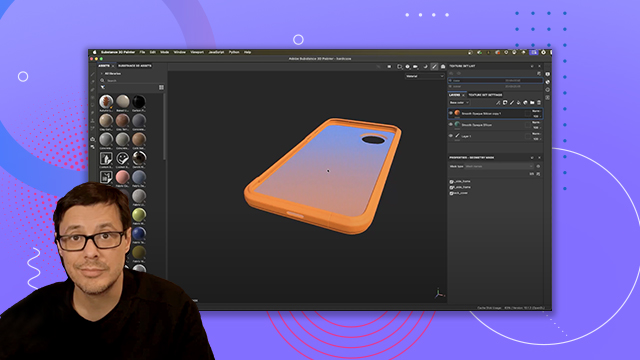
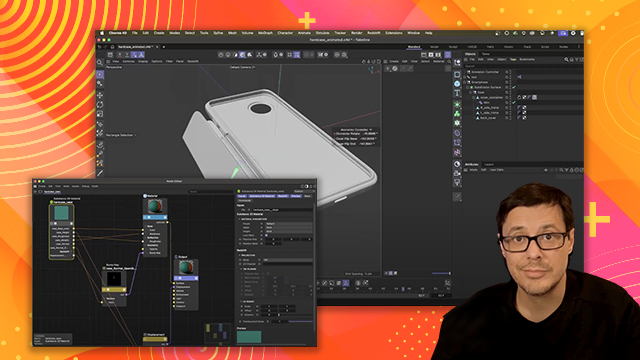
Introduction and Project Setup
Overview of Substance Painter's workflow, UI, and initial project setup, introducing the essentials for 3D texturing workflows.
This summary is AI generated
Learning Outcomes:
Learning outcomes not available.
Level: Advanced
Skills you'll gain:
Skills not available.
Key Insights
Key insights not available.
Did the AI summary help? Let us know.
Learning outcomes
Learning outcomes not available.
Key insights
Key insights not available.
Skills
Skills not available.
Transcript
[00:00:00] Hello, my name is Wes McDermott and in
[00:00:00] this video we're going to take a look at
[00:00:00] how to use Substance Painter from an
[00:00:00] absolute beginner's perspective. So,
[00:00:00] we're going to texture a very simple
[00:00:00] asset and I'm going to cover all of the
[00:00:00] basic fundamentals on how to use
[00:00:00] Substance Painter. So, we got a lot to
[00:00:00] cover. So, let's get started. Now,
[00:00:00] before we jump right into Substance
[00:00:00] Painter, I want to take a look at the
[00:00:00] asset that we're going to be working
[00:00:00] with. And to do that, I'm going to use a
[00:00:00] new application called Substance 3D
[00:00:00] Viewer. This application's in beta. It's
[00:00:00] free to use. You can download it from
[00:00:00] the Creative Cloud desktop app. Now, if
[00:00:00] you're following along in the project
[00:00:00] files, there is a folder called meshes.
[00:00:00] And within that folder, there is a file
[00:00:00] called hardcase USDZ. I'm going to use
[00:00:00] this file. So, let's just drag and drop
[00:00:00] and place that here into viewer. And
[00:00:00] that's just going to open up the 3D
[00:00:00] model file so we can take a look at it.
[00:00:00] And here you can see that I'm going to
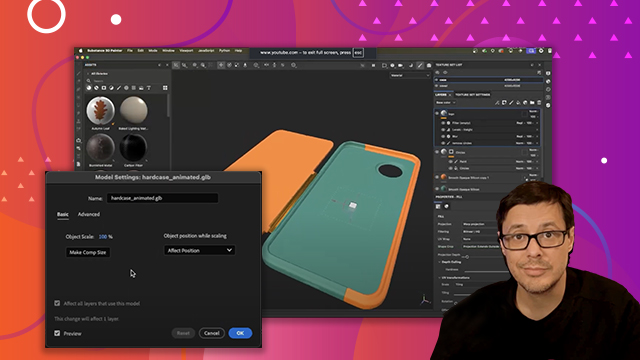
[00:00:00] be working with this phone case. Now,
[00:00:00] the main thing that I want to showcase
[00:00:00] here is that this 3D object has two
[00:00:00] materials assigned to it. So, if I
[00:00:00] select this cover, you can see that if I
[00:00:00] come over here to this appearance, we do
[00:00:00] have this material called cover that's
[00:00:00] assigned to the cover of the mesh. Now,
[00:00:00] if we look at the actual hard case
[00:00:00] itself, and you can see it's made up of
[00:00:00] a couple different 3D parts. We've got
[00:00:00] three of them here. And each one of
[00:00:00] these 3D parts has the exact same
[00:00:00] material associated with it. So, again,
[00:00:00] if I come over here and take a look at
[00:00:00] my appearance, there is a material
[00:00:00] called case, which again, like I said,
[00:00:00] is assigned to each one of these 3D
[00:00:00] parts. So once we get into Substance
[00:00:00] Painter and we start working with this
[00:00:00] 3D object, we will essentially be
[00:00:00] working with two materials. And as
[00:00:00] you'll see, each of these materials has
[00:00:00] its own layer stack. More to come on
[00:00:00] that in just a moment. Now, one last
[00:00:00] thing I want to showcase here is this
[00:00:00] particular 3D object is actually
[00:00:00] animated. So here in viewer, if I just
[00:00:00] scrub the timeline here, you can see
[00:00:00] that there's some animation associated
[00:00:00] here with this 3D model. When importing
[00:00:00] this USDZ file into Painter, I can
[00:00:00] select a frame to work with. This is
[00:00:00] ideal because I can choose the first
[00:00:00] frame so I can see all of the mesh for
[00:00:00] texturing. So now I have Substance
[00:00:00] Painter open. And we're ready to create
[00:00:00] our first project. So what I'm going to
[00:00:00] do is go to file and choose new. And
[00:00:00] this is going to bring open the new
[00:00:00] project dialogue. Now at the very top
[00:00:00] you're going to see template. Now, with
[00:00:00] everything set at the default, you
[00:00:00] should see this ASM, which is stands for
[00:00:00] Adobe Standard Material PBR metallic
[00:00:00] roughness. If you don't, you can click
[00:00:00] the drop down and then just choose it
[00:00:00] from here. But again, we're going to go
[00:00:00] with the default PBR metallic roughness.
[00:00:00] Now, the next thing that you need to do
[00:00:00] is choose a file. And that file is going
[00:00:00] to be the 3D model that you want to
[00:00:00] texture. So, that's the phone case that
[00:00:00] we just was taking a look at. So, I'm
[00:00:00] going to choose select. And then here,
[00:00:00] if you're following along in the project
[00:00:00] files in the meshes folder, we have
[00:00:00] hardcase USDZ. This is the file that we
[00:00:00] want to use. So, with it selected, I'm
[00:00:00] going to click open. And now that's set
[00:00:00] and ready to go. Now, I had mentioned
[00:00:00] before that I'm using this USDZ because
[00:00:00] I'm working with an animated file, and
[00:00:00] this particular format gives me some
[00:00:00] extra options. The thing that I'm most
[00:00:00] concerned about is this frame option.
[00:00:00] And with the frame set to zero, that is
[00:00:00] going to give me that first frame, which
[00:00:00] is the phone case completely folded
[00:00:00] open. That's ideal to work with because
[00:00:00] I can see the whole object while I'm in
[00:00:00] my texturing process. So, that's what
[00:00:00] we're doing here. Make sure this is set
[00:00:00] to zero. Should be that way by default.
[00:00:00] Now, the next thing that we want to take
[00:00:00] a look at is this document resolution.
[00:00:00] And there's a couple options here. I'm
[00:00:00] going to choose this value of 2048. And
[00:00:00] I typically start at this value. This is
[00:00:00] a really great starting point because
[00:00:00] you get good quality but it's also
[00:00:00] balanced with you know speed and
[00:00:00] performance on your machine. So
[00:00:00] Substance Painter is what we call
[00:00:00] GPUbound meaning that a lot of the
[00:00:00] computations happening on a GPU. So the
[00:00:00] better the GPU on your system the uh you
[00:00:00] know the better performance you're going
[00:00:00] to get. Now, in this particular uh case,
[00:00:00] I'm using a MacBook uh and I'm using an
[00:00:00] M2 Max Pro, and it works pretty awesome
[00:00:00] uh with this resolution, and I can also
[00:00:00] increase this resolution as well. So,
[00:00:00] I'm not stuck. Like, for example, if I
[00:00:00] said, hey, I want to work at 2048, but
[00:00:00] then maybe later down the road, I really
[00:00:00] want to export uh maybe a 4K texture, I
[00:00:00] can do that. That's the beauty of
[00:00:00] working in Substance. We are working
[00:00:00] with non-destructive resolution
[00:00:00] independence. So again, more on that
[00:00:00] later in the course when we go to
[00:00:00] export, but for now, just know that I
[00:00:00] can simply switch this to 4K at any
[00:00:00] time. But performance-wise, I keep it at
[00:00:00] 2K. Now, everything else I'm going to
[00:00:00] keep at the default. We just want to
[00:00:00] make sure that we're not changing any of
[00:00:00] these advanced options. One thing I do
[00:00:00] want to just bring to your attention, if
[00:00:00] I scroll down, just make sure if you're
[00:00:00] following along in this class, that this
[00:00:00] auto unwrap is not enabled. Now, just
[00:00:00] for your information, this auto unwrap
[00:00:00] is going to basically just do an auto
[00:00:00] unwrap of the 3D model. This is going to
[00:00:00] create what's called a UV map for me.
[00:00:00] So, if you get a 3D object and you
[00:00:00] haven't created any UVs, uh, Substance
[00:00:00] Painter can do that for you, and it's
[00:00:00] pretty awesome. I use it quite a bit.
[00:00:00] But, in this case, we have a specific UV
[00:00:00] layout, which you'll see as soon as I
[00:00:00] open uh, this particular project. But,
[00:00:00] we have that UV layout. It's part of the
[00:00:00] 3D model. I created that myself in my
[00:00:00] own 3D program, but just want to make
[00:00:00] sure you don't have this enabled uh
[00:00:00] because it takes some time and it'll
[00:00:00] kind of throw you off if this is the
[00:00:00] first time you've you've opened
[00:00:00] Substance Painter. Okay, so that's it.
[00:00:00] Just a few settings there. We're set.
[00:00:00] We're ready to go. Now, I just need to
[00:00:00] click okay. Now, Substance Painter has
[00:00:00] opened the project. And right here in
[00:00:00] the center, we're seeing our viewport.
[00:00:00] So, on the left side, I see a 3D model.
[00:00:00] And on the right side, I see a view that
[00:00:00] looks like a monster ripped open my 3D
[00:00:00] model and just flattened everything out.
[00:00:00] Well, this is what the UV coordinates
[00:00:00] are. And so, if I zoom out here a little
[00:00:00] bit, if you're familiar with UVs, uh
[00:00:00] this is what the UV looks like for this
[00:00:00] particular asset. Now, I'm not really
[00:00:00] going to get in and cover UVs uh in this
[00:00:00] course. Uh, so I'm not really going to
[00:00:00] use this 2D view, but as I had mentioned
[00:00:00] earlier, uh, if you need to have UVs
[00:00:00] created, Substance Painter can do that
[00:00:00] for you when you create your project.
[00:00:00] But for now, we're not really going to
[00:00:00] look at this 2D view. So, here at the
[00:00:00] top of the UI, I have this button and
[00:00:00] this is my 3D 2D button. And what I can
[00:00:00] do is just click on this, and I'm going
[00:00:00] to choose this option for 3D only. And
[00:00:00] that is just going to give me my 3D
[00:00:00] view. Okay. So, first thing we're going
[00:00:00] to do is learn how to navigate this 3D
[00:00:00] view because we're going to be doing
[00:00:00] that a lot. So, in order to pivot or
[00:00:00] rotate around the 3D object, I can hold
[00:00:00] down the alt or option key and use my
[00:00:00] left mouse button and I can just rotate
[00:00:00] and around the object like this. And
[00:00:00] wherever your mouse is, that is going to
[00:00:00] be the pivot point uh at which you
[00:00:00] rotate around. So, for example, if I
[00:00:00] have my mouse here, I use the alter
[00:00:00] option, leftclick, and now you can see
[00:00:00] I'm pivoting around that point. Now, if
[00:00:00] I want to pan the viewport, I just hold
[00:00:00] down the alter option and use my middle
[00:00:00] mouse button. And now I can pan the view
[00:00:00] around. So, we're going to use uh alter
[00:00:00] option, leftclick, rotate, and then
[00:00:00] click middle mouse button, and we can
[00:00:00] pan. Now, the last thing we need to do
[00:00:00] is zoom in and out. So, once more, alter
[00:00:00] option, and then use my right mouse
[00:00:00] button, and then I can move the mouse up
[00:00:00] or down to kind of zoom in and out here.
[00:00:00] And so th those are the three ways that
[00:00:00] I can really just navigate uh my 3D
[00:00:00] view. And like I said, we're going to do
[00:00:00] this a lot as we're working through our
[00:00:00] project. Now, here in the UI, you're
[00:00:00] going to see this section here called
[00:00:00] texture set list. And earlier in the
[00:00:00] video, when we first got started, I was
[00:00:00] talking about the materials that were
[00:00:00] assigned to the 3D object. And we had a
[00:00:00] case and a cover. Now, those materials,
[00:00:00] as I showed in Substance Viewer, are now
[00:00:00] available here to me inside of Substance
[00:00:00] Painter. However, Substance Painter
[00:00:00] calls it a texture set list. So, we have
[00:00:00] case and cover. Now, the important thing
[00:00:00] to understand at this point in the game
[00:00:00] is that each one of these materials is
[00:00:00] going to have its own layer stack. So,
[00:00:00] we're going to have two layer stacks,
[00:00:00] one for each material. And just to
[00:00:00] showcase this once more, you can see
[00:00:00] this is the case. If I toggle this
[00:00:00] visibility on and off, that is all of
[00:00:00] the 3D objects that have that case
[00:00:00] material assigned. Same thing here with
[00:00:00] the cover. And like I said, we're going
[00:00:00] to start working with the cover. So,
[00:00:00] I'll select it.