Screen Replacement
Learn how to replace screens in footage with custom content, blending it naturally into the scene using compositing tools.
This summary is AI generated
Learning Outcomes:
Learning outcomes not available.
Level: Advanced
Skills you'll gain:
Skills not available.
Key Insights
Key insights not available.
Did the AI summary help? Let us know.
Learning outcomes
Learning outcomes not available.
Key insights
Key insights not available.
Skills
Skills not available.
Transcript
[00:00:00] So, up until this point, we've been
[00:00:00] working with this phone screen and it's
[00:00:00] just off. It's just blank screen. And
[00:00:00] that's that's boring. We want to add we
[00:00:00] want to add some graphics here to the
[00:00:00] screen. So, let's look at how we can do
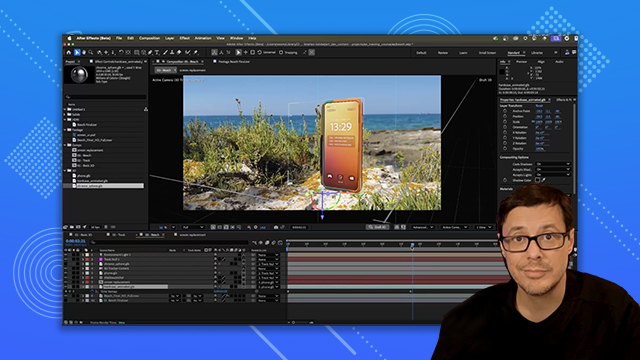
[00:00:00] a screen replacement here in After
[00:00:00] Effects. So, I can see what I'm doing.
[00:00:00] I'm going to come over to my timeline
[00:00:00] and I'm going to disable here the hard
[00:00:00] case. I'm going to start by going to
[00:00:00] layer and choosing a new solid. And
[00:00:00] we'll just call this screen for now. And
[00:00:00] we have our width and height. And this
[00:00:00] solid is going to have a specific aspect
[00:00:00] ratio that's going to match the aspect
[00:00:00] ratio of what the phone screen is. Now,
[00:00:00] I've kind of worked out the width and
[00:00:00] height ahead of time. So, I want this to
[00:00:00] be 380 by 840. And what I'm most
[00:00:00] concerned with is this frame aspect
[00:00:00] ratio at 045. Okay. So, that's going to
[00:00:00] work. Let's just give this a really
[00:00:00] bright value so we can see it. And we'll
[00:00:00] click okay. And now I have the solid
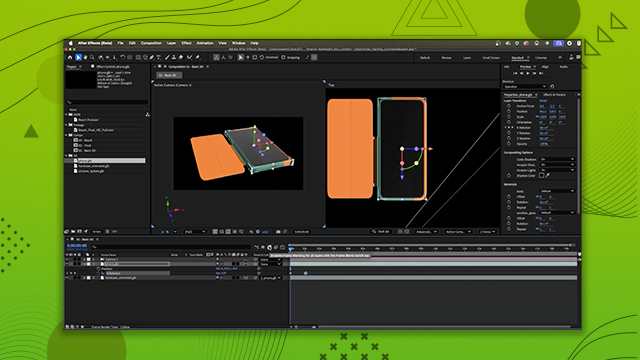
[00:00:00] here. Now, we want to make this a 3D
[00:00:00] layer. So, we're going to come over here
[00:00:00] and I'm going just going to tick the 3D
[00:00:00] object. And now we can see we have our
[00:00:00] screen again. Super super tiny. However,
[00:00:00] we are going to parent it to the phone.
[00:00:00] And same trick. We'll hit P on the
[00:00:00] keyboard to go to our position. And
[00:00:00] let's type in 0 0.
[00:00:00] And now we have the screen in position,
[00:00:00] but we just need to rotate it. So, if I
[00:00:00] jump over here to say like my left view,
[00:00:00] this is what we want to work with here.
[00:00:00] So, I can just grab this X handle, left
[00:00:00] click and drag. I'm going hold down
[00:00:00] shift and it'll snap. And I'm just going
[00:00:00] to snap it to 90°. And while I'm here in
[00:00:00] my left view, I'm just going to move
[00:00:00] this up on the Z-axis. What would be
[00:00:00] super helpful is if I just leftclick on
[00:00:00] this other view. And let's just change
[00:00:00] the view really quickly to my top view.
[00:00:00] So, now we can see our top view. We'll
[00:00:00] go back to the screen.
[00:00:00] Let's zoom in. And I'm again I'm going
[00:00:00] to push up on the Z-axis until the
[00:00:00] screen just fits right inside the phone
[00:00:00] like that. Okay, let's jump this over
[00:00:00] here to our top view. I'm going to zoom
[00:00:00] out and I can see that my screen overall
[00:00:00] is still pretty big, right? Because
[00:00:00] again, the phone is smaller than what
[00:00:00] this screen is. So, no problem. What I'm
[00:00:00] going to do here is just adjust the
[00:00:00] scale manually. I'll come in and just
[00:00:00] drag the scale until this just kind of
[00:00:00] matches up. Let's zoom in on it. Take a
[00:00:00] look. And now it's just a matter of
[00:00:00] going through this little process here
[00:00:00] just to fit the screen so that it
[00:00:00] actually covers the the 3D model phone
[00:00:00] screen. And this is looking pretty good.
[00:00:00] Let's see. For my scale, let's do you
[00:00:00] know what? Let's just do 20. Nah, let's
[00:00:00] go back down to 19%. That should do that
[00:00:00] should do fine. Okay. So now the big
[00:00:00] thing here is I just want to make sure
[00:00:00] again if I zoom in I just wanted to make
[00:00:00] sure I hit the space bar. I just wanted
[00:00:00] to make sure that the screen was fitting
[00:00:00] into the phone just under this beveled
[00:00:00] edge of the phone itself, the the the
[00:00:00] actual body of the phone. Okay. So, now
[00:00:00] we have this set. It's it's working.
[00:00:00] It's parented. But, you know, we do have
[00:00:00] this masking issue. And now I'll just
[00:00:00] come into the solid itself. I'm going to
[00:00:00] grab here the pen tool. And I'm just
[00:00:00] going to quickly create a mask. So here
[00:00:00] I'm just using the pen tool, creating a
[00:00:00] mask, adjusting the bezier handles. Uh
[00:00:00] just being careful that the edge is
[00:00:00] lining right up with the beveled edge of
[00:00:00] the phone. And that'll take care of the
[00:00:00] mask.
[00:00:00] So now that we have our screen and mask
[00:00:00] in place with the screen selected, I'm
[00:00:00] going to go to layer and I'm going to
[00:00:00] pre-ompose this layer. And we'll call
[00:00:00] this screen replacement. And we're going
[00:00:00] to leave all the attributes in the new
[00:00:00] comp. And so now I have a new
[00:00:00] composition. It's already parented to
[00:00:00] the phone. And if I double click, I can
[00:00:00] jump into this comp that's going to be
[00:00:00] set up with the aspect ratio that I need
[00:00:00] to match my screen replacement. So here
[00:00:00] in the footage, I have a graphic that
[00:00:00] was created by Robert, and it's a PSD
[00:00:00] file. If I drag and drop and place that
[00:00:00] here into my layer, and I'll just scale
[00:00:00] it down. So we get something like that.
[00:00:00] And now I have this UI that I'm going to
[00:00:00] use here for the screen. I could add an
[00:00:00] image, I could add video, but my case
[00:00:00] here, we'll just go with this image.
[00:00:00] Kind of a funny note, this content that
[00:00:00] I'm showing in this course was actually
[00:00:00] created by a session that Robert and I
[00:00:00] did at the Adobe Max keynote in 2024. So
[00:00:00] that's why you see Max Keynote West and
[00:00:00] Rob here. It's kind of funny. Okay, so
[00:00:00] there we have the UI. Uh, you know, I
[00:00:00] have this red screen back here. So with
[00:00:00] this selected, I'm going to go to my
[00:00:00] solid settings. And now I'm going to go
[00:00:00] ahead and turn this to black. And this
[00:00:00] will be nice. Kind of a black edge of
[00:00:00] the LCD. That's what that's going to
[00:00:00] represent. So I'll probably use that as
[00:00:00] well. Now I'll hit save. Before we jump
[00:00:00] over to the next comp, I want to show
[00:00:00] you something else that's pretty cool is
[00:00:00] if I come over here to window and I go
[00:00:00] to essential graphics. I can take this
[00:00:00] screen and just drag and drop and place
[00:00:00] it here into the panel. We'll call this
[00:00:00] uh we'll just call it screen. And what
[00:00:00] this is going to do is allow me to
[00:00:00] quickly change the screen graphic
[00:00:00] without having to jump in and out of
[00:00:00] comps here. I'll show you what I mean
[00:00:00] when we get over to the new comp. So,
[00:00:00] we'll save this. We'll jump back to our
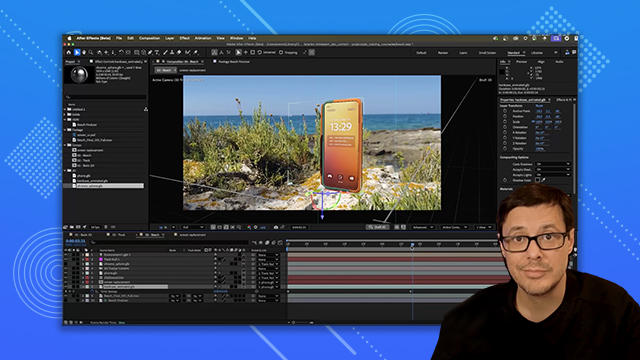
[00:00:00] original comp. And here you can see we
[00:00:00] have our screen replacement. If I select
[00:00:00] the screen replacement in the properties
[00:00:00] panel under essential properties, look,
[00:00:00] I have this little input here. And if I
[00:00:00] had another image, I could simply drag
[00:00:00] and drop and just add it in here. Here's
[00:00:00] here's a cool option. If I grab that
[00:00:00] beach finalov and place it into here,
[00:00:00] look, I can have video in my screen
[00:00:00] replacement as well. Pretty cool. Now,
[00:00:00] we have a problem. The screen's upside
[00:00:00] down and it's flipped. So, we need to
[00:00:00] fix this. You know, a really quick way
[00:00:00] to fix it while I'm here is let's just
[00:00:00] rotate the comp. So, on the Z rotation,
[00:00:00] I'm going to set this to 180 so that
[00:00:00] it's going to rotate it so that it flips
[00:00:00] in the vertical, but now the horizontal
[00:00:00] is backwards. Another quick way to fix
[00:00:00] that, if we come over to the scale and
[00:00:00] I'm going to unlink it and then we have
[00:00:00] our X, Y, and Z. Let's take the X and
[00:00:00] just set it to negative 19. So it was 19
[00:00:00] before and I just set it to negative and
[00:00:00] that just flipped it. So that's just a
[00:00:00] quick way to set that up. All right, I
[00:00:00] don't need the essential graphics panel.
[00:00:00] We can close that. Let's go to a single
[00:00:00] view and let's look at this. Not in
[00:00:00] Draft 3D, but we're going to be looking
[00:00:00] at it from my active camera, which I am.
[00:00:00] I have my phone and it is parented to
[00:00:00] the right 3D object. Good. All right.
[00:00:00] So, I have my phone. Let's go ahead and
[00:00:00] scale this guy up now. So, we'll just
[00:00:00] scale using the property panel. So, I'll
[00:00:00] just do a quick little scale. Let's
[00:00:00] rotate this into place. And again, scale
[00:00:00] it up. Okay. Now, we don't see the hard
[00:00:00] case, but remember, I just had it turned
[00:00:00] off. So, we'll just enable the hard
[00:00:00] case. And now, here we have our screen
[00:00:00] replacement. We have the phone and the
[00:00:00] hard case. And if I start to scrub
[00:00:00] through the timeline, it's now sitting
[00:00:00] tracked into my footage because the
[00:00:00] phone is parented to that null. Now, one
[00:00:00] last thing we need to do for our screen.
[00:00:00] Let's select the screen comp. And if I
[00:00:00] take a look at the properties underneath
[00:00:00] material options, you'll see here that
[00:00:00] we have these options for cast, except
[00:00:00] shadows, and accept lights. For this
[00:00:00] screen, I want to take the accept lights
[00:00:00] and I want to switch this to off. So,
[00:00:00] that is what we want to do for having
[00:00:00] this work like as an actual lit panel,
[00:00:00] like an LCD or something like that. And
[00:00:00] speaking of this being like a panel,
[00:00:00] what we could do is just jump back into
[00:00:00] screen replacement and just duplicate
[00:00:00] this layer and change the blending mode
[00:00:00] to screen. And so now, if we jump back,
[00:00:00] you can see that uh that just kind of
[00:00:00] helps make it look like uh the screen is
[00:00:00] actually on. Now, we're going to adjust
[00:00:00] the lighting. So, what we'll do is we'll
[00:00:00] go to layer, choose new, and we're going
[00:00:00] to create a new light. Make sure that we
[00:00:00] have environment type. We'll leave
[00:00:00] intensity at 100 and cast shadows is
[00:00:00] enabled. Click okay. And so, here we
[00:00:00] have our light. Let's come over to our
[00:00:00] properties panel. Now, I do have this
[00:00:00] beach final EXR is already here in my
[00:00:00] scene. Again, this is what it looks
[00:00:00] like. Got the EXR. Let's just drag it
[00:00:00] towards the bottom. Go back to the light
[00:00:00] and in the properties panel for source,
[00:00:00] select beach final EXR. And so now we're
[00:00:00] starting to get some light here. We
[00:00:00] don't see our shadows really though. And
[00:00:00] so here's where we need to set that
[00:00:00] casting box size. Now in this case, we
[00:00:00] actually have this background. So what
[00:00:00] I'd like to do in this case is just make
[00:00:00] sure that the elements that I want to
[00:00:00] cast shadows, I want those to be visible
[00:00:00] before I set the casting box size. So,
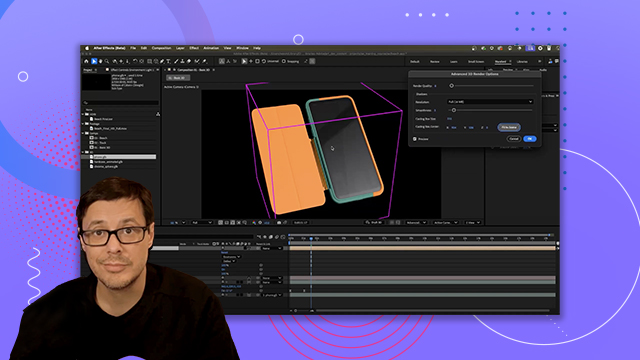
[00:00:00] what I'll do is just come over here to
[00:00:00] phone. Let's solo this. And we'll solo
[00:00:00] the hard case. Let's come to advanced
[00:00:00] settings,
[00:00:00] render options,
[00:00:00] and I'm going to fit the casting box to
[00:00:00] scene. So, now it's just encompassing
[00:00:00] our 3D objects. We'll click okay. And
[00:00:00] then turn off here that solo. And now we
[00:00:00] can start to play around with the light
[00:00:00] rotation. Actually, before we do that,
[00:00:00] we need to set up our shadow cer so that
[00:00:00] we're casting shadows on this background
[00:00:00] video plate. So, just as we did
[00:00:00] previously, we're going to go to layer,
[00:00:00] new solid, and we'll just call this uh
[00:00:00] shadow catcher,
[00:00:00] and the color doesn't really matter, but
[00:00:00] I like to just kind of keep it this kind
[00:00:00] of default mid-graay. Uh comp size is
[00:00:00] fine. We'll click okay. And as you
[00:00:00] recall, we're going to turn this into a
[00:00:00] 3D layer. And just for organizational
[00:00:00] sake, I'm just going to drag this down
[00:00:00] so it's kind of below the phone. Uh,
[00:00:00] it's fine in this case. Again, it's all
[00:00:00] part of the 3D bin. Now, what I'm going
[00:00:00] to do is take this shadow catcher
[00:00:00] because I do need it to be tracked with
[00:00:00] our track null or I need it to be
[00:00:00] aligned with that. So, we're going to
[00:00:00] use our pick whip to parent to the track
[00:00:00] null. Hit the P key on the keyboard to
[00:00:00] go to position. Let's clear this out. 0
[00:00:00] 0 0
[00:00:00] on the XYZ.
[00:00:00] And then I'll grab my Xaxis handle and
[00:00:00] I'll hold down shift and I'm just going
[00:00:00] to snap rotate this to 90 degrees. There
[00:00:00] we go. And so now you can start to see
[00:00:00] that I do have my shadows casting. The
[00:00:00] plane is really small, but no problem.
[00:00:00] Now that we have it in our scene, we can
[00:00:00] just click these little handles here to
[00:00:00] scale this up. And so I just want this
[00:00:00] to kind of encompass the area that I'm
[00:00:00] going to be working with here. And just
[00:00:00] as we did previously, we are going to go
[00:00:00] to our material options. So we'll go to
[00:00:00] material options and we are going to
[00:00:00] tell accept shadows to only. And so now
[00:00:00] we have our shadow cast in the scene.
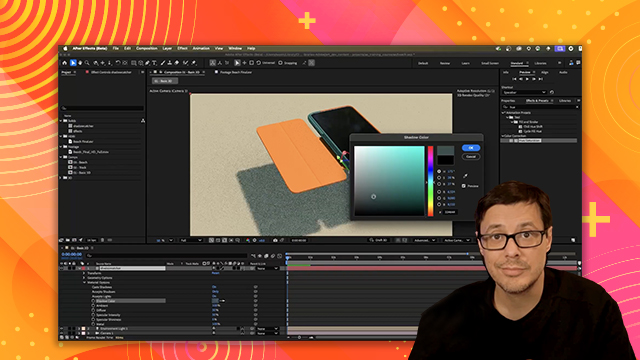
[00:00:00] Now, since we actually do have a
[00:00:00] background plate, what we can do is use
[00:00:00] the color sample, and let's just try to
[00:00:00] sample a value, like a shadow, a dark
[00:00:00] shadow value here in the actual back
[00:00:00] plate. So, I'm going to choose maybe
[00:00:00] something like this. And you can see
[00:00:00] where that, you know, adjusts the
[00:00:00] overall kind of value of our shadow. And
[00:00:00] that looks pretty good for now. Okay.
[00:00:00] So, we have that in place. We can keep
[00:00:00] tweaking with that. But just for now, I
[00:00:00] just needed to have some type of shadow
[00:00:00] so that I could kind of ground this
[00:00:00] phone or this this 3D object here into
[00:00:00] my scene. Again, it's really large. It's
[00:00:00] not really in perspective, but it's, you
[00:00:00] know, it's kind of part of this little
[00:00:00] fake ad that I'm putting together. Now,
[00:00:00] we can look at setting up the correct
[00:00:00] light direction. And to do that, I've
[00:00:00] added another 3D object here, this
[00:00:00] chrome sphere. So, let's just enable
[00:00:00] that here in my scene. And I'm going to
[00:00:00] uh well, I'll leave the phone on so we
[00:00:00] can see the shadows. So, this chrome
[00:00:00] sphere is metallic, completely
[00:00:00] reflective. And what this is doing is
[00:00:00] it's allowing me to see this that HDR
[00:00:00] background image. And I can see how my
[00:00:00] environment is, you know, being
[00:00:00] reflected here in this sphere. And I can
[00:00:00] actually see the directional or the sun
[00:00:00] itself, which is really cool. So, if I
[00:00:00] go to my environment light, what I'll do
[00:00:00] is start looking for like cues in the
[00:00:00] background plate. So you'll look through
[00:00:00] and just see like if I can tell where
[00:00:00] shadows are being casted, you know, like
[00:00:00] how long they are, that kind of stuff.
[00:00:00] And then I can also just come over here
[00:00:00] to my rotation. And as I start to change
[00:00:00] the rotation, you'll see not only do the
[00:00:00] shadows move, but I could see how the
[00:00:00] sun position is being is is in relation
[00:00:00] to the scene because of my chrome
[00:00:00] sphere. And this really helps in setting
[00:00:00] up a very accurate direction for the
[00:00:00] lighting here. So again, just looking at
[00:00:00] some visual cues to see what I can come
[00:00:00] up with. We'll do something like that. I
[00:00:00] could even play around with the X
[00:00:00] rotation as well
[00:00:00] if I wanted to kind of, you know, make
[00:00:00] these shadows not as long. So maybe I'll
[00:00:00] just kind of play with this too. Maybe
[00:00:00] something a little bit more like let's
[00:00:00] say like this.
[00:00:00] And yeah, there we go. Looks pretty
[00:00:00] good. Okay, so now that this is in
[00:00:00] place, I can just take the visibility
[00:00:00] option for this chrome layer. I'll just
[00:00:00] turn that off. And now I have the the
[00:00:00] phone and my shadow light direction is
[00:00:00] set up.
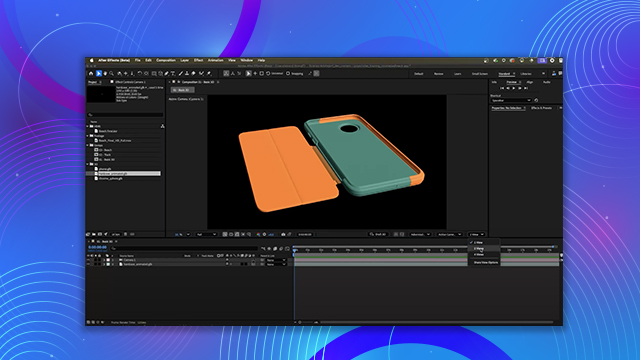
[00:00:00] So here's the scene with everything
[00:00:00] tracked. I'm in draft 3D mode and we now
[00:00:00] just want to work with the animation on
[00:00:00] the phone cover. So what we'll do is
[00:00:00] come over here to the hardcase animated
[00:00:00] layer and let's take a look at those
[00:00:00] animation options and we're going to set
[00:00:00] that to enable that animation track. And
[00:00:00] so now, just as we covered earlier, we
[00:00:00] are going to go to layer and we're going
[00:00:00] to go to time and enable time remapping.
[00:00:00] Now, what I'd like to do is have it to
[00:00:00] where it starts with the cover closed.
[00:00:00] And so I can see that's right at 1
[00:00:00] second. So we'll go back to our first
[00:00:00] key frame here, and I'll just type in
[00:00:00] 30. And that is going to close the
[00:00:00] cover. So now, as we scrub through the
[00:00:00] timeline, you can see that as the camera
[00:00:00] moves, the case opens. And now we just
[00:00:00] need to take the layer and just extend
[00:00:00] it here towards the end. So scrubbing a
[00:00:00] little further. I'd like to have it to
[00:00:00] where then the case folds back to close.
[00:00:00] So let's create another little hold key
[00:00:00] frame here. And then we'll scroll back
[00:00:00] towards the end. And what we'll do is
[00:00:00] set this back to 30. So that'll close.
[00:00:00] So now let's take a look at this
[00:00:00] animation. So we'll go through. You can
[00:00:00] see that the case opens, flips around,
[00:00:00] and then it closes