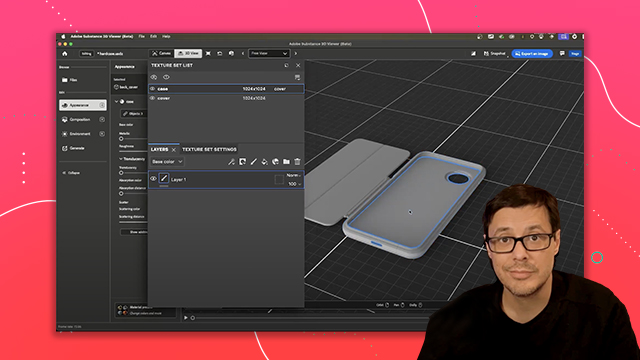
Home > Working with Custom Materials

Wes McDermott

Principal Director, Substance 3D Worldwide Evangelism

linkedin-icon

Working with Custom Materials

Building and refining custom texture effects using masks, selections, and layer operations to get precise material placement on 3D models

This summary is AI generated

Learning Outcomes:

Learning outcomes not available.

Level: Advanced

Skills you'll gain:

Skills not available.

Key Insights

Key insights not available.

Learning outcomes

Learning outcomes not available.

Key insights

Key insights not available.

Skills

Skills not available.

Transcript

[00:00:00] So, we're going to start by coming over

[00:00:00] to our layer stack, and we're going to

[00:00:00] click this button, which is going to

[00:00:00] create a new fill layer for us. So, I'll

[00:00:00] click the button, and you can see I now

[00:00:00] have a new fill layer. And if I double

[00:00:00] click, I can name the layer. So, here

[00:00:00] I'm just going to call this uh metal

[00:00:00] hinge.

[00:00:00] Okay. So, now I have a new layer. So,

[00:00:00] we've already discussed how this fill

[00:00:00] layer fills the channels with uniform

[00:00:00] color values. And so what we want to do

[00:00:00] is in this case make our own metal

[00:00:00] material from scratch instead of relying

[00:00:00] on one of these uh base materials that

[00:00:00] we already have in our assets folder. So

[00:00:00] first things first, what I need to do is

[00:00:00] set my color. So here again I'm going to

[00:00:00] grab my color picker and this time I'm

[00:00:00] going to come over here to I have Adobe

[00:00:00] Color open and I'm going to use that

[00:00:00] same orange swatch. So we'll select

[00:00:00] that. Don't forget, you could also just

[00:00:00] copy and paste the hex color or change

[00:00:00] the colors manually. Okay, so now we've

[00:00:00] set our color. And the next thing I'm

[00:00:00] going to do is set this roughness value

[00:00:00] down to be pretty low. We want this to

[00:00:00] be reflective. And we need to set this

[00:00:00] as a metal material. So I need to take

[00:00:00] this metal slider. I'll move it from

[00:00:00] black all the way here to white. And

[00:00:00] this makes a metal material. Now, what

[00:00:00] you'll notice is that well, while we do

[00:00:00] get a a metal material, we are also

[00:00:00] still seeing all of the textural detail

[00:00:00] that is in the smooth opaque silicon

[00:00:00] material that's underneath. And so, the

[00:00:00] layer stack works by processing layers

[00:00:00] from the bottom up. And one of the

[00:00:00] things that can be confusing, especially

[00:00:00] when you're first getting into Painter,

[00:00:00] is, hey, this layer is on top. Why am I

[00:00:00] seeing some of the values from the

[00:00:00] material below? Oh, it shouldn't it

[00:00:00] overwrite? Well, the answer to that

[00:00:00] question is that some of the channels

[00:00:00] and we'll say height and normal

[00:00:00] specifically are trying to blend

[00:00:00] together and it's set that way by

[00:00:00] default. And that's why you have this

[00:00:00] little drop down here at the top of the

[00:00:00] layer stack. This here is called the

[00:00:00] view mode. And I can set this to

[00:00:00] different channels. Now, because

[00:00:00] Substance Painter works across multiple

[00:00:00] channels, it's just a UI option to be

[00:00:00] able to say, "Hey, even though this

[00:00:00] layer represents multiple channels, all

[00:00:00] the ones that you see here, I want to

[00:00:00] pull out and work with some blending

[00:00:00] modes for a specific channel. So, that's

[00:00:00] why here I might choose something like

[00:00:00] the height channel." So, I'm using the

[00:00:00] view mode to select height. And this is

[00:00:00] going to change my settings here for the

[00:00:00] blending modes and the layer opacity.

[00:00:00] And you'll notice that it's set to

[00:00:00] linear dodge by default, which means

[00:00:00] it's just going to combine with the data

[00:00:00] below it. That's exactly what's going on

[00:00:00] here uh in this situation. So, for

[00:00:00] example, if I now come over to the

[00:00:00] blending mode, I'm going to set this to

[00:00:00] normal. You can see that that fixes the

[00:00:00] issue. We have said that, hey, we want

[00:00:00] to have just normal, meaning no

[00:00:00] blending. The height is enabled on this

[00:00:00] channel and the height is enabled on the

[00:00:00] channel below it. Notice that the normal

[00:00:00] channel is not enabled. Normal is like a

[00:00:00] bump channel basically kind of similar

[00:00:00] to height. But in this case, all I need

[00:00:00] to do is just override that height

[00:00:00] information using the view mode. Now,

[00:00:00] you can leave it at height. Usually, I

[00:00:00] just set this back to color just out of

[00:00:00] habit. It doesn't matter. Like I said,

[00:00:00] just know that these view modes is only

[00:00:00] allowing you to change or select the

[00:00:00] blending mode and the layer opacity for

[00:00:00] a given channel. So, like I said, I'll

[00:00:00] just keep this back to base color. Okay.

[00:00:00] So now we have this metal hinge material

[00:00:00] overriding this silicone material that

[00:00:00] we added previously. What we need to do

[00:00:00] at this stage is start to mask. So just

[00:00:00] like we would add a layer mask in

[00:00:00] Photoshop, we need to do that here in

[00:00:00] Substance Painter. So to do that, we're

[00:00:00] going to jump back over here to the

[00:00:00] layer stack and I have this button here

[00:00:00] which is going to allow me to add a

[00:00:00] mask. And we have different types of

[00:00:00] mask that we can add. Typically I start

[00:00:00] with a black mask. So we're going to

[00:00:00] create a black mask that creates a layer

[00:00:00] mask. And you'll notice that black

[00:00:00] meaning completely transparent. So we

[00:00:00] see through to the layer below it. And

[00:00:00] that's precisely what we're getting here

[00:00:00] in our viewport. We no longer see the

[00:00:00] metal because we've basically set the

[00:00:00] whole thing to be black. We're seeing

[00:00:00] right through to this silicone material

[00:00:00] that's underneath of it. Now with this

[00:00:00] layer selected, one of the things I'm

[00:00:00] going to do is jump back over here to my

[00:00:00] layer stack and I'm going to grab this

[00:00:00] little magic wand tool. This is how we

[00:00:00] can add effects. And if we click this,

[00:00:00] there's lots of these effects. We can

[00:00:00] add like a special generator, like a

[00:00:00] filter to create a mask for us. We can

[00:00:00] add a fill. We can do a paint. This is

[00:00:00] what I want to do. I want to add a

[00:00:00] paint. So now we'll add this paint

[00:00:00] effect into here. And what I can do is

[00:00:00] once I've added this paint to my mask

[00:00:00] layer, I now have a paintbrush. So, just

[00:00:00] as we discussed before, we can jump over

[00:00:00] here to our paint properties and we can

[00:00:00] choose things like our brush size,

[00:00:00] spacing, flow, jitter, all these things.

[00:00:00] Typically, for a mask, I'm going to use

[00:00:00] just a default brush like this. Now,

[00:00:00] there's a couple other things that we

[00:00:00] can do. I mentioned earlier that if you

[00:00:00] hold down the command or control key and

[00:00:00] move the mouse button left or right,

[00:00:00] that will increase or decrease the size.

[00:00:00] Notice that with this default brush,

[00:00:00] there's this nice fall-off. Now, if I

[00:00:00] want to change that, I could come over

[00:00:00] here to the brush properties and change

[00:00:00] uh basically the hardness of the brush

[00:00:00] and that and you're going to find that

[00:00:00] setting here on the alpha. So, we have

[00:00:00] this hardness of the brush. So, I'm

[00:00:00] going to hold down the command or alt

[00:00:00] button and then use my right mouse

[00:00:00] button and then move the mouse up or

[00:00:00] down. And this is going to control that

[00:00:00] hardness. It's another shortcut that I

[00:00:00] can use just to quickly control the

[00:00:00] hardness of the brush. So, I don't want

[00:00:00] it to be like super soft fall off, but I

[00:00:00] don't want it to be very very crisp and

[00:00:00] hard on the edges. So, just, you know,

[00:00:00] slight little feather. That's usually

[00:00:00] how I'll work for this. So, again,

[00:00:00] command or control right mouse button

[00:00:00] left to right is going to zoom or scale

[00:00:00] down my brush. I could also use my left

[00:00:00] and right bracket keys if I need to as

[00:00:00] well. And so here I could go in and I

[00:00:00] could start to paint with this brush and

[00:00:00] I'm painting with a value of white. So

[00:00:00] where is this coming from? Well, I

[00:00:00] mentioned earlier that every time you

[00:00:00] have a brush, there's a material

[00:00:00] associated with it. And that actually

[00:00:00] holds true even when you're working with

[00:00:00] a mask. So if we look at the paint, we

[00:00:00] have again our brush settings. We have

[00:00:00] an alpha and then you have we're going

[00:00:00] to skip this stencil. We're not going to

[00:00:00] cover that in this course. But if we

[00:00:00] come over to this last option, this is a

[00:00:00] grayscale gradient. So because we're

[00:00:00] working in a mask, which is black and

[00:00:00] white and kind of grayscale values, we

[00:00:00] don't have a material per se in that

[00:00:00] there's base color, metal, rough. We

[00:00:00] don't have that. But what we do have is

[00:00:00] a value. And that's I guess it's kind of

[00:00:00] like a material, just black and white.

[00:00:00] And so you can see that is if I'm

[00:00:00] painting a black transparent mask with

[00:00:00] white, that allows me to mask the

[00:00:00] material. So, if I wanted to come in

[00:00:00] here and paint like this, I I could do

[00:00:00] that. Now, you can see that, well, my

[00:00:00] paint job is not too great. It's kind of

[00:00:00] bleeding over into the cover. So, what

[00:00:00] could I do? I could grab the slider.

[00:00:00] Let's set it to black. And now, I could

[00:00:00] go in here and try to paint and and

[00:00:00] really get down in this edge. And I can

[00:00:00] use a keyboard shortcut of X on the

[00:00:00] keyboard. This toggles between white and

[00:00:00] black. Kind of a a great way to to to

[00:00:00] mask. Another really cool shortcut,

[00:00:00] especially if you have like a hard edge

[00:00:00] like this, is you can uh let's see,

[00:00:00] let's set this. We'll keep this at

[00:00:00] black. We'll click once, hold down the

[00:00:00] shift key, and then now I'm going to

[00:00:00] have this like what's called a straight

[00:00:00] line tool that's part of the brush. And

[00:00:00] this will allow me to create just a

[00:00:00] straight edge. So now if I click once

[00:00:00] more, that could be a good way to mask

[00:00:00] this out. But again, if I zoom in close,

[00:00:00] it's not perfect. I could go back and

[00:00:00] forth on this all day long. And you can

[00:00:00] see, oh no, look, I've got a little gap

[00:00:00] here. Hit X to invert. Let's go back and

[00:00:00] try to fill that in. So, you could do

[00:00:00] this if you wanted to. Like I said, one

[00:00:00] thing you'll learn with Substance

[00:00:00] Painter is there's so many different

[00:00:00] ways to work. So, I'm not going to go

[00:00:00] this route. Here's what I'm going to do.

[00:00:00] We're going to kill that paint effect.

[00:00:00] Let's go and add another paint effect.

[00:00:00] And this time over here on my toolbar.

[00:00:00] So, this is your toolbar. We've been

[00:00:00] using the brush tool. We have an eraser.

[00:00:00] We have a pen tool. There's lots of

[00:00:00] options here, but I'm going to use this

[00:00:00] one, which is called a polygon fill

[00:00:00] tool. This is like the fill object in

[00:00:00] Photoshop. So, when I select this with

[00:00:00] my paint effect, we get a couple fill

[00:00:00] modes. So, you have uh what's called

[00:00:00] triangles, these little faces that you

[00:00:00] see here in the wireframe view. You have

[00:00:00] faces, you have object, and then you

[00:00:00] have UV, which is basically UV shells.

[00:00:00] Uh we're not really messing too much

[00:00:00] with UVs in this course, so we're not

[00:00:00] even going to worry about that. What

[00:00:00] we're going to use is just this polygon

[00:00:00] fill object mode. And so it's set to

[00:00:00] white. And then now because this

[00:00:00] geometry, if I zoom in really close, you

[00:00:00] can see this geometry is actually a

[00:00:00] separated mesh part. What I can do now

[00:00:00] is just click. So I'll come into here

[00:00:00] and I'll click and click on this part.

[00:00:00] And there you go. I get a perfect mask

[00:00:00] based on the geometry. I'm going to go

[00:00:00] back to the brush. And there we go. So I

[00:00:00] didn't have to spend a lot of time

[00:00:00] painting. I've got that perfect mask in

[00:00:00] place. If we want to see what the mask

[00:00:00] looks like, if I hold down the alter

[00:00:00] option key here and I just click and I

[00:00:00] clicked on the mask itself, this allows

[00:00:00] me to view what I just created. So with

[00:00:00] this metal hinge layer, we have this

[00:00:00] mask which is now showcasing white is

[00:00:00] what the metal is. And everything that's

[00:00:00] black is going to show the layers

[00:00:00] underneath of it. If I want to get back,

[00:00:00] I can click this icon or click or press

[00:00:00] M on the keyboard to take me to material

[00:00:00] mode. And so there we go. We can now see

[00:00:00] that is how we can apply a fill layer to

[00:00:00] create our own custom material. And we

[00:00:00] can use layer masking. So we can start

[00:00:00] to get a little bit more sophisticated

[00:00:00] in how we work with our materials by

[00:00:00] blending multiple layers on top of each

[00:00:00] other in this layer stack. So now let's

[00:00:00] start looking at texturing the actual

[00:00:00] phone case itself. And since I like this

[00:00:00] silicone material, I could simply just

[00:00:00] copy and paste it. So I can, you know,

[00:00:00] just use normal copy and paste. Command

[00:00:00] C, control C to copy it or rightclick

[00:00:00] here. And you can choose to, you know,

[00:00:00] copy layers. So we'll do that. And then

[00:00:00] here I'm going to select the case, which

[00:00:00] is the texture set. Now, as I said

[00:00:00] earlier, now you can really see this

[00:00:00] come into play where these materials

[00:00:00] have or the yeah, these materials will

[00:00:00] have their own texture set. So with this

[00:00:00] case selected, I'll hit uh commandV or

[00:00:00] controlV. This is going to paste in. And

[00:00:00] now I have this new material. So, what I

[00:00:00] want to do, of course, you probably

[00:00:00] already guessed it. I want to change the

[00:00:00] color. So, once again, I'm going to grab

[00:00:00] my color picker, choose this color value

[00:00:00] from my color theme, and I'm good to go.

[00:00:00] All right. So, now that we have our

[00:00:00] material and our color, I want to show

[00:00:00] something here. So, I'm going to zoom in

[00:00:00] on this area. And if you take a really

[00:00:00] close look, you can see that, well, we

[00:00:00] get, you know, a little bit of

[00:00:00] distortion here in the detail that's

[00:00:00] coming from this material. Uh, and in

[00:00:00] this particular case, it really comes

[00:00:00] down to that projection mode. So, again,

[00:00:00] with my layer selected, and if I look at

[00:00:00] the properties, I'm on the fill tab, and

[00:00:00] there's projection. Like I said, it's

[00:00:00] it's based on UV by default. And in this

[00:00:00] particular case, the way the UVs are

[00:00:00] laid out, it's causing a little bit of

[00:00:00] this issue. Now, a way to fix that

[00:00:00] pretty quickly would be to again set it

[00:00:00] to triplaner. We talked about this a

[00:00:00] little bit earlier. Like I said, mainly

[00:00:00] UV and triplaner, the two options I'm

[00:00:00] using. But if I just set this to trip

[00:00:00] planer, you can see that it pretty much

[00:00:00] fixes it. So it looks pretty good now.

[00:00:00] Now, as I said earlier, you have this

[00:00:00] like little manipulator here that's

[00:00:00] trying to cover the whole object. And if

[00:00:00] I wanted to make any change to this,

[00:00:00] let's say on the Z-axis, I could just

[00:00:00] grab the manipulator on the Z-axis

[00:00:00] handle. It's this blue handle, and just

[00:00:00] move it. And you can see I can just kind

[00:00:00] of move this texture around. Don't

[00:00:00] really need to do it in this particular

[00:00:00] case, but what I'm going to do is just

[00:00:00] take the projection box and just kind of

[00:00:00] align it over the case section here. And

[00:00:00] this is the result that I'm getting. So

[00:00:00] you can see it looks a lot better. So

[00:00:00] just once more, this is what we had

[00:00:00] under UV and you're getting some of this

[00:00:00] distortion here. And then here is what

[00:00:00] we get with trip planer. Looks a lot

[00:00:00] cleaner. Okay. So now I would like to

[00:00:00] have a different color here on this

[00:00:00] right side of the case. So let's do

[00:00:00] that. We can come over here to our layer

[00:00:00] stack and we can duplicate. I'm just

[00:00:00] going to rightclick here on the layer

[00:00:00] and choose duplicate layer. And now I

[00:00:00] need to change the color. So let's come

[00:00:00] over here to the material tab. And then

[00:00:00] we have that silicon color. So now I can

[00:00:00] just grab my color picker. And since I

[00:00:00] already have this value over here on the

[00:00:00] case, I can just simply select and pick

[00:00:00] from this case color. So we'll do that.

[00:00:00] And you can see that that sets the

[00:00:00] color. Another option that you have, if

[00:00:00] I open up here the color picker, you can

[00:00:00] see that we can also create swatches. So

[00:00:00] for example, let's say that I had a

[00:00:00] color that I wanted to work with and I

[00:00:00] wanted to save this. this I can just

[00:00:00] click this plus button and that'll

[00:00:00] create a swatch for me. So in my case I

[00:00:00] did create a swatch for this orange

[00:00:00] value which I want to use. So I can just

[00:00:00] click this button and that applies the

[00:00:00] color. So now we need to mask this

[00:00:00] corner of the case and we could do that

[00:00:00] using a layer mask as I shown

[00:00:00] previously. So with the layer selected

[00:00:00] we can come down and create another

[00:00:00] mask. However, there's another way to

[00:00:00] create masks and that's called using a

[00:00:00] geometry mask. So here on the layer, if

[00:00:00] we take a look, you'll notice that we

[00:00:00] have this square with a dash line. So I

[00:00:00] can select this thumbnail and that takes

[00:00:00] me into the geometry mask. And depending

[00:00:00] on how the model was created, you may

[00:00:00] see some mesh parts. Now, in the

[00:00:00] particular creation of this model in the

[00:00:00] 3D program, these mesh parts are

[00:00:00] separated onto different layers, and

[00:00:00] every 3D program kind of handles that

[00:00:00] differently. So again, like I said, it

[00:00:00] really depends on how the model was

[00:00:00] created. But in this case, I created it.

[00:00:00] So I knew that, you know, I would love

[00:00:00] to be able to select based on these

[00:00:00] different mesh parts. So what I can do

[00:00:00] is just simply click in the viewport to

[00:00:00] just unassign or mask various mesh

[00:00:00] parts. I could also just click here on

[00:00:00] these little check boxes. Another option

[00:00:00] is that I can use my left mouse button

[00:00:00] and I can select mesh parts. And if I

[00:00:00] want to invert this selection really

[00:00:00] quickly, I can use the alter command key

[00:00:00] and let go of my mouse and that will

[00:00:00] quickly select just this part. So now

[00:00:00] you can see here in the UI up here in

[00:00:00] the corner we now have this geometry

[00:00:00] mask which is showing one meaning that

[00:00:00] one mesh part is being used to create

[00:00:00] this mask for this layer. And this is

[00:00:00] like I said a geometry mask. So to get

[00:00:00] out of this mode I just simply need to

[00:00:00] come over here to the material icon and

[00:00:00] just click on it once. And now I've

[00:00:00] masked based on the geometry information

[00:00:00] that's in the 3D model. Okay. Okay, so

[00:00:00] now I'm going to rotate around to the

[00:00:00] back side of the case. We're going to

[00:00:00] add some additional details. Now, real

[00:00:00] quick, if you orbit around the back and

[00:00:00] everything looks really dark, if you

[00:00:00] recall earlier, we would come over to

[00:00:00] our display settings and again just make

[00:00:00] sure this environment alignment is set

[00:00:00] to camera. That way, the lighting is

[00:00:00] being adjusted from this camera

[00:00:00] perspective. Okay. So, now we're ready

[00:00:00] to add some details here to the back of

[00:00:00] the phone