Advanced Texturing Techniques
Creating complex details using procedural textures, projection options, and importing vector graphics from Adobe Illustrator
This summary is AI generated
Learning Outcomes:
- Apply textures using Substance Painter
- Utilize layer masks for complex designs
- Adjust material properties for desired effects
Level: Advanced
Skills you'll gain:
Substance Painter, Texturing, Layering, Masking
Key Insights
- Use texture filters to find specific maps quickly.
- Drag and drop textures directly onto surfaces.
- Change projection modes for better texture application.
- Utilize keyboard shortcuts for efficiency in scaling and rotating.
- Adjust projection depth to control texture visibility.
- Add multiple layers for complex masking effects.
- Use paint effects to modify height information without overwriting layers.
- Apply filters to enhance texture appearance.
- Utilize levels adjustments for precise control over effects.
- Import various file types seamlessly into Substance Painter.
Did the AI summary help? Let us know.
Learning outcomes
- Apply textures using Substance Painter
- Utilize layer masks for complex designs
- Adjust material properties for desired effects
Key insights
- Use texture filters to find specific maps quickly.
- Drag and drop textures directly onto surfaces.
- Change projection modes for better texture application.
- Utilize keyboard shortcuts for efficiency in scaling and rotating.
- Adjust projection depth to control texture visibility.
- Add multiple layers for complex masking effects.
- Use paint effects to modify height information without overwriting layers.
- Apply filters to enhance texture appearance.
- Utilize levels adjustments for precise control over effects.
- Import various file types seamlessly into Substance Painter.
Skills
Substance Painter, Texturing, Layering, Masking
Transcript
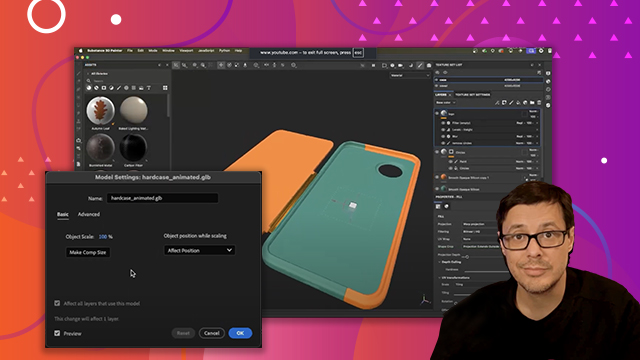
[00:00:00] So, this is the next texture detail that
[00:00:02] we're going to create here in Substance
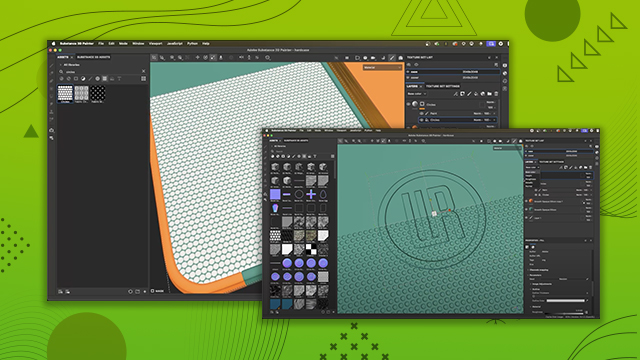
[00:00:03] Painter. We're going to add these little
[00:00:05] circles that are going to represent this
[00:00:09] grip texture for the back of the phone
[00:00:11] case. All right, so let's jump in and
[00:00:13] take a look at how this works. So, the
[00:00:15] first thing we want to do is we're going
[00:00:16] to jump over here to our assets tab. And
[00:00:19] you'll see at the top we have these
[00:00:20] buttons which act like filters for
[00:00:22] different types of content. Now, if you
[00:00:24] don't see these buttons, it could be
[00:00:25] that the tab is just shortened so it
[00:00:28] kind of cuts off everything and you have
[00:00:29] this main filter button and you could
[00:00:31] access the buttons through this little
[00:00:33] dropdown. Or if this is the scenario you
[00:00:36] find yourself in, just don't worry. You
[00:00:38] can just click and drag and we'll extend
[00:00:39] this tab. And now I have my buttons. So,
[00:00:41] what we want to do is we want to come
[00:00:42] over here to this option which is the
[00:00:45] texture filter. So, I'll click on this,
[00:00:47] and this is going to filter out all the
[00:00:49] different texture maps that ship with
[00:00:50] Substance Painter that can help us in
[00:00:52] our texturing process. Now, a specific
[00:00:55] texture that I'm looking for is called
[00:00:57] circles. So, I'm going to do a search
[00:00:58] here for circles. And you can see that
[00:01:01] it filters out and I have this circles
[00:01:03] map. This is what I want to use. Now,
[00:01:05] there are several ways to apply this
[00:01:07] texture to a 3D surface. First thing I
[00:01:09] could do is I could take this and I
[00:01:11] could drag and drop and I could place it
[00:01:12] right here in the layer stack. Now, as
[00:01:14] soon as I let go of my mouse, it asks
[00:01:16] me, hey, what do you want to do with
[00:01:17] this? Do you want to take this and place
[00:01:19] it into the base color? Do you want this
[00:01:21] to be roughness information, or do you
[00:01:23] want it to be a layer mask? And so, if I
[00:01:25] say layer mask, you can see that what
[00:01:28] this does is it creates that fill layer
[00:01:30] that we've been working with. It adds a
[00:01:31] layer mask already, a black mask. Then,
[00:01:34] it adds a fill, which is this effect
[00:01:36] here, a fill effect. It adds that
[00:01:37] automatically. And then if we take a
[00:01:40] look here in the properties the
[00:01:42] grayscale input and this is just a
[00:01:44] button itself. If I click this you can
[00:01:46] see that in this resources I could have
[00:01:48] searched for circles and I could click
[00:01:50] and drag and and select or click to
[00:01:52] apply the circles right here to this
[00:01:54] grayscale switch or button. And so that
[00:01:56] is one way that we could do this. Now
[00:01:59] the issue with this is that we're on UV
[00:02:01] projection. Like you've said I could
[00:02:03] change this to a couple different things
[00:02:05] like I could switch it to let's say our
[00:02:06] trip planer projection. Uh, I could try
[00:02:08] some different options, but then I need
[00:02:10] to scale and reposition and do all kinds
[00:02:12] of stuff here. So, I'm going to show you
[00:02:14] another option that I feel like, uh, is
[00:02:16] a little bit faster because it just
[00:02:18] involves a little less clicking. So, let
[00:02:20] me show you that. We're going to come
[00:02:22] over to this layer for now. I'm just
[00:02:23] going to delete it. Let's go back here
[00:02:25] to the library. Now, this time, I'm
[00:02:27] going to left click and drag. And I'm,
[00:02:29] as you can see here, I can actually drag
[00:02:31] this this texture map onto any of the
[00:02:34] surfaces. Like I could drag it to the
[00:02:36] cover material or in my case I want to
[00:02:39] keep it on the case. So we'll say case
[00:02:40] material. Now when I let go of my mouse
[00:02:42] button here you can see that the same
[00:02:45] window appears. Hey what do you want to
[00:02:46] do with this? Do you want it to be mask
[00:02:48] color metallic roughness? What is this?
[00:02:50] And I can say hey you know what
[00:02:51] substance painter I want to create a
[00:02:54] layer mask for this guy as well. So I'll
[00:02:55] do this. Now the difference being once
[00:02:58] again if we look over here in our layer
[00:02:59] stack we have our fill layer we have our
[00:03:01] black mask. We have our our fill effect.
[00:03:05] And again, if we look at the properties,
[00:03:07] we have that the image is already placed
[00:03:09] in the properties. But what's different
[00:03:10] here? If we look at the properties for
[00:03:13] the fill, you can see there is a
[00:03:15] projection mode called warp projection.
[00:03:18] So now we're just using a different
[00:03:19] effect al together, a different
[00:03:21] projection mode. And this gives me a
[00:03:24] little widget or a tool. And this tool
[00:03:27] can be found up here at the top of the
[00:03:28] toolbar. You can see it's called the
[00:03:30] surface tool. And this is a little handy
[00:03:32] tool. It allows me, if I just click and
[00:03:34] drag, I could drag this little uh
[00:03:36] material or this decal, we'll call it,
[00:03:38] anywhere I want uh on the surface. This
[00:03:40] is great if I were adding something like
[00:03:42] maybe a label to something. I could This
[00:03:44] is a great way to work. You can just
[00:03:45] drag it onto the surface. Choose mask or
[00:03:47] color, whatever channel, automatically
[00:03:49] selects the surface tool, and you could
[00:03:51] set this up. Now, as I said, you could
[00:03:54] go through and manually set all this up.
[00:03:55] It's just a matter of changing the
[00:03:57] projection mode, but like I said, it's
[00:03:58] going to save us a couple clicks. All
[00:04:00] right. So, we have this here, but now I
[00:04:02] want to uh basically transform, rotate,
[00:04:06] and scale this into position. So, in
[00:04:08] order to do that, we can come up to the
[00:04:10] top of this toolbar for our 3D view. And
[00:04:12] we have a couple handy tools. Uh the
[00:04:14] translate tool, which is good for moving
[00:04:16] and, you know, translating this texture.
[00:04:18] We have the rotate tools. We can rotate
[00:04:20] things. And then here we have the scale
[00:04:22] tool. So, what I'm going to do is I use
[00:04:25] the surface tool to slide this across
[00:04:27] the surface. But now I can come over
[00:04:29] here and I can click on the scale tool.
[00:04:31] And the scale tool has a keyboard
[00:04:33] shortcut of R. So it's R on the keyboard
[00:04:35] activates the scale tool. And you have a
[00:04:38] couple axes. So I could scale on the X.
[00:04:41] I could scale on the Y. Or if I want to
[00:04:43] scale uniform, both X and Y. I could
[00:04:47] just grab hold of this center cube,
[00:04:49] click and drag, and that scales the
[00:04:51] entire texture up. So now what I want to
[00:04:54] do is rotate it. So here we'll grab the
[00:04:56] rotate tool. Uh, this is going to be the
[00:04:58] keyboard shortcut E on the keyboard. And
[00:05:01] now I have my three axes. And I want to
[00:05:04] use this Z or uh Z-axis, which is the
[00:05:07] blue circle. So click and drag. And now
[00:05:10] I can rotate that into position. And
[00:05:12] finally, I would grab my position tool.
[00:05:15] And here I can grab my X handle, my
[00:05:18] Yaxis, and just reposition it. In
[00:05:20] practical application, you're going to
[00:05:22] move through these really quick. So for
[00:05:23] example, I'm going to hit R to scale.
[00:05:25] scale this guy up. I could hit move by
[00:05:28] hitting the W key on the keyboard. So W
[00:05:30] is move and reposition this guy. So let
[00:05:33] me scale this guy up. It's been rotated.
[00:05:35] And there we go. I'm in place. Now I
[00:05:38] have some circles, but I have a couple
[00:05:40] problems here. The first problem is that
[00:05:42] I just want the circles to appear on the
[00:05:45] back of the case, not on the sides. And
[00:05:48] we have this weird kind of like smearing
[00:05:50] issue that's happening here. Also, if we
[00:05:52] flip around, this texture is being
[00:05:54] projected all the way through the space.
[00:05:57] So, let's take a look at this projection
[00:05:59] issue to start. It's super easy to fix.
[00:06:01] We come over here to the circles fill
[00:06:03] layer is selected. Now, on the fill of
[00:06:06] the excuse me, the properties for the
[00:06:08] fill tab. So, I have that tab selected.
[00:06:10] There is an option called projection
[00:06:12] depth. And I can just decrease this. And
[00:06:15] you'll notice that as I do so, you have
[00:06:16] this little green arrow that's
[00:06:18] indicating the length of projection. So,
[00:06:21] as I decrease this projection, notice
[00:06:24] how the texture is no longer here.
[00:06:26] Watch. If I zoom in really close, look
[00:06:27] at this. If I move the projection depth,
[00:06:29] you can see that I'm starting to just,
[00:06:31] you know, move it off the surface. And
[00:06:33] so now I've moved it just a bit. If we
[00:06:36] flip around to the backside, perfect.
[00:06:38] That's fixed. However, I now have a
[00:06:41] little bit of issue here with this
[00:06:44] texture still appearing on the sides of
[00:06:46] the case, which I don't want. So, what
[00:06:49] you would do in a scenario like this is,
[00:06:51] well, I could try to position, scale,
[00:06:52] and move it around to try to fix it. But
[00:06:55] in this case, I'm just going to add
[00:06:56] another mask. And this is something
[00:06:57] that's super powerful about Substance
[00:06:59] Painter. We can add multiple layers to
[00:07:02] build up a complex mask. So, let's do
[00:07:05] that. I have the mask selected. I'm
[00:07:07] going to come over here to add effect.
[00:07:09] And now, I'm just going to add a paint
[00:07:11] effect. So, of course, I could go into
[00:07:13] here, as we've already seen. I could
[00:07:14] grab here this fill tool. We're going to
[00:07:17] set it to black. And then I could come
[00:07:18] in here and try to erase this out. I
[00:07:20] could do this. Totally not cool. I don't
[00:07:23] like doing it. It's a pain. Uh this is
[00:07:25] not what I want to do. Let's do a
[00:07:26] quicker way. So what I would do in this
[00:07:28] scenario is I would jump over here to my
[00:07:30] toolbar and I'm going to grab this tool
[00:07:32] called the polygon fill. We've used it
[00:07:35] already. The mode is set to the object
[00:07:38] mode, this little cube, and it's set to
[00:07:40] black. And now all I need to do is just
[00:07:42] click. And that completely will mask the
[00:07:46] object that I clicked on. And now we'll
[00:07:48] click on this side. Click. Perfect. All
[00:07:51] done. And then I'll just click my brush
[00:07:52] to kind of go out of that wireframe
[00:07:54] mode. And now I have the circles
[00:07:56] applied. They're too large, but we'll
[00:07:59] fix that in a minute. They're no longer
[00:08:00] showing up on the sides of the case, and
[00:08:02] they're not showing up through the back.
[00:08:04] Perfect. Okay. So, and now for this
[00:08:07] mask, you see we've have two layers to
[00:08:08] build up a complex mask. What's kind of
[00:08:11] cool about this though is each of these
[00:08:12] little mask layers, they have their own
[00:08:14] blending modes. So, I could do some cool
[00:08:16] blending mode stuff to to make the mask
[00:08:18] kind of blend in more complex ways if I
[00:08:20] want to. I also have a layer opacity
[00:08:23] that I could use as well if need be. In
[00:08:24] this case, we don't need that. Two
[00:08:26] layers gets us where we want to go. All
[00:08:28] right. So, let's now look at the scale
[00:08:30] of this of these circles. So, a way to
[00:08:33] fix that would be to go to circles. Now,
[00:08:36] because we're using this warp
[00:08:37] projection, if I were to go to the fill
[00:08:39] and adjust the tiling, watch what
[00:08:41] happens. It does this. Okay, not what we
[00:08:44] want. No good. However, because this is
[00:08:46] a procedural texture, you can see this
[00:08:48] tab just quickly takes me to the
[00:08:50] appropriate sections here in this panel.
[00:08:52] So, if we come over here to this
[00:08:54] texture, this guy has a tile, which is
[00:08:57] perfect. So, I could actually adjust
[00:08:59] this slider, and I can just repeat the
[00:09:01] procedural map. Awesome. Now it goes to
[00:09:04] 16, but you can actually go further than
[00:09:06] that. So if I just come into here,
[00:09:07] that's something you can do in
[00:09:08] supplements painter. You can enter
[00:09:10] value. So I'm going to enter a value of
[00:09:12] 24.
[00:09:14] And that is giving me the scale of these
[00:09:16] little circles that that I want to work
[00:09:18] with. Now, like I said, this is also a
[00:09:20] procedural texture, so we can do some
[00:09:22] more stuff with it. For example, this
[00:09:23] balance slider, I'm going to decrease
[00:09:26] this balance slider, and it starts to
[00:09:28] make the circles or the gap between the
[00:09:30] circles uh a little bit more visible.
[00:09:32] But now they're too soft. And then I can
[00:09:34] take this little contrast and increase
[00:09:37] that. So we'll increase contrast. And
[00:09:39] now I get something that looks a little
[00:09:40] bit more like this. So for this little
[00:09:43] grip texture for the back of the case,
[00:09:46] this is what I want to work with. And
[00:09:47] like I said, I can also just play around
[00:09:48] with this. It's all completely
[00:09:50] non-destructive. Actually, I'm going to
[00:09:52] increase the the slider just a little
[00:09:53] bit. All right, perfect. So that gets my
[00:09:56] texture in place. Now, the last part of
[00:09:58] this is going to be pretty simple. We
[00:10:00] want to just make some adjustments to
[00:10:02] the material channels themselves. So,
[00:10:04] what I'll do now is just come over here
[00:10:06] to the material. So, I click on the
[00:10:08] material swatch. You can see I'm on the
[00:10:11] material tab and we have all these
[00:10:12] materials or excuse me, channels. And I
[00:10:14] could start to, you know, I could color
[00:10:16] these if I wanted to. Like, if I wanted
[00:10:18] these to be red, we could do all that
[00:10:19] kind of stuff. But I definitely don't.
[00:10:21] In this case, I just want to have a
[00:10:23] little bit of a bump look to this. So,
[00:10:25] what I can do is just start to disable
[00:10:27] channels. like for example my color and
[00:10:29] my roughness and my metal and this
[00:10:31] normal. We're going to take all that off
[00:10:32] and instead what I'm going to have is
[00:10:35] just this height information. Now we
[00:10:37] can't see anything so it's at zero but
[00:10:39] watch this. If I start to increase this
[00:10:41] slider towards the right which is going
[00:10:44] to be positive we're going to start to
[00:10:46] create this little bit of a bump effect
[00:10:48] here. And that's precisely the look that
[00:10:50] I was going for. I just want to have
[00:10:52] this appearance of this kind of textured
[00:10:55] grip. And that's what this height
[00:10:57] information is doing. Just as a little
[00:10:59] technical information, what's happening
[00:11:01] right now is we're not displacing the
[00:11:03] geometry. You could do that inside of
[00:11:06] Substance Painter, but that's an
[00:11:07] advanced topic. But what this is doing
[00:11:09] is it's creating what's called a normal
[00:11:11] map for me, which is this normal
[00:11:13] channel. And we don't need it on this
[00:11:15] particular material because Substance
[00:11:17] Painter can convert this normal in the
[00:11:19] shader, which is which is happening up
[00:11:21] here in the shader level. Again, a
[00:11:23] little technical, just telling you just
[00:11:24] so you know what's happening behind the
[00:11:25] scenes. Long story short, Substance
[00:11:28] Painter is creating the map that I need
[00:11:29] to make this thing look like a bump
[00:11:30] texture. Okay, so it might be a little
[00:11:32] intense. So, I'm just going to back it
[00:11:34] off slightly. I love that everything
[00:11:35] you're doing here is very much kind of
[00:11:37] what you see is what you get. And that's
[00:11:39] it. That's the effect that we created.
[00:11:41] So, we've added the circles. We've
[00:11:44] applied it as a layer mask. As you can
[00:11:45] see here, we masked it. We tiled it. And
[00:11:49] then we came over to the material itself
[00:11:51] and we turned off all the channels
[00:11:52] except for height and then gave it a
[00:11:54] little bit of a positive value to get
[00:11:56] this bump texture.
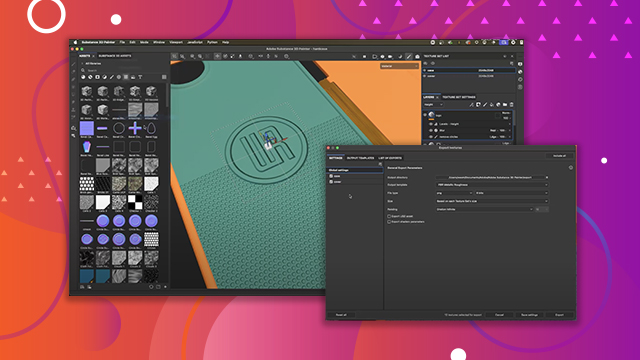
[00:11:58] The last thing we're going to do for our
[00:12:00] texture is I'm going to add this logo
[00:12:02] that you see here. And so this is the
[00:12:04] final result of what we're about to
[00:12:06] create. So now let's jump in and go
[00:12:08] through this step by step.
[00:12:11] So if you're following along, you'll see
[00:12:13] that I have the project files open. And
[00:12:15] inside the project files, there's a
[00:12:17] folder for Illustrator. And inside that
[00:12:19] folder, I have an actual Illustrator
[00:12:21] file. And I can drag and drop any file.
[00:12:25] Uh here I'm using an Illustrator, but it
[00:12:26] could be a JPEG, a PNG, like I said, any
[00:12:28] file resource. You can just drag and
[00:12:30] drop that from your desktop or wherever
[00:12:33] on your computer and bring that right
[00:12:34] into your Substance Painter project. So,
[00:12:36] for example, if I leftclick and drag
[00:12:38] this Illustrator file and I bring it
[00:12:40] here into my Substance Painter project,
[00:12:43] just as I had shown previously, it's
[00:12:44] already highlighting the mesh part. So,
[00:12:46] here's the case. If I want to put this
[00:12:48] on the cover, I could do so. And
[00:12:50] Substance Painter uses this drag and
[00:12:52] drop method to just quickly import a
[00:12:54] resource into the project. And you can
[00:12:56] drag this pretty much anywhere. So, for
[00:12:58] example, this is the 3D model. I could
[00:13:00] place it over here into the layer stack.
[00:13:02] I could add it to a layer mask. I could
[00:13:05] even place it on one of these buttons
[00:13:07] here. Like this is the height channel.
[00:13:08] Like I said, you can just drag and drop
[00:13:10] any resource and it'll automatically
[00:13:12] import. However, in this case, we're
[00:13:14] just going to place this logo right here
[00:13:16] onto the back of the phone case. So,
[00:13:18] I'll let go of my mouse, and you can see
[00:13:20] that just as I'd shown previously, we
[00:13:22] now have this texture mapped to the back
[00:13:25] of the phone case. Now, here in the
[00:13:27] layer stack, you can see that it's
[00:13:28] created a fill layer. So, we'll just
[00:13:29] double click, and I'm going to call this
[00:13:31] logo. So, we can rename these layers.
[00:13:33] And if we look at the properties, the
[00:13:35] projection type again is set to warp
[00:13:37] projection just as we went through
[00:13:39] previously. Okay. So now I need to do
[00:13:44] some transformation here. So let's grab
[00:13:46] let's say our scale and let's scale this
[00:13:48] up a little bit. I'm going to jump over
[00:13:50] to my rotation and just realign this and
[00:13:53] let's just see how we look with uh the
[00:13:55] move tool. So we're just going to
[00:13:56] translate this over. And that looks
[00:13:59] pretty good. So we'll go with something
[00:14:00] like that. Could be a little large.
[00:14:01] Let's just scale it down slightly. There
[00:14:03] we go. Okay. So now in this case I'm
[00:14:06] showcasing how this Illustrator file
[00:14:08] works. So, if we come over here to our
[00:14:10] properties and I go to the material, you
[00:14:13] can see that this particular type of
[00:14:15] file is being set as a as a material
[00:14:18] mode. It's using graphic to material. If
[00:14:20] this was just a standard like PNG or
[00:14:22] JPEG, it would just be applied to one of
[00:14:25] the channels, whichever one that you
[00:14:26] chose. But in my case, like I'd shown
[00:14:29] previously, that little popup appears
[00:14:30] and you can choose, do you want this to
[00:14:32] be a mask, base color, height, and so on
[00:14:33] and so forth. We didn't get that this
[00:14:35] time, like I said, because we're using
[00:14:37] the graphic to material. And to kind of
[00:14:40] showcase what I mean there, if we go
[00:14:41] down to our properties or our
[00:14:43] parameters, you can see there's a little
[00:14:44] material section. And this allows me to
[00:14:46] have this particular graphic drive
[00:14:50] certain parameters for the surface
[00:14:52] material such as I can increase my
[00:14:54] roughness value here. I can use
[00:14:56] metallic. I can set height information
[00:14:58] and so on and so forth. Now, the way
[00:15:00] this graphic was created, it's just a
[00:15:02] black and white image. So, it's
[00:15:04] typically designed to be used as a mask.
[00:15:07] So, we don't really have any color
[00:15:08] information. And that's okay. I'm kind
[00:15:10] of using it as this standard fill in
[00:15:13] this particular case because you'll see
[00:15:14] what I'm going to do in a moment. We're
[00:15:16] just going to use height information.
[00:15:17] But if I wanted to use this as a mask,
[00:15:19] like I said, I could have simply uh
[00:15:22] created a fill layer and then dragged in
[00:15:24] this Illustrator file and placed it
[00:15:26] right over top of the mask input. Just
[00:15:27] another way to work. All right, so let's
[00:15:30] get to what we actually want to do. Uh
[00:15:32] there's a couple cool things about
[00:15:33] working with the Illustrator file. Two
[00:15:35] uh things that are interesting to look
[00:15:37] at. First, if we look at the outline, we
[00:15:39] can actually stroke this graphic. So,
[00:15:41] under the hood, because I'm using this
[00:15:43] Illustrator file, Substance Painter
[00:15:45] retains all the vector information. That
[00:15:47] means that as I change resolution, we'll
[00:15:49] kind of talk about that at the at the
[00:15:51] very end once we get to exporting, but
[00:15:52] if I change resolution under the hood,
[00:15:55] Substance Painter is able to scale this
[00:15:57] vector graphic up before it rasterizes
[00:16:00] it into a bit map. So pretty awesome to
[00:16:02] be able to have kind of that
[00:16:03] non-destructive nature. And as you can
[00:16:05] see, it knows what the vector data is so
[00:16:08] that we can stroke, outline, so on and
[00:16:10] so forth. Don't want to do it in this
[00:16:11] case, but it's there if you need it.
[00:16:14] Now, the next thing that you can do
[00:16:15] that's kind of interesting, if we drop
[00:16:17] down to this file type specifics, you
[00:16:19] can see that there's artboards
[00:16:20] associated with this particular
[00:16:22] Illustrator file. And that can be really
[00:16:23] interesting if you're working with uh
[00:16:25] decals or stickers or something like
[00:16:27] that for your asset. So in this
[00:16:29] dropdown, I can see that this has three
[00:16:31] different artboards within it. And it's
[00:16:33] pretty cool that I'm able to go through
[00:16:35] and just access these artboards as you
[00:16:38] can see here. So here's the actual
[00:16:40] Illustrator file. And to just illustrate
[00:16:42] the point, you can see that here I have
[00:16:44] the the three different artboards with
[00:16:45] different graphics. And like I said, we
[00:16:48] can easily choose between what artboard
[00:16:50] we want to be working with inside of
[00:16:51] Substance Painter. Gives you some

[00:16:53] flexibility and, you know, the ways that
[00:16:55] you're working with your different
[00:16:56] textures within different projects.
[00:16:59] Now, in this case, I just want to work
[00:17:01] with the height information. So, I'm
[00:17:03] going to jump back over here to this
[00:17:04] material, and I'm going to take the
[00:17:07] height slider, and I'm going to drag it
[00:17:09] all the way here towards zero or black.
[00:17:11] And that is going to give this effect of
[00:17:14] the logo kind of pushing down into the
[00:17:16] surface. Now, I don't want this color
[00:17:18] information. So, what I can do is just
[00:17:20] come up here to the top of the material
[00:17:22] tab and you can see that I have the
[00:17:24] color all these different channels like
[00:17:25] color, height, roughness, metal. These
[00:17:27] are all enabled. So, I can turn them off
[00:17:29] individually. But a quick trick is that
[00:17:31] you can hold down the alt or option and
[00:17:33] then just leftclick on a channel and
[00:17:35] that will deactivate all the other ones.
[00:17:38] And so now you can see that uh we start
[00:17:40] to get this logo effect and it is
[00:17:43] pushing down into the surface, but we're
[00:17:45] starting to get this blending between
[00:17:47] the circles, the height information from
[00:17:50] the circles and the height information
[00:17:51] that I just set right here in uh for
[00:17:55] this particular logo. Okay, so we kind
[00:17:57] of covered this a little bit earlier and
[00:17:59] we're going to use our view mode here to
[00:18:01] change a blending mode. So what's
[00:18:03] happening as I said earlier is that
[00:18:05] Substance Painter it looks at the layer
[00:18:07] stack things are processing from the
[00:18:09] bottom up and it's constantly trying to
[00:18:11] blend information on the height and the
[00:18:14] normal channels and a lot of times that
[00:18:16] like I was saying that's what you want.
[00:18:18] However, this is a case where we don't
[00:18:19] want that. So what I can do is use our
[00:18:22] little view mode dropdown and like I
[00:18:24] said by default it's set here to base
[00:18:25] color and because different layers like
[00:18:29] for example a fill layer contains
[00:18:31] multiple uh channel information we need
[00:18:34] to have a a way to be able to access
[00:18:36] that information as it's represented as
[00:18:38] a single layer here. So that's where
[00:18:40] this view mode comes into play. We just
[00:18:42] click this dropdown. I know I want to go
[00:18:44] to the height channel. So, I want to
[00:18:45] view basically the blending modes for
[00:18:49] the height channel that are contained
[00:18:51] within this layer. Like like the the way
[00:18:53] I think of it is like the layer is like
[00:18:54] a box. Inside the box, there's several
[00:18:56] channels. And I'm basically opening the
[00:18:58] box, grabbing out the height channel,
[00:19:00] going to do something with it. And so
[00:19:03] what that is is we're going to come over
[00:19:04] here to our blending mode. And if I
[00:19:05] click this dropown, you can see there's
[00:19:07] all these blending modes. And I'm just
[00:19:08] going to set it to normal. And normal is
[00:19:11] basically like uh this normal blending
[00:19:14] mode meaning no blending is. So think of
[00:19:16] it that way. Um I think it it'd be nice
[00:19:18] if it just said no blending but normal
[00:19:19] is no blending. Okay. So you'll see that
[00:19:22] as soon as I do that we pretty much fix
[00:19:24] the issue where the logo itself anywhere
[00:19:27] was black uh we now are overwriting that
[00:19:31] height information underneath of it. And
[00:19:32] the height information that we're using
[00:19:34] to overwrite in this layer, just so you
[00:19:36] know, uh just to be super clear, it's
[00:19:38] coming from this height information
[00:19:40] here. So, for example, if I set this to
[00:19:42] say zero or close to zero, uh you
[00:19:45] wouldn't it would almost, you know,
[00:19:47] because it's zero height, it's like
[00:19:49] cutting out the logo. And that could be
[00:19:50] a cool effect, too. Like, for example,
[00:19:52] if I grab my move tool and move this in,
[00:19:54] there you go. That could be kind of
[00:19:55] interesting as well. Uh not what I'm
[00:19:57] looking to do in this case. Uh but like
[00:19:59] I said, lots of different things you can
[00:20:00] do in Painter. Let's take this height
[00:20:02] slider back. Okay. So, uh now that we
[00:20:05] have this in place, here's uh an issue
[00:20:07] that I don't like. So, within the logo,
[00:20:10] because the logo is black and white, uh
[00:20:12] designed mainly to be used with a mask,
[00:20:14] even though I'm not using as a mask in
[00:20:16] this case, uh you can see that the white
[00:20:18] area is is kind of still showing through
[00:20:21] to the circles underneath. And I'd like
[00:20:23] for the circles that are contained or
[00:20:26] showing up within my within the logo
[00:20:28] itself to to you know not be visible. So
[00:20:31] a really quick way of fixing that would
[00:20:34] be to well paint it out. But we have the
[00:20:37] issue where this fill layer this is a
[00:20:39] paint layer. Now I could create a paint
[00:20:41] layer on top of it set to height and I
[00:20:44] could go in with my brush and we could
[00:20:46] start to try to paint this out if we
[00:20:48] were to set again. So you can see lots
[00:20:50] of clicks I'm doing here. Right. Right.
[00:20:52] So, I'd have to go to this layer, change
[00:20:54] the blending mode to normal, and now I
[00:20:56] could go in and paint. But, oh, look at
[00:20:57] this. It's now overwriting because this
[00:20:59] layer's on top. It's overwriting the
[00:21:00] logo. And I could try to be really
[00:21:02] careful and mask. So, like I said, lots
[00:21:04] of issues, right? What I'm going to do
[00:21:07] uh is show you a new way of working with
[00:21:09] fill layers, and that is to add an
[00:21:11] effect to the layer. So, we have our
[00:21:13] fill layer. Like I said, we can't paint
[00:21:14] on it, but we can come over here to this
[00:21:17] button, this magic wand, which is add
[00:21:19] effect. And what you can do if I uh just
[00:21:23] kind of zoom in on this, you can see
[00:21:24] we'll come over here to add effect. And
[00:21:26] here this dropdown, we can add things
[00:21:28] like generators, which we're not
[00:21:30] actually covering in this class. Those
[00:21:31] are like filters, in case you're
[00:21:33] wondering. There's also filters, but uh
[00:21:35] generators are help you produce specific
[00:21:37] effects, like if you were to put like uh
[00:21:39] let's say edge wearing on metal or
[00:21:42] something like that. Uh but what we're
[00:21:44] going to focus on is adding this paint
[00:21:46] effect here. And so when I do that,
[00:21:48] looks like I've added two of them. Let's
[00:21:49] just kill it. So you can see here in my
[00:21:52] logo or my layer for logo, we have the
[00:21:54] the fill layer and then we have this
[00:21:56] paint effect that's added to it. Uh
[00:21:58] what's kind of cool is I could name
[00:21:59] this. So if I wanted to be, you know,
[00:22:01] really organized about how I'm or uh
[00:22:04] setting my layers, I could say uh you
[00:22:06] know, this is going to remove circles.
[00:22:10] So I kind of know what it's doing. It
[00:22:12] also has its own blending mode and a
[00:22:14] layer opacity. So imagine you'll be able
[00:22:16] to stack this to create even more
[00:22:18] complex effects. But here's what we're
[00:22:20] going to do with this. So we have the
[00:22:22] the remove circles. I could paint across
[00:22:25] multiple channels. Instead, I'm just
[00:22:26] going to use height. And I'm going to
[00:22:28] set this here to a value of zero. And
[00:22:31] now I have my brush and I'm going to
[00:22:33] scale my brush up. It's a soft brush. So
[00:22:36] one thing I could do, hold down command
[00:22:37] or my alt key and move my mouse button.
[00:22:40] So I've got my right mouse button
[00:22:41] clicked and I'm moving my mouse up. And
[00:22:43] that's just the keyboard shortcut we
[00:22:45] covered earlier to give the brush a hard
[00:22:47] edge. I could also jump over here to
[00:22:49] this alpha and set the hardness here if
[00:22:51] I want to. Okay, so now we have this set
[00:22:54] up. I can go in and paint. And notice
[00:22:57] that I'm able to paint these circles out
[00:22:59] and just overwriting the height
[00:23:01] information of zero to overwrite the
[00:23:03] layers below it, which is affecting the
[00:23:05] circles. This is great. Awesome. And
[00:23:07] because I'm doing this on the logo layer
[00:23:09] itself with this paint effect, I don't
[00:23:11] have to worry about overwriting the
[00:23:13] height data for the logo. And so that's
[00:23:15] a really quick way to get the look that
[00:23:18] I want here uh without having to add
[00:23:20] multiple layers and do a bunch of, you
[00:23:23] know, jumping through hoops and stuff
[00:23:25] like that. Okay, awesome. So, that's all
[00:23:27] set up and good to go. Now, another
[00:23:29] thing that we can do while I'm looking
[00:23:31] at this is it looks pretty good, but I
[00:23:33] feel like the edges are a little too
[00:23:36] sharp. And you know what I could have
[00:23:38] done, I guess, inside of the the logo
[00:23:40] file was maybe, you know, soften the
[00:23:42] edges a little bit. But, you know, I
[00:23:44] didn't do that. But, hey, I'm in
[00:23:45] painter. I can do that here. So, let's
[00:23:47] come over here to the layer selected
[00:23:49] again. I'm going to jump over to my add
[00:23:50] effect. And this time, I'm going to add
[00:23:52] a filter. And this is like adding filter
[00:23:55] to something say like Photoshop. So, I
[00:23:57] can add a filter here. And there's all
[00:23:58] kinds of filters like bevels and blurs
[00:24:00] and and things like that. What I'm going
[00:24:02] to do is add a blur effect. And you can
[00:24:05] see that this is blurring. Going to
[00:24:07] apply the blur to all of the channels.
[00:24:09] Now, because this particular layer only
[00:24:11] has height information, it's only
[00:24:12] affecting height. Uh so I don't need to
[00:24:15] do anything, but just for clarity sake,
[00:24:17] I like to just make sure that height is
[00:24:18] enabled. All right. So now I'm kind of
[00:24:20] blurring this. It's too much. So I'm
[00:24:22] just going to increase or decrease the
[00:24:24] intensity. So here's what it looks like
[00:24:25] without the blur. and we get this little
[00:24:27] aliased edge. But what I'm going to do
[00:24:29] is just increase it slightly. And now
[00:24:32] we've got a nice kind of smooth uh nice
[00:24:35] blur here. However, I think it might be
[00:24:37] just a little too much. So, what I can
[00:24:39] do now is add another effect. This time
[00:24:41] I'm going to add a levels effect.
[00:24:42] Another way to kind of look at these
[00:24:44] effects is like if you're adding an
[00:24:45] adjustment layer inside of Photoshop. So
[00:24:48] now we have a levels and the levels is
[00:24:50] saying, "Hey, I I'm going to do a levels
[00:24:52] adjustment, but on what channel do you
[00:24:54] want me to operate on inside this
[00:24:56] layer?" Well, in my case, I know this
[00:24:59] particular layer only has height
[00:25:01] information. So, I'm going to choose the
[00:25:02] height information. And now I have a
[00:25:04] histogram that I can work with. So,
[00:25:06] let's take this input white and just
[00:25:08] move it a little bit towards the black
[00:25:11] just to kind of sharpen up that um that
[00:25:14] bevel or that blur that we're doing. And
[00:25:16] so now what I get is this uh nice
[00:25:19] looking kind of blurred logo effect.
[00:25:21] This is precisely what I was looking to
[00:25:22] do. So here's what it looks like without
[00:25:24] the blur in the levels. Okay, you can
[00:25:26] see it's a little weak. Uh the edging, I
[00:25:28] don't like it. But now I've just kind
[00:25:30] of, you know, made that a little bit
[00:25:32] better uh by just adding a few effects
[00:25:34] that I can add to the this logo layer
[00:25:37] here for the fill. And that is going to
[00:25:39] take care of this particular effect. All
[00:25:41] good to go. Now, one other thing that I
[00:25:44] uh forgot to do is I flip around to the
[00:25:46] back here. You'll notice, whoa, look at
[00:25:47] this. Goes all the way through to the
[00:25:49] inside. Maybe that's okay in this
[00:25:51] particular case um of the phone case,
[00:25:54] we'll say. Uh but just to show you, if I
[00:25:57] wanted to fix this, what I could do is
[00:25:59] just come over here to the properties
[00:26:00] fill. And as you've seen already, we
[00:26:02] could change this projection depth
[00:26:04] slider. We'll just adjust this until
[00:26:06] that logo just kind of disappears. There
[00:26:08] we go. And if we flip around to the back
[00:26:11] again, just make sure. Yep, it's still
[00:26:13] there. All good. And that projection
[00:26:15] depth was here to save the day once
[00:26:17] again.
[00:26:19] And now we have come to the end. We have
[00:26:21] our asset fully textured. And this is
[00:26:24] the final result that we have. Okay. So,
[00:26:27] I'm going to quickly come over here and
[00:26:28] make sure I save this scene. And the
[00:26:31] next thing we want to talk about is how
[00:26:33] we can export this material or the
[00:26:36] textures. How we export this data. How
[00:26:38] we get out of Substance Painter so we
[00:26:39] can use it uh in another application.