Home > Final Steps and Exporting

Wes McDermott

Principal Director, Substance 3D Worldwide Evangelism

linkedin-icon

Final Steps and Exporting

Notes on preparing and optimizing textures for use in After Effects and various 3D applications, including resolution management, export options, and techniques for optimizing textures

This summary is AI generated

Learning Outcomes:

  • Understand resolution settings in Substance Painter.
  • Export textures effectively for 3D applications.

Level: Advanced

Skills you'll gain:

Substance Painter, Texture Export, Resolution Management, 3D Texturing

Key Insights

  • Resolution is independent in Substance Painter.
  • Higher resolution improves texture detail significantly.
  • Use vector graphics for scalable logos.
  • Substance Painter maintains a history of changes.
  • Export textures using the SPS format for convenience.
  • Adjust resolution based on system capabilities.
  • Padding helps prevent black lines in mipmapped textures.
  • Check resolution before exporting to avoid surprises.
  • Utilize document channels for complex materials.

Learning outcomes

  • Understand resolution settings in Substance Painter.
  • Export textures effectively for 3D applications.

Key insights

  • Resolution is independent in Substance Painter.
  • Higher resolution improves texture detail significantly.
  • Use vector graphics for scalable logos.
  • Substance Painter maintains a history of changes.
  • Export textures using the SPS format for convenience.
  • Adjust resolution based on system capabilities.
  • Padding helps prevent black lines in mipmapped textures.
  • Check resolution before exporting to avoid surprises.
  • Utilize document channels for complex materials.

Skills

Substance Painter, Texture Export, Resolution Management, 3D Texturing

Transcript

[00:00:00] But before we jump right into the

[00:00:00] export, I do want to take a little bit

[00:00:00] of a dive over into talking about

[00:00:00] resolution. I hinted at this at the very

[00:00:00] beginning of the video. So up here where

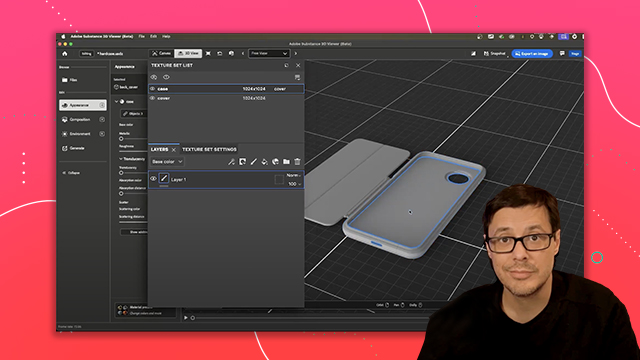
[00:00:00] we have our texture set list, which this

[00:00:00] is our materials as I discussed, we have

[00:00:00] our cover and our case. And then there

[00:00:00] is some resolution settings here right

[00:00:00] next to it. And so at the start of this

[00:00:00] project, I started off using a

[00:00:00] resolution of 2048x 2048. So, we're

[00:00:00] going to take a look at how we can

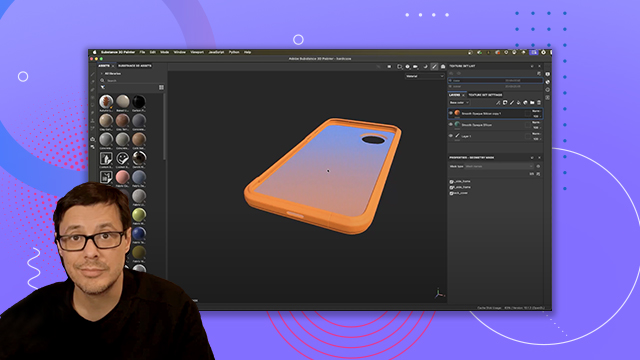
[00:00:00] change this. So, let's look at the case.

[00:00:00] I'm going to zoom in and we can look at

[00:00:00] the data or the texture detail that

[00:00:00] we've been creating, right? So, let's

[00:00:00] come over here to the case. If I click

[00:00:00] this little uh resolution button, you

[00:00:00] can see it gives me a drop down and I

[00:00:00] have a bunch of different options. Let's

[00:00:00] do something crazy like 256 x 256. So,

[00:00:00] I'm going to change my resolution and

[00:00:00] you can see that this looks horrendous.

[00:00:00] Substance Painter has taken the the 2K

[00:00:00] textural detail that we created that

[00:00:00] we've been authoring and we've just

[00:00:00] thrown it all out and now we're at this

[00:00:00] 256 x 256.

[00:00:00] So, what I'm showcasing here is that

[00:00:00] with Substance Painter, you can move up

[00:00:00] and down the resolution stack. So, it's

[00:00:00] resolution independent. And so, now that

[00:00:00] we've thrown away this data, typically

[00:00:00] you wouldn't be able to get this back.

[00:00:00] So, like if you were in say Photoshop

[00:00:00] and you did like an image resize, you're

[00:00:00] not going to be able to scale it back

[00:00:00] up, right? So, here we have no data.

[00:00:00] This looks terrible. But if I were to

[00:00:00] switch this back to 248 or excuse me,

[00:00:00] 2048 x 2048, I can just get all my

[00:00:00] resolution right back. So, I can move

[00:00:00] from somewhere as terrible as 128 x 128

[00:00:00] and go all the way to 2048 x 2048, which

[00:00:00] is pretty cool. Let's take a look at

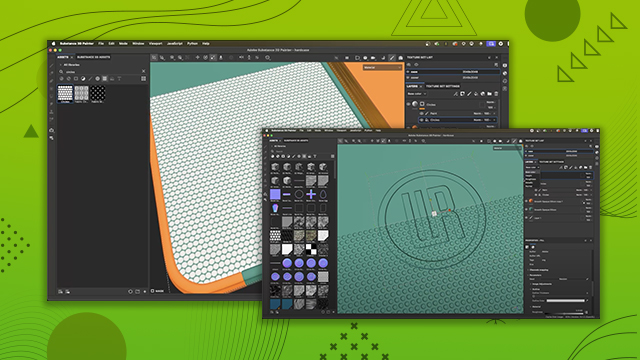
[00:00:00] another example. If I zoom in really

[00:00:00] close at this 2K, I can see that well,

[00:00:00] it looks okay, but the circles, you

[00:00:00] know, there's not enough these circles,

[00:00:00] this is a small detail. Uh, and in this

[00:00:00] texture space, the UV coordinates, this

[00:00:00] is something referred to as tixel

[00:00:00] density. Uh, you can see that, uh,

[00:00:00] there's not enough tixel density here to

[00:00:00] give me this really nice sharp circle.

[00:00:00] Looks okay from far away, but if I want

[00:00:00] to do a nice close-up shot, this isn't

[00:00:00] going to cut it. However, I have

[00:00:00] Substance Painter, so I can change the

[00:00:00] resolution. Let's bump this up to 4096

[00:00:00] now. So, 4K. And you'll notice that we

[00:00:00] are now going to increase our

[00:00:00] resolution. So, we'll go to 4K.

[00:00:00] Substance Painter has now computed that.

[00:00:00] And you can see that we get an even more

[00:00:00] crisp result. Now, it didn't perfect. Of

[00:00:00] course, the more and more you zoom in,

[00:00:00] just because we're working with a a

[00:00:00] rasterized image here, of course, we're

[00:00:00] going to lose information. But you can

[00:00:00] see that I can now work at 4K. And at

[00:00:00] this angle, say if this is going to be

[00:00:00] my shot, this is going to look great.

[00:00:00] And like I said, we can uh work at 2048

[00:00:00] and have this level resolution. So I'm

[00:00:00] going to have my viewport as I'm

[00:00:00] working, everything's going to be

[00:00:00] snappy. That's the way you want to work.

[00:00:00] And then I know that okay, once all the

[00:00:00] work is done, I could upscale this to

[00:00:00] 4096. And I say upscale, it's not like

[00:00:00] just a res up, right? Substance painter

[00:00:00] is actually redrawing this information.

[00:00:00] Just to give you an idea, if I come over

[00:00:00] here to this history button, Substance

[00:00:00] Painter keeps a history of everything

[00:00:00] that I've been doing. So I can move

[00:00:00] through this history stack, but uh I can

[00:00:00] substance painter can use that to

[00:00:00] basically redraw my image at the at the

[00:00:00] correct resolution. So I'm actually

[00:00:00] getting a true 4K image. And when you

[00:00:00] import a bit map, so something that's

[00:00:00] locked like a bit map that is maybe at a

[00:00:00] low resolution like 12, like we'll say

[00:00:00] 1K by 1 or 1024 x 1024 or 1K and we

[00:00:00] scale that up. Yeah, it is going to

[00:00:00] upscale that bit map. That's why for the

[00:00:00] logo, you can see that I used that

[00:00:00] Illustrator file with that vector detail

[00:00:00] or that vector data, I mean. And that's

[00:00:00] great because that is vector

[00:00:00] information. I can scale that and

[00:00:00] Substance Painter is like, "Oh, you you

[00:00:00] want to go to 4K? No problem."

[00:00:00] Mathematically, under the hood, it's

[00:00:00] using the vector data before that final

[00:00:00] output of this rasterized kind of bit

[00:00:00] map. That's why the the logo itself

[00:00:00] looks fantastic even at this 4K

[00:00:00] resolution when I zoom in on it. Whereas

[00:00:00] the circles, which are a base

[00:00:00] resolution, I believe it's probably 2K.

[00:00:00] That's the circles here that we used. Uh

[00:00:00] you can see that uh while it does

[00:00:00] improve under 4K, it's not it's not

[00:00:00] perfect. So again, just uh you know,

[00:00:00] food for thought in the sense of like if

[00:00:00] you want to have something like a logo

[00:00:00] that you need to scale up and down, use

[00:00:00] different resolutions, uh using an

[00:00:00] Illustrator vector graphic is a good way

[00:00:00] to go. All right, so let's talk about

[00:00:00] that export. So like I said, usually I

[00:00:00] keep this all at 2K. It just depends on

[00:00:00] your system. Like I said, Substance

[00:00:00] Painter is GPU bound. So if you have a

[00:00:00] beefy GPU, yeah, maybe you can work at

[00:00:00] 4K. Usually I'm just used to 2K and then

[00:00:00] I uh upscale when I need to. It is kind

[00:00:00] of nice. It just is said another tip

[00:00:00] that as you're working every now and

[00:00:00] then if you know you're going to export

[00:00:00] at 4K bump it to 4K and just check and

[00:00:00] see because sometimes you'll notice here

[00:00:00] that at 2K this bevel uh the blur looks

[00:00:00] a little bit softer but it's a little

[00:00:00] bit sharper under 4K. So you know just

[00:00:00] so you don't get any surprises every now

[00:00:00] and then just check at what resolution

[00:00:00] you want to work at. Okay so let's talk

[00:00:00] about that export. So I want to export

[00:00:00] out a series of textures or we'll say a

[00:00:00] material. So, what I do is I come over

[00:00:00] here to file and I choose export

[00:00:00] textures. And that's going to give me

[00:00:00] this new dialogue window. And here I

[00:00:00] have the settings tab. Now, over here on

[00:00:00] the left, I can see the two materials

[00:00:00] that I've been working with. And those

[00:00:00] are the materials that are here in the

[00:00:00] texture set list. If I want to, I could

[00:00:00] say, hey, you know what? I only want to

[00:00:00] export just the case. So, I can uncheck

[00:00:00] cover and export just the case. But

[00:00:00] here, of course, I want to do both. Now,

[00:00:00] once we have both here, we want to set

[00:00:00] an output directory. So you would just

[00:00:00] choose where you know what where on your

[00:00:00] computer you want to save the file. So

[00:00:00] now we have this section here for output

[00:00:00] template. And if I click this dropdown,

[00:00:00] there's all these different options for

[00:00:00] different workflows and different

[00:00:00] renderers that you would support or that

[00:00:00] you would be exporting for. Now in my

[00:00:00] case, what I like to use most often is

[00:00:00] I'm just going to choose this document

[00:00:00] channels plus normal plus AO meaning

[00:00:00] ambient occlusion. Uh no alpha. And so

[00:00:00] let's take a moment here to discuss what

[00:00:00] you know what is this document channels.

[00:00:00] So when we first set up our project we

[00:00:00] used the template and that's what these

[00:00:00] document channels are. You can see that

[00:00:00] over here in the texture set settings.

[00:00:00] So let me just close this window. If we

[00:00:00] come over now we didn't talk much about

[00:00:00] these texture set settings but what this

[00:00:00] is is think of it like our texture set

[00:00:00] list where we have our two materials.

[00:00:00] This is where we set up the overall kind

[00:00:00] of settings. This is where the channels

[00:00:00] live. everything for these materials or

[00:00:00] texture sets. So if we look under the

[00:00:00] general properties, you can see that we

[00:00:00] have these channels and like I said when

[00:00:00] we first created our project, we chose a

[00:00:00] template and that template had these

[00:00:00] specific channels base color, height,

[00:00:00] rough, metal, normal uh that we were

[00:00:00] going to be working with here. So if I

[00:00:00] choose to export using the template

[00:00:00] document channels, it's going to export

[00:00:00] the channels that I have listed here.

[00:00:00] Now, one thing you can do in Substance

[00:00:00] Painter is you can just add channels as

[00:00:00] you need them. So, for example, if I

[00:00:00] wanted to create or if I was working on

[00:00:00] a texture or material that was going to

[00:00:00] be more complex, like for example, if I

[00:00:00] come over and click this plus button

[00:00:00] here, here, let me just expand this

[00:00:00] window a little bit. And then we'll

[00:00:00] click this plus button. You can see that

[00:00:00] I have lots of different custom

[00:00:00] channels. For example, if I was doing

[00:00:00] something with like clear coating or

[00:00:00] scattering or translucency, I can work

[00:00:00] with these more advanced channels. Now

[00:00:00] in this course we didn't cover that but

[00:00:00] just wanted you to know that that

[00:00:00] capability is there and that is what

[00:00:00] we're talking about with our document

[00:00:00] channels. So again going back to our

[00:00:00] export textures. So now taking a look at

[00:00:00] the file type if I click this dropdown

[00:00:00] there's all kinds of options different

[00:00:00] file formats like PNG target and so on.

[00:00:00] However if I scroll down towards the

[00:00:00] bottom there's this SPS format. This is

[00:00:00] what I'm going to use. So, SPSS stands

[00:00:00] for substance archive, and it's

[00:00:00] essentially what we call a substance

[00:00:00] material. With all the textures we've

[00:00:00] been authoring, it's going to pack them

[00:00:00] into this one file. This is super

[00:00:00] convenient because you have one file.

[00:00:00] All the texture information is embedded

[00:00:00] in this one file. And any major 3D

[00:00:00] application that already supports the

[00:00:00] Substance plugin can easily read this

[00:00:00] information. So, you're not having to

[00:00:00] jump into a shader and manually hook up

[00:00:00] texture maps. You can just let the

[00:00:00] Substance plugin do all the heavy

[00:00:00] lifting. So, we're going to use this SPS

[00:00:00] AR. Uh then we have our bit depth. We'll

[00:00:00] just leave this at default. And then we

[00:00:00] have our size here. So it's based on the

[00:00:00] texture set size. And if we take a look

[00:00:00] over here, you can see that in my

[00:00:00] texture set list, I've already switched

[00:00:00] this to 4K. But as we discussed earlier

[00:00:00] in the video, we can just click this and

[00:00:00] choose a different dropdown. So if I

[00:00:00] have this set at 4K, then using this

[00:00:00] option based on texture set size, it's

[00:00:00] just going to export the SP SPS with a

[00:00:00] 4K texture. However, if I were to have

[00:00:00] kept this resolution at a lower value,

[00:00:00] such as like 2K, what I could do is I

[00:00:00] could come over here at export time and

[00:00:00] then choose 4K or even 8K at this point.

[00:00:00] So, one way that I like to work is, like

[00:00:00] I said, I keep things at just 2K. Keeps

[00:00:00] my viewport snappy. And I jump over to

[00:00:00] my resolution here in the texture set

[00:00:00] settings. Just check it every now and

[00:00:00] then, make sure everything is is good.

[00:00:00] And then on my export, I might just

[00:00:00] switch that to 4K. So, again, options.

[00:00:00] You can use whatever works best for you.

[00:00:00] Uh so in this case, I'm just going to

[00:00:00] set it to the based on each texture size

[00:00:00] and I have it set here in the texture

[00:00:00] set list. Now you also have this other

[00:00:00] option here for padding. Just leave this

[00:00:00] as a default. What this is doing is

[00:00:00] adding a little bit of dilation. This is

[00:00:00] really good if your textures are being

[00:00:00] processed by something like a game

[00:00:00] engine where the they're probably going

[00:00:00] to get mipmapped which just means as

[00:00:00] they are scaled down there's going to be

[00:00:00] basically some bleed outside of the UV

[00:00:00] shells. So again, as these textures are

[00:00:00] scaled down, you're not going to get

[00:00:00] like a black line around where the UV

[00:00:00] shells are. It's a it's advanced topic.

[00:00:00] So again, just leave the padding here at

[00:00:00] this default setting. It's going to be

[00:00:00] good for all kinds of situations. And

[00:00:00] it's one of those we can set it and

[00:00:00] forget it kind of things. Okay. So with

[00:00:00] everything set up, I can just click

[00:00:00] export. And Substance Painter is now

[00:00:00] going to export all the textures,

[00:00:00] compile it to the Substance Archive

[00:00:00] file, and then I'll have my substance

[00:00:00] material file, that SPS that I can then

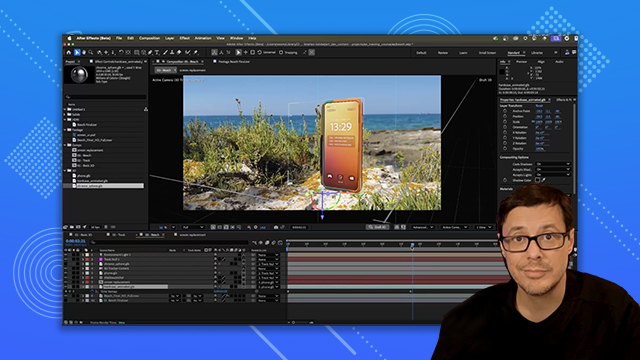
[00:00:00] use in my 3D program. So, here I'm in

[00:00:00] Blender and you can see I've exported

[00:00:00] the hard case and the cover and it's a

[00:00:00] Substance material and it's just been

[00:00:00] applied. And like I said, the the beauty

[00:00:00] of using this method is that the

[00:00:00] Substance add-on, the Substance 3D panel

[00:00:00] here, it creates the shader network for

[00:00:00] me. So, it's literally just kind of like

[00:00:00] import and apply and I'm good to go. So,

[00:00:00] here's the same scene with the Substance

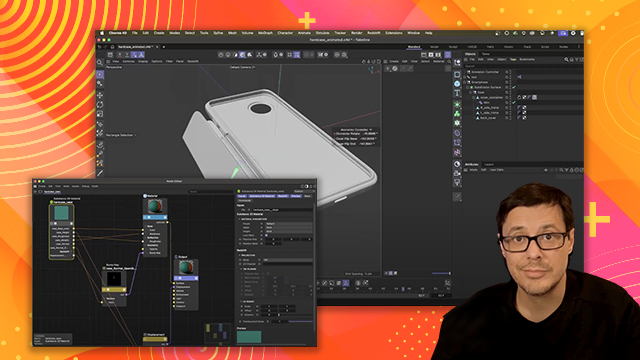
[00:00:00] materials loaded into Cinema 4D and I'm

[00:00:00] rendering here in Red Shift.

[00:00:00] And here we have our scene and our

[00:00:00] materials applied here in Maya rendering

[00:00:00] with Arnold.

[00:00:00] And that's going to close out this

[00:00:00] tutorial. I hope you enjoyed your first

[00:00:00] steps with Substance Painter. And

[00:00:00] there's just so much more to learn. I

[00:00:00] hope you enjoyed this video and learned

[00:00:00] a lot. And I encourage you to continue

[00:00:00] your journey starting your own projects.

[00:00:00] Thanks a lot for watching and I'll see

[00:00:00] you next