Advanced 3D Workflows
Learn how to combine 3D with real-world footage and managing complex projects.
This summary is AI generated
Learning Outcomes:
Learning outcomes not available.
Level: Advanced
Skills you'll gain:
Skills not available.
Key Insights
Key insights not available.
Did the AI summary help? Let us know.
Learning outcomes
Learning outcomes not available.
Key insights
Key insights not available.
Skills
Skills not available.
Transcript
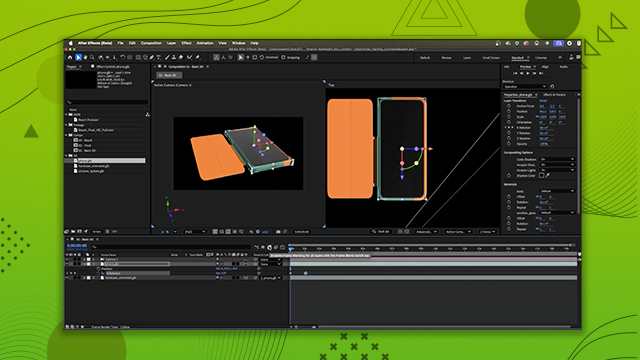
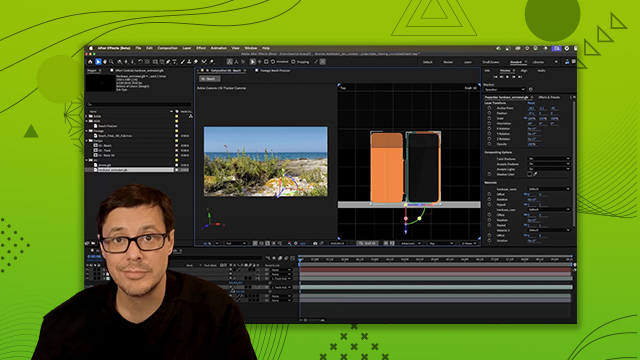
[00:00:00] Let's talk about the 3D bin. So, here in
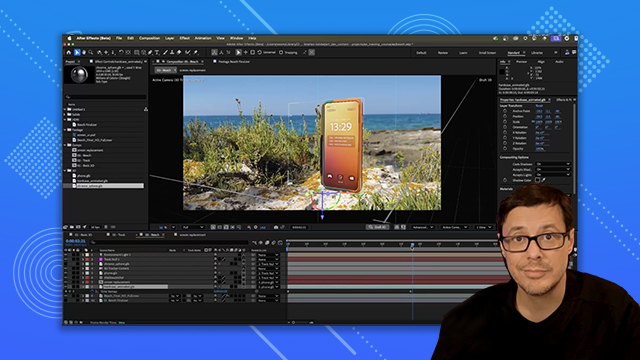
[00:00:00] the timeline, if you take a look here,
[00:00:00] you can see that we have this 3D layer
[00:00:00] icon and we have several 3D layers. And
[00:00:00] surrounding these 3D layers, you can see
[00:00:00] that we have this little box. And this
[00:00:00] is what's referred to as the 3D bin.
[00:00:00] These bins allow you to composite
[00:00:00] multiple 3D renders into the same
[00:00:00] composition and have them share cameras
[00:00:00] and lights. For example, I have this
[00:00:00] text layer. Now, if I were to drag this
[00:00:00] 2D layer in between any of my 3D layers,
[00:00:00] you'll notice that the bin is broken.
[00:00:00] So, let's take a look at the icons. You
[00:00:00] can see here that we have this 2D text
[00:00:00] layer, and now the bin has been divided
[00:00:00] into two separate 3D bins, which means
[00:00:00] we have two separate 3D renders
[00:00:00] happening within this composition.
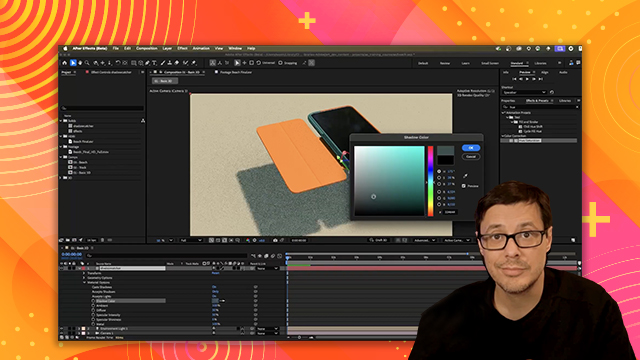
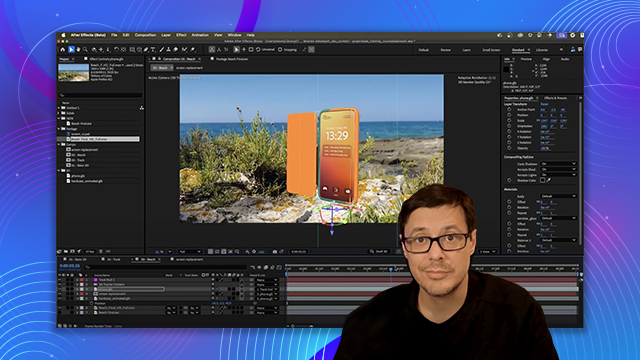
[00:00:00] And what's happening here is the phone
[00:00:00] is in a bin separate of the shadow
[00:00:00] catcher ground layers in different bins.
[00:00:00] They do not intersect or cast shadows
[00:00:00] upon each other. So in this case, I'm no
[00:00:00] longer getting the shadow casted from
[00:00:00] the phone onto my shadow catcher ground.
[00:00:00] Now, if I wanted to fix this, I could
[00:00:00] take the shadow catcher and then just
[00:00:00] make sure I drag it below the 2D layer.
[00:00:00] And now my shadow comes back again. If
[00:00:00] we take a look, you can see that we have
[00:00:00] our shadow catcher, our phone, and our
[00:00:00] hard case are now all being rendered
[00:00:00] inside the same 3D bin correctly
[00:00:00] rendering my scene. So now we're going
[00:00:00] to take a look at how we can apply
[00:00:00] effect to a 3D model. Now, you can't
[00:00:00] apply an effect directly to the 3D
[00:00:00] model. So for example, I have a hue
[00:00:00] saturation. If I want to try to apply
[00:00:00] this, you can see can't actually do it.
[00:00:00] So there's quite a few different ways
[00:00:00] that you can go about this. So in this
[00:00:00] particular case, what I can do here is
[00:00:00] I'm going to come over to my layer stack
[00:00:00] and I'm going to start just by creating
[00:00:00] a new solid. And we'll call this
[00:00:00] effects. So we'll just name this
[00:00:00] effects. Just leave it color doesn't
[00:00:00] matter in this case. So now I have a 2D
[00:00:00] layer. And here in my effects controls,
[00:00:00] what I'm going to do is uh there's a
[00:00:00] couple different ways we could do it.
[00:00:00] First off, if I come over here to let's
[00:00:00] say my I could grab a calculations,
[00:00:00] we'll say. So we could grab
[00:00:00] calculations. We can come over here to
[00:00:00] the second source. We're going to pick
[00:00:00] the hard case and I'm going to set this
[00:00:00] layer opacity for this second layer all
[00:00:00] the way up to 100. Now I'm starting to
[00:00:00] see the case itself. And for the
[00:00:00] blending mode, we'll set it to copy. So
[00:00:00] now you can see that I'm able to take
[00:00:00] the 3D layer, which is the phone
[00:00:00] animated, this hardcase animated GB, the
[00:00:00] 3D layer, and I can essentially kind of
[00:00:00] pull that into a 2D layer, as you can
[00:00:00] see here. Now, we got a couple problems
[00:00:00] with this particular workflow in this
[00:00:00] case because, well, the phone's now
[00:00:00] disappeared, but we'll get to that in a
[00:00:00] moment. But for now, at this point, we
[00:00:00] have a 2D representation of our 3D
[00:00:00] content, which means we can now apply
[00:00:00] effects. So, again, I'll grab my hue
[00:00:00] saturation. We'll throw this into here.
[00:00:00] And if I start to adjust to just say my
[00:00:00] hue, now we've got a really great way to
[00:00:00] change some effects here, like this hue.
[00:00:00] But what's really cool about this is if
[00:00:00] I were to go and grab the 3D layer and I
[00:00:00] start to move it. Check this out. We can
[00:00:00] now move it. Now again, you'll see that
[00:00:00] we have to deal with the actual phone
[00:00:00] itself. We'll do that in a second. But
[00:00:00] any changes that we make here to the 3D
[00:00:00] layer, you can see the 2D layer is going
[00:00:00] to update for us. So that's one method
[00:00:00] we could use. Now, instead of
[00:00:00] calculations, let's turn this off and
[00:00:00] let me show you another way we could do
[00:00:00] this. We could also use CC composite,
[00:00:00] which is actually a little bit easier.
[00:00:00] So, we'll drag in CC composite. And for
[00:00:00] the top layer, once again, I'll choose
[00:00:00] that hard case. And then here, I can
[00:00:00] uncheck RGB only. And I can start to
[00:00:00] play around with how I want this to
[00:00:00] blend. So, this is going to be in front.
[00:00:00] I can change this to copy. And again,
[00:00:00] you get the same result. But the
[00:00:00] difference being that I can now maybe
[00:00:00] duplicate this. So, if I duplicate CC
[00:00:00] composite, and you could also do this
[00:00:00] with calculations, just CC composite's a
[00:00:00] little easier. Here, I'll grab the phone
[00:00:00] for the top layer. So, now I have my
[00:00:00] phone back, but it's not intersecting.
[00:00:00] Uh, I could try playing around with some
[00:00:00] of these blending modes, like maybe this
[00:00:00] needs to be in front or is it behind?
[00:00:00] Let's see here. Where is that? Is it
[00:00:00] behind, you know, so on and so forth.
[00:00:00] That's definitely not going to work. But
[00:00:00] if I choose this to be silhouette alpha,
[00:00:00] you can see that it is going to fit into
[00:00:00] here. So now I have this phone in place
[00:00:00] and it's working. However, I have
[00:00:00] another problem. If I were to enable my
[00:00:00] hue and saturation, oh, look at this.
[00:00:00] It's sort of working, but not really.
[00:00:00] We're getting like this second version
[00:00:00] of this. Okay, so this isn't going to
[00:00:00] work in this case because I have a very
[00:00:00] particular situation where I have one 3D
[00:00:00] model is intersecting with another. So
[00:00:00] here's how I would work around this
[00:00:00] little problem. So instead of calling
[00:00:00] this effects, let's just go ahead and
[00:00:00] call it phone 2D. This is going to be
[00:00:00] our 2D representation of our 3D objects.
[00:00:00] Now what I'll do is I'm going to grab a
[00:00:00] layer and this time I'm going to make a
[00:00:00] new adjustment layer. And for this
[00:00:00] adjustment layer, let's grab a hue and
[00:00:00] saturation and we'll throw this in. So
[00:00:00] now I'm going to jump back to my phone
[00:00:00] 2D layer where I have my CC composite.
[00:00:00] And I need to make a change here to this
[00:00:00] transfer mode. So what I want to do for
[00:00:00] the second layer, which again this
[00:00:00] represents my phone, I'm going to click
[00:00:00] this dropdown and I'm going to choose in
[00:00:00] front. So this is what I end up getting
[00:00:00] here. Okay. And it looks like it's all
[00:00:00] overlapping, but that's fine because
[00:00:00] this layer we're going to use as a
[00:00:00] trackmat. So, what I'm going to do is go
[00:00:00] back to my adjustment layer, and I'll
[00:00:00] just use my pick whip and let's pick the
[00:00:00] phone 2D layer. So, now once we have
[00:00:00] that set up, you can see that the my
[00:00:00] intersection now looks like it's
[00:00:00] rendering correctly. And if I jump over
[00:00:00] to the adjustment layer and I play
[00:00:00] around with this master hue, I now get
[00:00:00] the control that I wanted. Now, setting
[00:00:00] this up as a mat also means that I can
[00:00:00] apply effects to the mat as well. So,
[00:00:00] like if I needed to blur or choke the
[00:00:00] resulting alpha, I could do so. Again,
[00:00:00] more flexibility. And so, that's how we
[00:00:00] can add effects to our 3D models. And in
[00:00:00] this case, like I said, I had to use my
[00:00:00] trackmat here just because I have these
[00:00:00] 3D objects that are intersecting like
[00:00:00] this phone inside the case. It's a
[00:00:00] little bit more of a complex example,
[00:00:00] but now you see how you can work around
[00:00:00] that. Okay. So, one more thing to show
[00:00:00] in this particular scene setup. I really
[00:00:00] don't need to use this 2D phone layer.
[00:00:00] Watch this. I can delete it. The
[00:00:00] adjustment layer is going to work. And
[00:00:00] that is because of the way that I'm
[00:00:00] setting up my scene using just this
[00:00:00] shadow catcher. So, I'm just using the
[00:00:00] shadow catcher and it is being applied
[00:00:00] to the color backdrop being just the
[00:00:00] composition settings color backdrop. So,
[00:00:00] this effect doesn't have any control
[00:00:00] over that. So, in a setup as simple as
[00:00:00] this, which is actually kind of a
[00:00:00] practical setup, like I said, for
[00:00:00] product renders and stuff, you don't
[00:00:00] need to go through all of those steps. I
[00:00:00] did want to show them show you that
[00:00:00] because you will need it very often for
[00:00:00] other projects, but in something simple
[00:00:00] like this, an adjustment layer will get
[00:00:00] you exactly what you need. Okay, so here
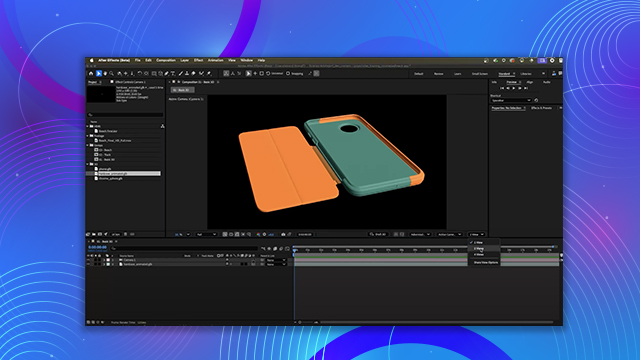
[00:00:00] I have the asset. Just a really simple
[00:00:00] animation. You can see I'm looking at my
[00:00:00] speed graph here. Tweak some of the key
[00:00:00] frames, change some of the colors. So
[00:00:00] just some really basic things here in
[00:00:00] After Effects. And what we want to talk
[00:00:00] about now is how we can leverage key
[00:00:00] framed animation here within After
[00:00:00] Effects alongside any embedded
[00:00:00] animations that are available within 3D
[00:00:00] models that we might be working with. So
[00:00:00] before we jump straight into that
[00:00:00] embedded animation, another thing I
[00:00:00] wanted to showcase here is this draft 3D
[00:00:00] mode. So you can see it here at the
[00:00:00] bottom of the UI. And once you start
[00:00:00] kind of building up your animations,
[00:00:00] this is a great mode. mode. So, if you
[00:00:00] enable it, you can see that what it does
[00:00:00] essentially is it turns off the uh
[00:00:00] shadows. It also turns off any of the
[00:00:00] effects, those 2D layers that we set up
[00:00:00] with the adjustment layer. All that
[00:00:00] stuff's gone. So, now you'll see I'll go
[00:00:00] through the timeline, add a few key
[00:00:00] frames just to further finesse the
[00:00:00] animation. And then I jump into the
[00:00:00] speed graph and just adjust the curves
[00:00:00] all while I have draft 3D enabled again
[00:00:00] so that I can see my animation very
[00:00:00] quickly as I work. So now we want to
[00:00:00] work with the embedded animation that's
[00:00:00] in the animated hardcase. And so if I
[00:00:00] come over here and open up the
[00:00:00] properties, you'll see that I have this
[00:00:00] animation options and there's a drop
[00:00:00] down here. So if I click this dropdown
[00:00:00] and here we'll scroll down. You can see
[00:00:00] that there's some animation that's
[00:00:00] embedded in this. And so I'm going to
[00:00:00] select this animation track. And if we
[00:00:00] take a look, it looks like the case
[00:00:00] disappeared. That's just because of my
[00:00:00] time slider. You can see this animation
[00:00:00] layer has now set its duration to be the
[00:00:00] length of the animation which is around
[00:00:00] 2 seconds here. So if I scrub my time
[00:00:00] slider back and I hit play, we now have
[00:00:00] this embedded animation playing here
[00:00:00] within After Effects. And the thing that
[00:00:00] I really think is awesome about this is
[00:00:00] the case is using a skinned deformation.
[00:00:00] And so that's a a really great use case
[00:00:00] for having these embedded animations.
[00:00:00] Okay, so what can we do with this? Uh
[00:00:00] well, one of the great things is that we
[00:00:00] can actually use time remapping here. So
[00:00:00] with this layer selected, I'm going to
[00:00:00] come up here to my layer and choose time
[00:00:00] and I'm going to enable time remapping.
[00:00:00] So now I can start to work with these
[00:00:00] key frames. So the first thing I want to
[00:00:00] do is I would like to have the animation
[00:00:00] start with the case closed. And if I
[00:00:00] just scrub my timeline, I can see that
[00:00:00] uh here at at at 1 second the case is
[00:00:00] closed. So let's do this. Let's go back
[00:00:00] to this first key frame and I'll type in
[00:00:00] 30 and hit enter. And that puts it right
[00:00:00] at 1 second. So, we're starting the
[00:00:00] animation off at 1 second. Now, as I
[00:00:00] play, it's going to continue play that
[00:00:00] embedded animation until it gets to the
[00:00:00] end, which is at this key frame here.
[00:00:00] Now, because I'm using time remapping, I
[00:00:00] can now extend the layer. So, let's take
[00:00:00] a look at what we have so far. I'll hit
[00:00:00] play again. It plays really fast because
[00:00:00] I'm in draft 3D mode. And here's what we
[00:00:00] have. Okay. So, let's start playing
[00:00:00] around with this more now that we have
[00:00:00] our key frames in place. So, what I'd
[00:00:00] like to do is as the phone starts, it
[00:00:00] opens up. It's It's opening pretty slow,
[00:00:00] right? So, here's what I'm going to do.
[00:00:00] I am going to take this second key frame
[00:00:00] and move it towards the left. And you
[00:00:00] can see that that's just again I'm time
[00:00:00] remapping the animation data that is
[00:00:00] inside the 3D layer. So, we're not just
[00:00:00] interpolating frames here. After Effects
[00:00:00] is actually retiming the animation data.
[00:00:00] So that means I can do something really
[00:00:00] cool. Like here's a quick example. If I
[00:00:00] pull the key frame all the way here to
[00:00:00] the right and we play, look, I can get
[00:00:00] this crazy smooth slow motion effect
[00:00:00] here. So look at this. Really nice and
[00:00:00] smooth. It's not interpolating the
[00:00:00] frame, but you know, I don't want that.
[00:00:00] I want it to be quicker. So we'll move
[00:00:00] the key frame to the left. Now hit play.
[00:00:00] The case opens up pretty quick. All
[00:00:00] right. I think that's going to work. So
[00:00:00] now what I'd like to do is have it just
[00:00:00] kind of stay open for a few moments. So,
[00:00:00] we'll copy this second key frame and
[00:00:00] paste it in. And I'd like the case to
[00:00:00] kind of move back as it starts to starts
[00:00:00] to tilt in my hand key frames that I put
[00:00:00] inside of After Effects. So, as it
[00:00:00] starts to move back here at the end, I'd
[00:00:00] like to have the key frames or I'd like
[00:00:00] to have the case just close again. So,
[00:00:00] what I'll do is just come back here for
[00:00:00] this final key frame. Let's set it back
[00:00:00] to 30 and hit enter. Uh, that gives me
[00:00:00] another key frame. So, now let's play
[00:00:00] everything and see what we get. Case
[00:00:00] opens. And there it closes. Now again,
[00:00:00] it's too slow on the close. No problem.
[00:00:00] We can just easily adjust my key frames.
[00:00:00] So again, just kind of making a few
[00:00:00] little adjustments here. And let's check
[00:00:00] the timing on this. Just scrub the
[00:00:00] timeline. Hit play. And I still think
[00:00:00] it's a little slow. So let's do this.
[00:00:00] Just kind of play around with these key
[00:00:00] frames again. Opens up. And case closed.
[00:00:00] All right. Looks pretty good. So now if
[00:00:00] I wanted to, I could then come in,
[00:00:00] select all the key frames, right click,
[00:00:00] and I could just quickly add some easing
[00:00:00] on this. So let's just add our easy
[00:00:00] ease. Let's see what that does. See, it
[00:00:00] opens up. Yeah, looks pretty good. Gives
[00:00:00] it a little bit more snappiness, a
[00:00:00] little bit more makes the, you know, the
[00:00:00] animation look a little bit more alive,
[00:00:00] I think. And so here what you're seeing
[00:00:00] is that we have this combination of
[00:00:00] working with embedded animation data
[00:00:00] within the 3D model that I can ret time
[00:00:00] here in After Effects plotting down some
[00:00:00] time remapping key frames which is
[00:00:00] pretty cool and that is being added on
[00:00:00] top of just some hand animation that I
[00:00:00] was doing here on the first layer. So
[00:00:00] let's select this layer as well and hit
[00:00:00] the uh U key on the keyboard. So again,
[00:00:00] you can see the mixture of the time
[00:00:00] remap key frame for the animation data
[00:00:00] and then that rotation key frame on top.
[00:00:00] So that's how we can work with animation
[00:00:00] data that's embedded inside the 3D model
[00:00:00] here directly inside of After Effects.