Home > Text and Graphics

John Knowles

Adjunct Lecturer - The American Film Institute

linkedin-icon

Text and Graphics

Learn to create titles, lower-third graphics, subtitles, and save Motion Graphic Templates (MOGRTs).

This summary is AI generated

Learning Outcomes:

Learning outcomes not available.

Level: Advanced

Skills you'll gain:

Skills not available.

Key Insights

Key insights not available.

Learning outcomes

Learning outcomes not available.

Key insights

Key insights not available.

Skills

Skills not available.

Transcript

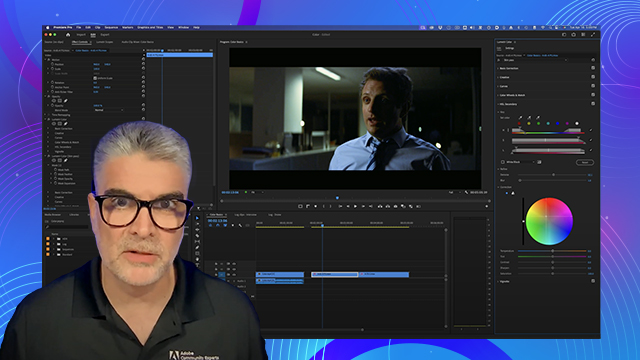
[00:00:00] Hi, I'm John Nolles, software trainer

[00:00:00] for Adobe. And today we'll be talking

[00:00:00] about text and graphics in Premiere Pro.

[00:00:00] I'll show you how to easily create lower

[00:00:00] thirds, titles, shapes, how to style

[00:00:00] your subtitles, all using the new

[00:00:00] properties panel. Let's dive right in.

[00:00:00] If you've used essential graphics in

[00:00:00] Premiere before, you'll notice a major

[00:00:00] change to the interface. The essential

[00:00:00] graphics panel is no longer in the

[00:00:00] window menu. It's been replaced by two

[00:00:00] new panels,

[00:00:00] properties and graphics

[00:00:00] templates. The properties panel now

[00:00:00] contains all the controls for styling

[00:00:00] your text and graphics that were

[00:00:00] previously available under the edit

[00:00:00] tab. And the graphics templates panel

[00:00:00] holds all the templates previously found

[00:00:00] in the browse tab of essential graphics.

[00:00:00] So now you have a choice of seeing one

[00:00:00] or both of these panels and you can

[00:00:00] reposition them wherever you want them.

[00:00:00] So, I'll just move the graphics

[00:00:00] templates down here next to my project

[00:00:00] panel. And we're going to focus here on

[00:00:00] the properties panel. The properties

[00:00:00] panel is a versatile addition to

[00:00:00] Premiere Pro that consolidates all the

[00:00:00] controls for whatever you have selected

[00:00:00] in the timeline, whether it's a clip or

[00:00:00] a graphic. So, in this sequence, for

[00:00:00] example, if I select the clip on the

[00:00:00] timeline, I will see the standard

[00:00:00] transform controls as well as crop and

[00:00:00] audio controls here in the properties

[00:00:00] panel. But if I switch to the graphic,

[00:00:00] I'll see all the controls for

[00:00:00] manipulating this block of text. The

[00:00:00] same as I had in the old essential

[00:00:00] graphics panel. So the properties panel

[00:00:00] just shifts depending on what you

[00:00:00] select. All right, I'm going to clear

[00:00:00] out this graphic and make a new one. I'm

[00:00:00] going to make a lower third here. So if

[00:00:00] I select the type tool, which is the T

[00:00:00] symbol here at the bottom of the

[00:00:00] toolbar, and I just click anywhere in

[00:00:00] the program monitor, and that will set

[00:00:00] the anchor point for my text. And I'm

[00:00:00] going to type in this athletes name. Her

[00:00:00] name is

[00:00:00] Journey

[00:00:00] Woo. And that's all I have to do. Just

[00:00:00] click and type. And I'm going to select

[00:00:00] the selection tool like this. This is

[00:00:00] what I call transform mode. Meaning, if

[00:00:00] I just grab this with the selection

[00:00:00] tool, I can move it around. I can also

[00:00:00] scale it by dragging it from the corners

[00:00:00] or from these center dots here. Notice

[00:00:00] it's proportional. So, I don't have to

[00:00:00] worry about it getting squeezed or

[00:00:00] stretched. It's always going to scale

[00:00:00] proportionally. I can also rotate it by

[00:00:00] hand. If I hover my mouse right outside

[00:00:00] the bounding box here, and just pull,

[00:00:00] it's going to rotate around the anchor

[00:00:00] point, which is this crosshair in the

[00:00:00] bottom left hand corner of the

[00:00:00] text. And if I scroll down in the

[00:00:00] properties panel, I can see those

[00:00:00] changes there being reflected in the

[00:00:00] align and transform section. So, as I

[00:00:00] rotate it, I can see the rotation values

[00:00:00] change. And if I pull it along, I can

[00:00:00] see the position values change and so

[00:00:00] forth. I'm going to reset those really

[00:00:00] quick here. I'm going to make this

[00:00:00] rotation. Just type in a zero. Set that

[00:00:00] back. I can move it back to where I want

[00:00:00] here. And I'll scale that back down just

[00:00:00] a little

[00:00:00] bit. Now, if I want to change something

[00:00:00] in the text, I want to go back into edit

[00:00:00] mode. Right now, the bounding box is

[00:00:00] blue. If I reselect the type tool,

[00:00:00] notice the bounding box turns red. If I

[00:00:00] were to click on it, I wouldn't see the

[00:00:00] transform controls. I would see the

[00:00:00] cursor. In that case, I could put in a

[00:00:00] middle initial or something like that or

[00:00:00] correct the spelling on this name if I

[00:00:00] wanted to. So that's edit mode. You have

[00:00:00] to be on the type tool to get the red

[00:00:00] bounding box and the cursor. Go back to

[00:00:00] the selection tool. It will change back

[00:00:00] into transform mode. Now notice if I

[00:00:00] deselect that piece of text here, I will

[00:00:00] see different sets of transform controls

[00:00:00] and other controls here. That's for the

[00:00:00] overall graphic. And if I reselect that

[00:00:00] type, the controls will change to just

[00:00:00] focus on that piece of type there inside

[00:00:00] the graphic. Under text, I can select

[00:00:00] the font. Right now, I'm on Myriad Pro.

[00:00:00] I can scroll through all of the fonts I

[00:00:00] currently have loaded on my system,

[00:00:00] whether those are Adobe fonts or not. If

[00:00:00] I like a font in particular, I may want

[00:00:00] to favorite it and click the star, and

[00:00:00] that will put it at the top of the

[00:00:00] panel. I can also uh choose a filter up

[00:00:00] here. So, I do like Marriott Pro a lot.

[00:00:00] So, you know what? I'm going to star

[00:00:00] that one. And if I choose this filter

[00:00:00] here, I'm only going to see the fonts

[00:00:00] that I have starred. So, it's a way to

[00:00:00] kind of limit that list and not show me

[00:00:00] all the different fonts I have loaded

[00:00:00] because maybe I have a lot going right

[00:00:00] now. And then below that, if you once

[00:00:00] you've chosen a font, if it has

[00:00:00] different weights, they'll be available

[00:00:00] in this drop down here. So, Mirid Pro

[00:00:00] right now is in regular. I could go

[00:00:00] condensed, semi-bold,

[00:00:00] semicondensed, light. Actually, that

[00:00:00] looks pretty good. So, we're going to

[00:00:00] stick with light for now. Next to that

[00:00:00] are some faux options. Quick typography

[00:00:00] tip. If your font has a bold weight or

[00:00:00] an itallic weight available to it, and

[00:00:00] you'll see those in the drop- down menu

[00:00:00] below, you're better off using those.

[00:00:00] These faux styles simply add a slant in

[00:00:00] the case of the italics or for the bold,

[00:00:00] it's just going to make the letters a

[00:00:00] little bit thicker. But the appearance

[00:00:00] of the font will be much better if you

[00:00:00] use the weights that come with it. Next

[00:00:00] to those two faux options is an all caps

[00:00:00] option or a small caps option. Next to

[00:00:00] that are options for superscript or

[00:00:00] subscript. That's for scenarios where

[00:00:00] you have something like a copyright

[00:00:00] symbol for

[00:00:00] example and you don't want to make that

[00:00:00] the same size as the rest of the

[00:00:00] typography here. So you can do that

[00:00:00] which puts it smaller and locks it to

[00:00:00] either the below the baseline or the

[00:00:00] same height as the capitals right there.

[00:00:00] I'm just going to delete that out for

[00:00:00] now. And next to that we have an option

[00:00:00] to

[00:00:00] underline. Below that is an option for

[00:00:00] font size. Right now this is at about

[00:00:00] 70. I'm going to increase that a little

[00:00:00] bit. And I can also type it in here. So,

[00:00:00] if I know what I want, I click 84 and

[00:00:00] hit

[00:00:00] okay. Now, incidentally, you also have

[00:00:00] controls for the scale of this piece of

[00:00:00] type here. And I'm going to go reset the

[00:00:00] scale below to

[00:00:00] 100 and lock that

[00:00:00] in. And now I'm going to bring that type

[00:00:00] size up a little bit more. Again, for

[00:00:00] the most part, scale and font size are

[00:00:00] interchangeable. But what I like to do

[00:00:00] is leave the scale at 100 and then just

[00:00:00] use the font size adjustment to really

[00:00:00] lock in that font size. It's

[00:00:00] translatable to other graphics. If I

[00:00:00] say, "Okay, it needs to be font size 72,

[00:00:00] 36, 48," someone else can can take those

[00:00:00] measurements and replicate the same type

[00:00:00] size. And then if I'm going to do

[00:00:00] animation of this graphic at all, I like

[00:00:00] to start with my scale at 100. That way,

[00:00:00] I know what the baseline is, and then I

[00:00:00] can scale up or down from there. So I

[00:00:00] leave the type at 100 and set the

[00:00:00] overall size with the type size instead.

[00:00:00] Now below that we have options for

[00:00:00] alignment of the type. And I'm going to

[00:00:00] create a second line of type here. And

[00:00:00] I'm going to put in her

[00:00:00] hometown. And then I can change the

[00:00:00] alignment. Notice that right now this is

[00:00:00] saying it's flush left. I could center

[00:00:00] those against each other or I can flush

[00:00:00] right. And the text will move based on

[00:00:00] the selection there. If I go back to

[00:00:00] flush left, it remembers the original

[00:00:00] starting point for that type and it

[00:00:00] aligns it

[00:00:00] accordingly. And these elements are

[00:00:00] actually separate from each other. So I

[00:00:00] could just double click and highlight

[00:00:00] the entire second line here with the

[00:00:00] type tool. And notice if I then change

[00:00:00] the font size of that, it is independent

[00:00:00] of the type above it. So I can control

[00:00:00] each line individually or sometimes each

[00:00:00] character

[00:00:00] individually if I want as well.

[00:00:00] Now, if I want to change the spacing

[00:00:00] between these two lines of text, that's

[00:00:00] this control right here. Looks like two

[00:00:00] capital A's stacked on top of each

[00:00:00] other. And I can just scrub in there.

[00:00:00] I'm just clicking with the mouse and

[00:00:00] dragging left and right to change those

[00:00:00] values. Or I could type them in again if

[00:00:00] I wanted to. And I can move them further

[00:00:00] apart or closer

[00:00:00] together like so. This option here is

[00:00:00] tracking the V and the A with a box

[00:00:00] around them. And that controls the

[00:00:00] spacing between all of the characters.

[00:00:00] So in this case, I'm adding space

[00:00:00] between every character in those two

[00:00:00] lines of text, like so. And I can just

[00:00:00] reset that by going back to zero. And

[00:00:00] this option here, the V and the A with a

[00:00:00] slash between them. Notice it's grayed

[00:00:00] out. That's kerning. And kerning is the

[00:00:00] space between two characters. So in

[00:00:00] order to activate it, you need to grab

[00:00:00] the cursor with the text tool and select

[00:00:00] and spot between two letters. In this

[00:00:00] case, the capital W and the lowercase O.

[00:00:00] And then I can change the spacing there

[00:00:00] by moving them closer together or

[00:00:00] further apart. Sometimes certain

[00:00:00] letters, depending on the type face

[00:00:00] design, might need to be tucked in just

[00:00:00] a little bit tighter to give it a better

[00:00:00] appearance. There we are. Now, I'm going

[00:00:00] to remove that second line of type for

[00:00:00] now. I'm going to add a new element

[00:00:00] to this lower third above. Now, up here

[00:00:00] in the layer stack, you see we just have

[00:00:00] Journey Woo. That's her name. I can add

[00:00:00] other type elements in here. They don't

[00:00:00] have to be all in this single text box.

[00:00:00] I can add a new one. So, I'm going to

[00:00:00] click on this little icon here. And you

[00:00:00] notice that I have options for different

[00:00:00] things I can add to this graphic. I'm

[00:00:00] going to add another text layer. There

[00:00:00] it is. Like so. And I'm going to give

[00:00:00] her a title. She is a sprinter. All

[00:00:00] right. Go back to my tool here. And I

[00:00:00] will pull that below her name for now.

[00:00:00] And I'm going to decrease the font size.

[00:00:00] It doesn't need to be as big. So I'm

[00:00:00] going to go 54. H. That's a little too

[00:00:00] small. Let me

[00:00:00] go 64. All right, that looks good. And

[00:00:00] I'll change the weight of that to be

[00:00:00] bold. Now, if I select that piece of

[00:00:00] typography, all the controls are just

[00:00:00] for that line of text.

[00:00:00] And if I select her name, the controls

[00:00:00] shift to control that piece of text. Now

[00:00:00] notice down here on the graphic on the

[00:00:00] timeline. This is all contained in one

[00:00:00] graphic. That's the beauty of these

[00:00:00] graphics in Premiere Pro. No matter how

[00:00:00] many lines of text or graphic shapes and

[00:00:00] things that you add to this block, it's

[00:00:00] going to be just one track high. It's

[00:00:00] not multiple tracks. It's only taking up

[00:00:00] one track. You'll notice though it's

[00:00:00] named sprinter because that's the

[00:00:00] topmost element in the layer stack here

[00:00:00] for this graphic. And that's fine, but I

[00:00:00] really want to look at this at a glance

[00:00:00] and know who's whose graphic it is, who

[00:00:00] which athlete I'm calling out in this

[00:00:00] particular project. So, if I drag

[00:00:00] sprinter below Journey Woo in the layer

[00:00:00] stack just by grabbing it. Okay, now I

[00:00:00] see her name back here in the timeline

[00:00:00] panel. Now, I'm going to add another

[00:00:00] element here so I can see that second

[00:00:00] line a little bit better. I'm going to

[00:00:00] add a colored block underneath it so it

[00:00:00] really stands out. So again, I'm going

[00:00:00] to go back to this new item option here.

[00:00:00] And below, you see I have some shapes. I

[00:00:00] could do rectangle, an ellipse, which

[00:00:00] would be a circle, or a polygon with

[00:00:00] multiple sides. I'm going to go

[00:00:00] rectangle. And by default, it's a gray

[00:00:00] box, usually parked right in the middle

[00:00:00] of the screen here. So I'm just going to

[00:00:00] quickly grab it with my tool, pull it

[00:00:00] down here, and you see it says shape

[00:00:00] one. And I'm actually going to call

[00:00:00] that title

[00:00:00] box just by retyping over the name

[00:00:00] there. And I'm going to pull that below

[00:00:00] the word sprinter. There we go. And I'm

[00:00:00] just going to resize that box. And I can

[00:00:00] do that just by grabbing these little

[00:00:00] blue

[00:00:00] dots in the corners or the center of the

[00:00:00] side of that box there. So it wraps

[00:00:00] nicely around the word sprinter. And you

[00:00:00] also notice there's some white circles

[00:00:00] here in the corners. Well, by grabbing

[00:00:00] those, you can actually make this a

[00:00:00] rounded shape. And they all move at

[00:00:00] once. So, if you round all the corners

[00:00:00] at once, like so. You can pull it

[00:00:00] in or reset it so it's perfect right

[00:00:00] angles. I'm going to leave it as this

[00:00:00] rectangle shape for now. And below that,

[00:00:00] I have color options. So, see there

[00:00:00] under fill, right now it's gray. I'm

[00:00:00] going to make that orange. So, by just

[00:00:00] selecting that, I come up with the color

[00:00:00] picker. And again, I can select a color

[00:00:00] in here. Here, I can also use this

[00:00:00] eyropper to pull something from the shot

[00:00:00] if I want a color. And I can see it

[00:00:00] reflected right there. It's giving me a

[00:00:00] preview on the screen. Nothing's quite

[00:00:00] bright enough. I do want kind of a nice

[00:00:00] orange, so I'm just going to do that.

[00:00:00] But I'm going to really saturate it

[00:00:00] right there in the color picker. And

[00:00:00] there we go. That's the fill. And I can

[00:00:00] even change the fill color of that text.

[00:00:00] I go back up to the word sprinter. And

[00:00:00] you see I have the same appearance

[00:00:00] options here below. I'm going to click

[00:00:00] on fill. I'm going to make the word

[00:00:00] sprinter black. I need to clean a few

[00:00:00] things up. I want to make sure that my

[00:00:00] typography is completely aligned. So,

[00:00:00] I'm going to select both of those type

[00:00:00] layers. I'm going to hold down the shift

[00:00:00] key and select both the name and her

[00:00:00] title there. So, you see Journey Woo and

[00:00:00] Sprinter are both selected. And then

[00:00:00] down below, you see under align and

[00:00:00] transform, we have some align options.

[00:00:00] And in this case, align to video frame

[00:00:00] is the default. I'm going to align to

[00:00:00] selection and that will align them

[00:00:00] against each other. And I can align them

[00:00:00] on the right side. I can center them

[00:00:00] right against each

[00:00:00] other. In this case, I could align them

[00:00:00] to be perfectly flush left on their left

[00:00:00] edges like so. So now I know those two

[00:00:00] are in perfect alignment. And I'm also

[00:00:00] going to

[00:00:00] align these two elements here. So this

[00:00:00] is the title and then the title box. And

[00:00:00] I'll make sure that they're perfectly

[00:00:00] centered against each other. So again,

[00:00:00] align to selection is selected. I'm

[00:00:00] going to center them like this. And then

[00:00:00] I'm going to center

[00:00:00] them vertically as well. So this is

[00:00:00] center them horizontal. And these

[00:00:00] options to the right are how you want

[00:00:00] them to align vertically. I can do top,

[00:00:00] bottom, or

[00:00:00] center. All right, my lower third is

[00:00:00] starting to come together here. I want

[00:00:00] to give myself some flexibility in this

[00:00:00] design so that if I grab an element and

[00:00:00] move it around, other elements that are

[00:00:00] supposed to come with it, in this case,

[00:00:00] this colored box behind the word

[00:00:00] sprinter, I want that to move with the

[00:00:00] word sprinter in case I want to

[00:00:00] reposition this. Maybe it's a little too

[00:00:00] close to that top line of text, for

[00:00:00] example. There's a few different ways I

[00:00:00] can do that. One way is to make a group

[00:00:00] within the layer stack here. So, you see

[00:00:00] next to the new item option here in the

[00:00:00] properties panel, there's also this

[00:00:00] option to create a folder. So, there we

[00:00:00] go. Oh, it says group one. Again, I'll

[00:00:00] double click to rename it. And I'm just

[00:00:00] going to call this one job title. Like

[00:00:00] so. Drag it again lower in the stack.

[00:00:00] And then we'll place both the sprinter

[00:00:00] text and the title box inside that

[00:00:00] folder. And now there's just one element

[00:00:00] to deal with there. If I click on job

[00:00:00] title and move things around, I can

[00:00:00] change the position like so. And they

[00:00:00] will come with each other. Now notice

[00:00:00] there is a bounding box around the

[00:00:00] entire frame here which is 1920 x 1080.

[00:00:00] So if you do make this type of grouping

[00:00:00] just know that it's not constricted to

[00:00:00] the size of the elements in the group.

[00:00:00] It's actually in relation to the overall

[00:00:00] frame. So all of your numbers over here

[00:00:00] are going to have to be in relation to

[00:00:00] that frame like so. So but now if I go

[00:00:00] in here I do want to move sprinter

[00:00:00] around by itself. It's still not locked

[00:00:00] in though. That was just a temporary way

[00:00:00] to kind of attach both of these to each

[00:00:00] other. But what if I wanted this box to

[00:00:00] always move with the word sprinter or I

[00:00:00] wanted the box to change if I decide to

[00:00:00] change the text in here down the road to

[00:00:00] something else. I'd like the box to grow

[00:00:00] or shrink based on the size of this

[00:00:00] typography. Well, I can do that. This is

[00:00:00] a technique called pinning. I'm going to

[00:00:00] select the title box graphic here and

[00:00:00] down below there's an option under

[00:00:00] responsive design to pin. And I'm gonna

[00:00:00] pin to not the video frame, but I have

[00:00:00] other options. I can select anything

[00:00:00] else in my layer stack here in this

[00:00:00] graphic. I'm gonna select the word

[00:00:00] sprinter. And next to it, I have options

[00:00:00] for what I want to pin it to. So these

[00:00:00] lines here, these kind of T's represent

[00:00:00] the different edges. So that's top edge,

[00:00:00] right edge, bottom, left, or I can

[00:00:00] select that square in the center, and it

[00:00:00] will select all four edges. So make sure

[00:00:00] the word sprinter is selected here, not

[00:00:00] video frame. You want to have sprinter

[00:00:00] selected. and click that center square,

[00:00:00] it will pin it to all four corners of

[00:00:00] the layer that you selected. So now, if

[00:00:00] I grab the word sprinter and move it,

[00:00:00] you'll see the box is now attached and

[00:00:00] it's moving with it. So I'm going to put

[00:00:00] it back up here. I'm just going to pull

[00:00:00] it away from her name just a little bit.

[00:00:00] But pinning has another great feature,

[00:00:00] which is again, it will grow or shrink

[00:00:00] based on the size of this text here.

[00:00:00] here. So, if I go back to my text tool

[00:00:00] and I decide to change this to track and

[00:00:00] field

[00:00:00] athlete, you notice that the box

[00:00:00] grew with the type there. So, that's the

[00:00:00] power of pinning. And this is very handy

[00:00:00] for things like lower thirds when you've

[00:00:00] got that type of colored box behind your

[00:00:00] text and you want it to grow or shrink

[00:00:00] based on how long that line of text is.

[00:00:00] Now, before I go any further, I want to

[00:00:00] make sure that this lower third is

[00:00:00] adhering to the title and action safe

[00:00:00] guides. And I can find those here by

[00:00:00] clicking on the plus symbol and adding

[00:00:00] that button to my button bar like so in

[00:00:00] the program monitor and then just

[00:00:00] clicking it to turn them on. Now,

[00:00:00] whether you're working in broadcast or

[00:00:00] on the web, it's a good habit to get

[00:00:00] into to use these title safe guidelines

[00:00:00] to make sure that all the text you have

[00:00:00] on the screen falls within this center

[00:00:00] rectangle. And that ensures it will

[00:00:00] always be visible even if the edge of

[00:00:00] the monitor or whatever device that the

[00:00:00] person is viewing this on crops in for

[00:00:00] any reason on the edges. And you'll see

[00:00:00] I am actually out of what's called title

[00:00:00] safe over here on this side. So what I

[00:00:00] want to do is move the entire graphic

[00:00:00] over, not just them individually. And I

[00:00:00] I could grab them like so and move them,

[00:00:00] but I want to grab them both together.

[00:00:00] So again, make sure nothing is selected.

[00:00:00] And now I can use the transform controls

[00:00:00] for the entire graphic with no layers

[00:00:00] selected. I'm going to move it over so

[00:00:00] that it's within title safe. And I'm

[00:00:00] actually going to move it

[00:00:00] up closer to the

[00:00:00] center. Like so. Now, if you don't want

[00:00:00] to use this button, by the way, you can

[00:00:00] also go under the wrench menu in the

[00:00:00] program monitor and just choose safe

[00:00:00] margins like so. Now, let's take this

[00:00:00] lower third and apply it to someone else

[00:00:00] in our sequence here. So, I've got this

[00:00:00] lower third for my athlete, and that's

[00:00:00] looking really good. I want to give the

[00:00:00] same lower third to this coach here. So,

[00:00:00] I'm going to go back and hold down the

[00:00:00] option or alt key to quickly

[00:00:00] duplicate that lower third. So, I just

[00:00:00] held down again the option or alt key

[00:00:00] and then dragged it over. And now I have

[00:00:00] a copy of that lower third. And I'm

[00:00:00] going to go in and change the

[00:00:00] name. And I'll just use the type tool.

[00:00:00] and type that out. And I'm going to

[00:00:00] change his title. And I'm going to make

[00:00:00] it track and

[00:00:00] field coach. And again, notice that that

[00:00:00] box resizes there. So that pinning was

[00:00:00] really important so we don't have to

[00:00:00] keep resizing that box on its own. So

[00:00:00] now we've got our lower thirds for our

[00:00:00] coach and our athlete. I can see them

[00:00:00] both labeled there in the timeline. And

[00:00:00] no matter how many times I duplicate

[00:00:00] this, they will be independent of each

[00:00:00] other. So changes to one do not affect

[00:00:00] the original. But now what happens if

[00:00:00] you want to change the design of this

[00:00:00] lower third later on as you're working

[00:00:00] on this program? You want to change the

[00:00:00] type face or maybe the color of that

[00:00:00] box? You're going to have to go through

[00:00:00] each one of these and update them one by

[00:00:00] one because there's no kind of master

[00:00:00] template that they're all pulling from.

[00:00:00] You just want to be able to change one

[00:00:00] and have those changes kind of ripple

[00:00:00] through all of your lower thirds you've

[00:00:00] made in the program. Otherwise, it's a

[00:00:00] very tedious process to update them all.

[00:00:00] So, let's actually set this up as a

[00:00:00] template to make it easier on ourselves.

[00:00:00] So, I'm going to go back here to our

[00:00:00] first template here with Journey Woo,

[00:00:00] and I'm going to set this up with some

[00:00:00] styles. So, if I click on her name here,

[00:00:00] we're going to scroll down again in the

[00:00:00] properties panel, and you see there's an

[00:00:00] option here for linked style. Right now,

[00:00:00] it is set to none. If I click on that

[00:00:00] dropdown, there are some options in

[00:00:00] there. I've already made some styles,

[00:00:00] but in this case, I'm going to make a

[00:00:00] brand new style and add it to this list

[00:00:00] that I can choose from. I'm going to

[00:00:00] click on the plus sign right here, and I

[00:00:00] have options to create style or import

[00:00:00] style. I'm going to create, and I get

[00:00:00] this dialogue box

[00:00:00] here, and I'm going to call this

[00:00:00] athlete

[00:00:00] doc name. Something descriptive. So you

[00:00:00] can figure out what this is when you see

[00:00:00] it in the browser. And I have options

[00:00:00] here. I can just save it to the project.

[00:00:00] I can also save it to local styles,

[00:00:00] which means it will show up in any other

[00:00:00] project that I'm working on. It's going

[00:00:00] to be available to me there. I can do

[00:00:00] both of those or just one or the other.

[00:00:00] In this case, I'm going to save it in

[00:00:00] the project because maybe a different

[00:00:00] project will take a whole totally

[00:00:00] different types of lower thirds. So I'm

[00:00:00] not going to save them kind of as a

[00:00:00] global style. I'm just going to save it

[00:00:00] inside this project. And I'm going to

[00:00:00] hit okay. And I'm going to do the same

[00:00:00] thing for this text

[00:00:00] here. Plus symbol create

[00:00:00] style athlete

[00:00:00] doc job. And again I will just save that

[00:00:00] to the

[00:00:00] project. All right. So now those are

[00:00:00] both styles. And I want to make sure

[00:00:00] that this second instance since I've

[00:00:00] already made it I want to make sure that

[00:00:00] this is updated. So I'm going to click

[00:00:00] this one open here. And in the link

[00:00:00] style now I'm going to find athlete doc

[00:00:00] name. That was that first style that we

[00:00:00] made. That's just going to link that

[00:00:00] existing style to his name. Same thing

[00:00:00] for his job description here. I'm going

[00:00:00] to choose the job style that we just

[00:00:00] made. So if I go

[00:00:00] back and let's say I wind up changing

[00:00:00] the color of that second line like so,

[00:00:00] making it white. And maybe I'll change

[00:00:00] the weight of that back to regular. Like

[00:00:00] so. I can update the style. Now, I want

[00:00:00] these changes to be reflected across all

[00:00:00] the lower thirds that use this linked

[00:00:00] style. So, I'm going to push this change

[00:00:00] to the linked style with this option

[00:00:00] right here. There's a button with a

[00:00:00] little right arrow next to these two

[00:00:00] boxes. And you'll notice that the link

[00:00:00] style says edited in parenthesis. And

[00:00:00] that tells you that you've made a change

[00:00:00] to the style just in this one instance.

[00:00:00] And you can either leave it like that or

[00:00:00] you can update the link style with these

[00:00:00] new parameters, which is the type face

[00:00:00] change and the

[00:00:00] color. And if I click that button,

[00:00:00] that's been updated. And if I check that

[00:00:00] second lower third, indeed, that one was

[00:00:00] updated as well. I can do the same thing

[00:00:00] here. While I'm working, I decide, you

[00:00:00] know what? I kind of like that as the

[00:00:00] original color. So, I'm going to go back

[00:00:00] and change the fill of that back to

[00:00:00] black. And again, in the link style

[00:00:00] section, it says edited. I'm going to

[00:00:00] push that change to the main link style.

[00:00:00] And if I go back to the first one, okay,

[00:00:00] now that one is back to the black text

[00:00:00] next to link style there, there's a

[00:00:00] little number that's telling you how

[00:00:00] many graphics currently use that style.

[00:00:00] So, you see in this particular sequence,

[00:00:00] I have two graphics listed. They're both

[00:00:00] using this style.

[00:00:00] And I can obviously change that text to

[00:00:00] any other link style I want that's in

[00:00:00] that dropdown and it will just update.

[00:00:00] So there's one I made for subtitles that

[00:00:00] really made a massive change there. So

[00:00:00] I'm going to set it back to job. There

[00:00:00] we go. Just updates automatically. If

[00:00:00] you want to see all of the styles in a

[00:00:00] browser, that's the option here. This is

[00:00:00] the four squares together next to that

[00:00:00] number. If you click that, it switches

[00:00:00] the properties panel to the style

[00:00:00] browser. And that's what you see here.

[00:00:00] And this is a little representation of

[00:00:00] what these styles look like. Some of

[00:00:00] them are just black text. You can see

[00:00:00] though some are blue, some are orange. I

[00:00:00] actually have some text that's white on

[00:00:00] blue. And I can also look at them in

[00:00:00] list

[00:00:00] view. And that gives me some more

[00:00:00] information including uh what type face

[00:00:00] and what size. So that's just just

[00:00:00] different ways to look at the style

[00:00:00] browser here. This is a collection of

[00:00:00] all the styles I have to work with at

[00:00:00] the moment. Now, if I want to limit the

[00:00:00] view of all the styles I have available

[00:00:00] here, I can click on local styles. And

[00:00:00] this just tells me everything I've saved

[00:00:00] to my computer or open projects. And

[00:00:00] there's a drop down there. If you have

[00:00:00] multiple projects open, you can select

[00:00:00] which one if you want. This just shows

[00:00:00] me the styles that have been saved

[00:00:00] inside this particular project. And if

[00:00:00] you save to both the local and the

[00:00:00] project, you may see the style twice.

[00:00:00] So, don't be distracted by that. You can

[00:00:00] just limit the view there with one of

[00:00:00] those two check boxes.

[00:00:00] Now notice over here in my project

[00:00:00] panel, I have two styles listed. The

[00:00:00] styles actually save as an item inside

[00:00:00] your project. They usually have a white

[00:00:00] label. And you'll see a little Premiere

[00:00:00] Pro logo next to it. You know that that

[00:00:00] is a text style. And in this case, I

[00:00:00] don't want them in my graphics folder

[00:00:00] necessarily. Already have a styles bin

[00:00:00] set up here. So I'll just select both of

[00:00:00] those and put those away. And I keep all

[00:00:00] my styles in there. One nice option of

[00:00:00] having the styles in the project panel

[00:00:00] like this is that you can actually drag

[00:00:00] and drop them onto pieces of text and

[00:00:00] instantly apply the style without having

[00:00:00] to go through the properties panel

[00:00:00] menus. So, I'm going to select the

[00:00:00] athlete doc name style that we created

[00:00:00] and I've got a new thing that I just

[00:00:00] typed in very quickly up here on the

[00:00:00] timeline and I'm going to just drag and

[00:00:00] drop that over the graphic there in the

[00:00:00] sequence and automatically updates it

[00:00:00] with that style. And I can still style

[00:00:00] it further if I want. Make some changes.

[00:00:00] I'll go super bold. And I'm going to

[00:00:00] center it up and put it over him like

[00:00:00] so. There's a few other features we have

[00:00:00] here for styling type. We have under

[00:00:00] appearance here, we can add a

[00:00:00] stroke. So, I'll add a red stroke to

[00:00:00] that white text like so. And then you

[00:00:00] have control over the size of that

[00:00:00] stroke with this number right next to

[00:00:00] it. And then the option to grow that

[00:00:00] stroke uh from the outside of the

[00:00:00] letters, from the inside of the letters,

[00:00:00] which if there's if it's too much, it

[00:00:00] will actually overtake the fill color

[00:00:00] like so. And you can also kind of split

[00:00:00] the difference there and center that

[00:00:00] stroke. Below that, let me turn the

[00:00:00] stroke off. Just go back to that regular

[00:00:00] white text. Below that, you have the

[00:00:00] option for a background. And this is

[00:00:00] going to create a colored block behind

[00:00:00] the text. And it defaults to a lower

[00:00:00] opacity than 100. And so to really see

[00:00:00] this, I'm going to crank the opacity

[00:00:00] from 75 to 100. I'm going to choose

[00:00:00] something besides this gray. I'm going

[00:00:00] to go with kind of a blue box

[00:00:00] here. Something nice and bright like

[00:00:00] that. And you can see it's behind the

[00:00:00] text, but it's actually conforming right

[00:00:00] to the edges of the letters. We're going

[00:00:00] to expand that a little bit. That's what

[00:00:00] the box below is, is

[00:00:00] expansion. Like so. You see the box is

[00:00:00] growing. This is sort of an alternative

[00:00:00] to having a colored bar below your text.

[00:00:00] If you want to add it as a background,

[00:00:00] you can do that. Will always move with

[00:00:00] the text like so. And if you change the

[00:00:00] text, it changes with it just like that

[00:00:00] pinned background box. Now, below the

[00:00:00] background color, let me turn that back

[00:00:00] off again one more time. And this time,

[00:00:00] I'm going to add a drop shadow. I will

[00:00:00] turn up the opacity on that shadow. I

[00:00:00] want to make it pure

[00:00:00] black. And I can change the angle and

[00:00:00] the offset of that. Let me put it a

[00:00:00] little bit further over him like so. And

[00:00:00] change the offset. You can see it kind

[00:00:00] of pulling out from behind

[00:00:00] there. And grow it and soften it. So

[00:00:00] very easy way to make drop shadows

[00:00:00] there. Now before we save off our lower

[00:00:00] third as a template, let's add some

[00:00:00] animation. I'm going to go back to that

[00:00:00] first instance of the lower third. I'm

[00:00:00] going to select it and select the name

[00:00:00] there. And I'm going to scroll down to

[00:00:00] align and transform. I can use the

[00:00:00] property panel to create animation. I'm

[00:00:00] going to start with the position key

[00:00:00] frame. By clicking on the diamond over

[00:00:00] here in this column here by clicking

[00:00:00] this diamond, you turn on animation and

[00:00:00] you add a key frame. I'm going to move

[00:00:00] my playhead in 15 frames and add a

[00:00:00] second position key frame like so. And

[00:00:00] I'll use this little back arrow which

[00:00:00] will take me back to the previous key

[00:00:00] frame. So now I'm back on that first key

[00:00:00] frame at the head of the graphic. And

[00:00:00] I'm going to adjust the position like

[00:00:00] so. I'm just going to drag it out so it

[00:00:00] is completely offscreen. And if I play

[00:00:00] it

[00:00:00] back, I can see the motion. Now up here,

[00:00:00] I have the effects controls open. And

[00:00:00] you'll see that there is a one toone

[00:00:00] relationship between what is in the

[00:00:00] effects controls here for the graphic

[00:00:00] and what is in the properties panel.

[00:00:00] What effects controls gives you that

[00:00:00] properties panel doesn't is a little

[00:00:00] timeline over here. So when you open up

[00:00:00] the text layer, for example, I can see

[00:00:00] those two key frames that I added right

[00:00:00] there. next to the position property. So

[00:00:00] you have options depending on how you

[00:00:00] like to work. You can easily set key

[00:00:00] frames in the properties panel, but if

[00:00:00] you want to actually see the key frames

[00:00:00] and manipulate them a little bit more,

[00:00:00] you want to open up the effects

[00:00:00] controls. And while I'm in here, I can

[00:00:00] do things like this. I can select both

[00:00:00] key frames, go down here and select

[00:00:00] bezier, which is going to change it to

[00:00:00] that hourglass shape. And if you ever

[00:00:00] use After Effects, you'll know this as

[00:00:00] easy ease. And that just gives it a

[00:00:00] smoother motion into and out of an

[00:00:00] animation. And I can add additional key

[00:00:00] frames here. Let me go back to the head

[00:00:00] of the

[00:00:00] shot. And I'll add a key frame for

[00:00:00] opacity. I'm going to zoom in a little

[00:00:00] bit here so I can see them a little more

[00:00:00] space. And here I can add a key frame

[00:00:00] for opacity at 100. And at the beginning

[00:00:00] it's going to be at

[00:00:00] zero. So it's just going to fade in a

[00:00:00] little bit. I'll have it fade in a

[00:00:00] little bit later. So that now I can just

[00:00:00] grab that key frame and move it over.

[00:00:00] Again, much easier here in effects

[00:00:00] controls. There we

[00:00:00] go. All

[00:00:00] right. And I'm going to animate that

[00:00:00] second line as well. So, I'm just going

[00:00:00] to grab job title, which is this entire

[00:00:00] group here. And that has its own

[00:00:00] controls as well. So, I can just animate

[00:00:00] that entire group, which was track and

[00:00:00] field athlete plus the box. I can have

[00:00:00] that animate together. And right as the

[00:00:00] name finishes coming in, that's where

[00:00:00] that one is going to start moving. So

[00:00:00] I'll set my first position key frame

[00:00:00] there. And again, I will move ahead 15

[00:00:00] frames. And I will set a second position

[00:00:00] key frame. I'll go back to that first

[00:00:00] one. And that's when I will move that

[00:00:00] one off screen. That one will then slide

[00:00:00] in. I'll select both of

[00:00:00] those. Go down to

[00:00:00] bezier. There we go. Let's play it

[00:00:00] back. All right, that looks pretty good.

[00:00:00] I'm going to add another element to this

[00:00:00] graphic while I have it here. And that

[00:00:00] is a little corner

[00:00:00] bug. In this case, I have the graphic

[00:00:00] already imported into the project over

[00:00:00] here. So, I'm just going to grab it and

[00:00:00] pull it into the layer stack. I don't

[00:00:00] want it inside that job title folder. I

[00:00:00] want it at the very bottom here. So,

[00:00:00] I'll pull it. So, it's a white line all

[00:00:00] the way

[00:00:00] across. There we go. So, now it is

[00:00:00] outside of that folder. And I'm going to

[00:00:00] pull it down here to the lower lefthand

[00:00:00] corner. I turn on my action title save

[00:00:00] so I can line it up. I'm going to scale

[00:00:00] it

[00:00:00] down to about

[00:00:00] there. And I'm going to change the

[00:00:00] overall opacity so it blends in with the

[00:00:00] background a little bit. I'm going to go

[00:00:00] 45. All right. Right. So, it's just a

[00:00:00] little bit transparent there. And I'll

[00:00:00] move it over a little bit

[00:00:00] more. There we go. Nice and tucked in.

[00:00:00] And I'm going to animate that. I'm going

[00:00:00] to have that slowly fade in as the rest

[00:00:00] of the elements are coming in here. So,

[00:00:00] I'm going to park my playhead at the

[00:00:00] very last key frame of the entire

[00:00:00] animation there. And I'm going to set an

[00:00:00] opacity key frame. So again over in

[00:00:00] effects controls now I can find that

[00:00:00] logo that I imported here in effects

[00:00:00] controls. There it is and open it up and

[00:00:00] I'm going to click the stopwatch to set

[00:00:00] a key frame for opacity and which in

[00:00:00] this case

[00:00:00] is at

[00:00:00] 45%. And I'll move the playhead back to

[00:00:00] the beginning and I will just change

[00:00:00] that to zero. That will automatically

[00:00:00] set a beginning key frame. And now if I

[00:00:00] play it back, it's going to fade in to

[00:00:00] 45% over the course of the entire

[00:00:00] animation in here. Now I'm going to add

[00:00:00] a closing animation as well. So all

[00:00:00] these elements have animated on. I want

[00:00:00] to animate them off. I'm just going to

[00:00:00] do a simple fade out at the end. I could

[00:00:00] try to use vector motion here, which

[00:00:00] again controls everything of this on

[00:00:00] this graphic, the position and the scale

[00:00:00] and the rotation if I want to animate

[00:00:00] all those elements at once. But

[00:00:00] unfortunately, opacity is not listed in

[00:00:00] that section. It's not in vector motion.

[00:00:00] It's actually down at the bottom under

[00:00:00] the video motion tab here at the bottom

[00:00:00] of the effects controls. You see that

[00:00:00] there is opacity. It's separated out.

[00:00:00] I'm going to move my playhead to the end

[00:00:00] of this graphic. I just type the end key

[00:00:00] on my keyboard and the playhead snapped

[00:00:00] to the end of it. And I'm going to turn

[00:00:00] on the stopwatch for opacity. That sets

[00:00:00] my final key frame there. I'm going to

[00:00:00] back it up about 12

[00:00:00] frames. There we go. Set another key

[00:00:00] frame there. And for that final key

[00:00:00] frame, I'm going to set that to zero. So

[00:00:00] that all the elements just fade away at

[00:00:00] the end. Let me turn off that action

[00:00:00] title

[00:00:00] safe. There we go. Now, that looks okay,

[00:00:00] but I want to add a little more pizzazz

[00:00:00] to this lower third animation here at

[00:00:00] the end. I want them to blur as they're

[00:00:00] fading out. How do we do that? Well, we

[00:00:00] can actually add an effect to the layer

[00:00:00] stack in this graphic. So, I'm going to

[00:00:00] go to the effects panel and I'm just

[00:00:00] going to type in

[00:00:00] gauian. And it found the effect I want,

[00:00:00] which is gauian blur. And I'm going to

[00:00:00] drag that

[00:00:00] into the graphic. And it's going to sit

[00:00:00] right there above everything in the

[00:00:00] entire graphic. Put the playhead back

[00:00:00] there. Now, the way this works is if you

[00:00:00] drag an effect into the graphic like

[00:00:00] this, it's going to affect everything

[00:00:00] below it. So, if you just wanted to to

[00:00:00] affect say this logo here, I would drag

[00:00:00] it down so that it just is over the

[00:00:00] logo. And then over here in effects

[00:00:00] controls, me close some of these up here

[00:00:00] so I can find it. There is the effect

[00:00:00] right there. There's gauian blur. And if

[00:00:00] I add blur to it, it's just blurring

[00:00:00] what is underneath it. And as I move

[00:00:00] that up, it's blurring whatever is below

[00:00:00] it. In this case, I want it to blur

[00:00:00] everything. So, I'm going to put it in

[00:00:00] the top of the stack like

[00:00:00] this. Set that blur back to

[00:00:00] zero. And find that last key frame there

[00:00:00] on opacity. And I'm going to start the

[00:00:00] blurriness there. There's my first key

[00:00:00] frame. Again, use that handy right arrow

[00:00:00] to go to the next key frame of the fade

[00:00:00] out. So, I know I'm right there at the

[00:00:00] end. And that blur will be at 100. And

[00:00:00] now if I play it

[00:00:00] back, they blur while they are fading

[00:00:00] out. So again, you can put all types of

[00:00:00] effects here from the effects palette

[00:00:00] into your graphic if you want and then

[00:00:00] you control them and key frame them over

[00:00:00] here in the effects controls. Now, I'm

[00:00:00] going to make this animation part of the

[00:00:00] template that I'm going to save. But

[00:00:00] before I do that, I want to make sure

[00:00:00] that these animations, the opening and

[00:00:00] the closing animation of this graphic,

[00:00:00] that they stay no matter how long or how

[00:00:00] short this graphic becomes. So let's say

[00:00:00] for example, I need to use this lower

[00:00:00] third again further down in the sequence

[00:00:00] for this shot of Journey. And I'm just

[00:00:00] going to again option drag it over here.

[00:00:00] Still has my animations as part of it.

[00:00:00] But if you look closely here at the

[00:00:00] sequence, the clip changes here. And I

[00:00:00] want the lower third to end before the

[00:00:00] cut point. So I would have to pull in

[00:00:00] the end of the graphic. But if I do

[00:00:00] that, I'm going to lose that ending

[00:00:00] animation that I made that fade out with

[00:00:00] the blur. So what do I do? There's a way

[00:00:00] to set up protective zones on either end

[00:00:00] of this graphic using responsive time.

[00:00:00] And that's going to allow me to protect

[00:00:00] the area that the animation falls into.

[00:00:00] So when I shrink or grow the graphic,

[00:00:00] it's going to go from the middle out

[00:00:00] instead of from the edges. Let me show

[00:00:00] you how to set that up. So I'll go back

[00:00:00] here to I'll delete this one for now.

[00:00:00] I'll go back here to that first instance

[00:00:00] of the graphic and select it. And with

[00:00:00] no layers selected there in the

[00:00:00] properties panel, I can go down here and

[00:00:00] see responsive design time intro and

[00:00:00] outro duration. So the intro duration

[00:00:00] needs to cover all of these key frames

[00:00:00] here in effects controls up until this

[00:00:00] point here. And then the outro needs to

[00:00:00] cover these key frames here. Now for

[00:00:00] intro, I'm going to set that to 1

[00:00:00] second. I'll type a one followed by a

[00:00:00] period. And over here in effects

[00:00:00] controls, I can see this gray band.

[00:00:00] That's the protected zone. It's not

[00:00:00] quite long enough to hit these final key

[00:00:00] frames there and protect them. I can

[00:00:00] increase the length over here or I can

[00:00:00] actually grab there's a little line

[00:00:00] there that coincides with the edge of

[00:00:00] it. And if I just park my cursor over, I

[00:00:00] can pull it over just so it's past

[00:00:00] those. And the same thing for the outro

[00:00:00] duration. Believe I had that set for 12.

[00:00:00] And I'm just going to pull that over a

[00:00:00] little bit more so it definitely fits.

[00:00:00] And you'll see down here on the

[00:00:00] timeline for that clip, I can see a

[00:00:00] representation of those protected zones

[00:00:00] at the beginning and the end of that

[00:00:00] clip as well. It's not on this lower

[00:00:00] third because I haven't turned it into a

[00:00:00] template yet. So, it's just on this one

[00:00:00] for now. So, now I've set up those

[00:00:00] protective zones. And now what will

[00:00:00] happen is, let me zoom back out. If I

[00:00:00] then copy that to the other instance, I

[00:00:00] can then pull the graphic to make it

[00:00:00] shorter. And you see that the ending

[00:00:00] animation is still there. And if I need

[00:00:00] to make that graphic longer, this case,

[00:00:00] I'll move it down to this second shot of

[00:00:00] her. And I'll extend it so that is

[00:00:00] longer than the original

[00:00:00] animation. The opening animation still

[00:00:00] there. And the closing animation is

[00:00:00] still there. Again, it's just going to

[00:00:00] grow from the middle out or from the

[00:00:00] middle in if you decide to make it

[00:00:00] shorter. All right. Now, we're ready to

[00:00:00] save this as a template. I'm going to

[00:00:00] save it as a motion graphics template or

[00:00:00] a mgurt. And the way we do that is we

[00:00:00] click on the graphic like so. And under

[00:00:00] graphics and titles here, this menu at

[00:00:00] the top, we're going to export as a

[00:00:00] motion graphics

[00:00:00] template. And in this box here, we have

[00:00:00] options here. We're going to name it.

[00:00:00] So, I'm going to call this

[00:00:00] athlete lower third version one.

[00:00:00] And we have several options as to where

[00:00:00] this could go. The local templates

[00:00:00] folder will put this on your computer

[00:00:00] and it will only be visible to you on

[00:00:00] your system. You can also do local

[00:00:00] drive. That's actually going to save it

[00:00:00] as a Mgurt file on your desktop or in

[00:00:00] your file browser and you can share that

[00:00:00] with other people. Import that into

[00:00:00] other projects at will if you want to on

[00:00:00] other systems. You can also put it into

[00:00:00] a library and that's this list down

[00:00:00] here. In this case, I have one for my

[00:00:00] lower thirds. I have one already set up

[00:00:00] for athlete documentary, for example.

[00:00:00] So, I could put it in there. And here

[00:00:00] you see include video preview is an

[00:00:00] option. So, there's a little video

[00:00:00] preview of what it will do. And there's

[00:00:00] just some compatibility warnings. If it

[00:00:00] contains a font that is not available on

[00:00:00] Adobe Fonts, the person opening this

[00:00:00] Mgurt on a different system may have to

[00:00:00] track down the fonts that you've used if

[00:00:00] they're not Adobe fonts. And also warn

[00:00:00] them if you've included any thirdparty

[00:00:00] effects that are only on your system. If

[00:00:00] you put those as part of the Mgurt, uh,

[00:00:00] they won't be on the other system and

[00:00:00] you'll get an error. So, this is just a

[00:00:00] way to quickly warn yourself if any of

[00:00:00] those things have been added to this

[00:00:00] template before you save it off. And you

[00:00:00] can throw in some keywords just you can

[00:00:00] find this a little easier if you need to

[00:00:00] down the road. So, for example, lower

[00:00:00] third, athlete, graphic, whatever you

[00:00:00] want to add. All right, so we've got my

[00:00:00] name, the destination. This case, it's a

[00:00:00] library. Include the video preview, give

[00:00:00] me those warnings, and I've added some

[00:00:00] keywords. Now hit

[00:00:00] okay. And there we go. So the warnings

[00:00:00] didn't trigger anything for me. So I

[00:00:00] know my fonts are going to be okay. And

[00:00:00] that filter effect that I added is going

[00:00:00] to be okay. And now I'm going to go to

[00:00:00] the libraries panel over here and scroll

[00:00:00] down to athlete documentary. And there

[00:00:00] it is right there in the library. And

[00:00:00] I'm going to go ahead and pull it back

[00:00:00] into my sequence. So, I'm going to

[00:00:00] delete that version we had with the

[00:00:00] coach because it's not one of those

[00:00:00] templates. I'm going to pull this back

[00:00:00] over and just quickly redo

[00:00:00] it. There we go. The typography is the

[00:00:00] same, the font is the same. And with

[00:00:00] those styles, I made sure that

[00:00:00] everything is correct. Actually, I think

[00:00:00] we did this. We just change the

[00:00:00] title. Here we go.

[00:00:00] Again, the styles are still embedded

[00:00:00] here. So, if we change the style, it's

[00:00:00] going to update this lower third. And

[00:00:00] all of our animation that we added is

[00:00:00] still intact for this copy of

[00:00:00] it. Now, if I wanted this to be part of

[00:00:00] my system templates and show up in the

[00:00:00] browser panel, I can save it there as

[00:00:00] well. go back to that graphic again and

[00:00:00] I'll export as motion graphics template

[00:00:00] and call it again

[00:00:00] athlete lower third version one. But

[00:00:00] this case I am going to put it in the

[00:00:00] local templates folder. And I'm going to

[00:00:00] skip these other options for now just to

[00:00:00] hit save very very quickly. And if I go

[00:00:00] back now to the graphics

[00:00:00] templates and go to and make sure local

[00:00:00] templates is selected. There it is. It

[00:00:00] popped up at the top of the list. And I

[00:00:00] can again just drag and drop it out of

[00:00:00] there and drag it onto my sequence. Now

[00:00:00] once items are in the browser, you can

[00:00:00] pull them into any project, any sequence

[00:00:00] that you want. So if I was say want to

[00:00:00] pull it a different version of this

[00:00:00] lower third that I made previously here,

[00:00:00] I'm going to drag it out of the browser

[00:00:00] back into this sequence. And there's

[00:00:00] that earlier version that I

[00:00:00] made of that template. So anything in

[00:00:00] here, you just drag and drop it right

[00:00:00] out of the browser right onto your

[00:00:00] timeline. So if I want, let's say, to

[00:00:00] add a overall title to this entire

[00:00:00] program here, I can grab this circular

[00:00:00] reveal title here, pull it

[00:00:00] into

[00:00:00] program, and there we go. We've got some

[00:00:00] nice alpha channel with that. And if I

[00:00:00] click on it, I can see my options that

[00:00:00] are available to me over here in the

[00:00:00] properties panel again. So there's that

[00:00:00] center circle. I can change these colors

[00:00:00] to be closer to what I had in my lower

[00:00:00] third if I want. So I can make that one

[00:00:00] orange. And I can make the outer circle

[00:00:00] maybe that one will be slightly darker

[00:00:00] version of that color. So I'll go and

[00:00:00] get orange. But I'll do

[00:00:00] this. There we go.

[00:00:00] And I can change that text just by using

[00:00:00] the regular text

[00:00:00] tool. Now, there's one more way to save

[00:00:00] these lower thirds in Premiere Pro, and

[00:00:00] that's as a source graphic. That's

[00:00:00] different from a typical template in

[00:00:00] that a source graphic lives in the bins.

[00:00:00] It's actually going to create a graphic

[00:00:00] that's going to be part of the project

[00:00:00] file. And when you change one instance

[00:00:00] of that source graphic, it'll change

[00:00:00] them all. It's a very specific use case.

[00:00:00] So, for example, if I go down here to

[00:00:00] the coach and decide I'm going to make

[00:00:00] that a source graphic, I'll go back here

[00:00:00] under graphics and titles and say

[00:00:00] upgrade to source graphic. And in this

[00:00:00] case, the intro outros will not be

[00:00:00] saved. It can't be saved as part of a

[00:00:00] source graphic. So, I'm going to hit

[00:00:00] okay and hit yes. And now if I go back

[00:00:00] to my project file, I will see a graphic

[00:00:00] listed here. And I'm going to rename

[00:00:00] that really quickly as Coach Matthews so

[00:00:00] I know what it

[00:00:00] is. And that is now a source graphic.

[00:00:00] And let me let me clear a couple of

[00:00:00] these out here. And I'll pull that here

[00:00:00] again. And one more time. Like so. The

[00:00:00] way that this is useful is what if I get

[00:00:00] to the end of my project and someone

[00:00:00] finally does their due diligence and

[00:00:00] says, you know, you've been spelling his

[00:00:00] name wrong the entire time. It's

[00:00:00] actually Kelland. And so I'm going to

[00:00:00] select my type tool and add the D to his

[00:00:00] first name. It should have been Kellen

[00:00:00] Matthews, not Kellen. And because it's a

[00:00:00] source graphic, every instance of that

[00:00:00] graphic will be updated. In this case, I

[00:00:00] need to move these back to the proper

[00:00:00] position. There we go. So that will

[00:00:00] update every time. And oh, we didn't

[00:00:00] have the right title. Or perhaps he has

[00:00:00] a

[00:00:00] doctorate like so. That's also going to

[00:00:00] be updated in each of his lower thirds.

[00:00:00] So again, if you update one instance of

[00:00:00] a source graphic, it's going to update

[00:00:00] every copy of that source graphic in the

[00:00:00] entire project. There's special use

[00:00:00] cases for this source graphic. Uh, it's

[00:00:00] helpful if you want something actually

[00:00:00] in the bins you can quickly drag and

[00:00:00] drop on other timelines. Or if you think

[00:00:00] you may be updating titles or spelling

[00:00:00] or thing like that over time and you

[00:00:00] don't want to have to redo a bunch of

[00:00:00] these that are inside the same project,

[00:00:00] you may want to look at a source graphic

[00:00:00] as opposed to a typical Mgurt. Now,

[00:00:00] there's one more thing I want to show

[00:00:00] you here, and that's how to style your

[00:00:00] subtitles or captions in Premiere Pro.

[00:00:00] I'm going to go into my sequence here.

[00:00:00] I'm just going to quickly turn off that

[00:00:00] video 2 track that has all of my lower

[00:00:00] third graphics in there. And I've

[00:00:00] unmuted those channels so that I can see

[00:00:00] my transcript. I've already transcribed

[00:00:00] this sequence here and all of these

[00:00:00] clips. So, I'm going to go open up the

[00:00:00] text panel. And now I'm going to go over

[00:00:00] here to the captions tab and I'm going

[00:00:00] to create captions from

[00:00:00] transcript. Now, I can pick the type of

[00:00:00] captions I want. And I can do subtitles

[00:00:00] or I can do closed captions in various

[00:00:00] flavors here. I'm just going to stick

[00:00:00] with subtitle for now. And I can mess

[00:00:00] around with some of these options in

[00:00:00] here. And see there is a style drop down

[00:00:00] there as well. If I've already

[00:00:00] established a subtitles style, I'm going

[00:00:00] to choose subtitles version one that

[00:00:00] I've already made. I can choose that

[00:00:00] style now. And they're going to be

[00:00:00] created in that style. And now I create

[00:00:00] captions. And there we go. So you'll see

[00:00:00] it says subtitle up here. It creates a

[00:00:00] brand new track above all the other

[00:00:00] tracks here. And they are visible here

[00:00:00] in these

[00:00:00] blocks like so. And by clicking on them,

[00:00:00] it corresponds to that same block up

[00:00:00] there in the captions panel. And if I

[00:00:00] hit play, that's going to highlight.

[00:00:00] Yes, I did. I started out in Washington.

[00:00:00] I did. And if I click on any of these

[00:00:00] individual text blocks up here in the

[00:00:00] subtitle track, you can see that that is

[00:00:00] also being pulled up here in the

[00:00:00] properties panel. It tells me the

[00:00:00] caption track number. In this case, it

[00:00:00] came up as caption track number three.

[00:00:00] And it's called subtitle. You see that

[00:00:00] right there at the top. And you actually

[00:00:00] see a little preview of the text right

[00:00:00] there. And I can click on it. And I can

[00:00:00] actually alter the text here if I want

[00:00:00] to. There needs to be a period there,

[00:00:00] not a comma. So, I can quickly correct

[00:00:00] that right there in the program window.

[00:00:00] And you see there, I've got all these

[00:00:00] controls just like I had for regular

[00:00:00] text, including the color, stroke,

[00:00:00] background, drop shadow, and the

[00:00:00] alignment. And I can change that. I'm

[00:00:00] just changing only one of them, though.

[00:00:00] If I just change one, I'm not changing

[00:00:00] any of the others. So, if I go back here

[00:00:00] and I make this one uh filled in with

[00:00:00] green. Oops. I have to select the text

[00:00:00] first. There we go. Make that all green.

[00:00:00] it's just going to affect the one

[00:00:00] instance of that clip like so and not

[00:00:00] the rest of them. So in that case I need

[00:00:00] to go back and see it says subtitles

[00:00:00] edit it. I want to revert that to the

[00:00:00] subtitle style. How do I do that?

[00:00:00] Actually flip it to none and go back in

[00:00:00] and reselect the subtitle style. But now

[00:00:00] what happens if I want to actually

[00:00:00] change the subtitles for the entire

[00:00:00] sequence here? I want to update it uh

[00:00:00] once and then have it ripple through to

[00:00:00] all the other subtitles. So, in this

[00:00:00] instance here, I'm going to change the

[00:00:00] fill color to something a

[00:00:00] little darker like that orange like

[00:00:00] there. Like so. And I'm change the point

[00:00:00] size a little

[00:00:00] bit. Right now it's at 48. I want to

[00:00:00] make it 54. A little bit larger. And now

[00:00:00] you see it says

[00:00:00] subtitles version one edited under the

[00:00:00] track style. I again can redefine that

[00:00:00] style. I'm going to again push that

[00:00:00] style. And I have an option there. all

[00:00:00] captions on the track or the overall

[00:00:00] style in the

[00:00:00] project. So, it's one or the other. So,

[00:00:00] all captions on track will only do this

[00:00:00] instance of those captions in this

[00:00:00] sequence. The original style will not be

[00:00:00] modified. If I modify the original

[00:00:00] style, it's going to do both. It's going

[00:00:00] to modify all these subtitles and any

[00:00:00] future subtitles that uses this

[00:00:00] style. All right. And now all of these

[00:00:00] subtitles have inherited that new style.

[00:00:00] And again, if I go back and change

[00:00:00] something on one of them, like the fill

[00:00:00] color and

[00:00:00] redefine, it's going to change them all.

[00:00:00] And you can still do individual

[00:00:00] subtitles as I mentioned. So, you go in

[00:00:00] here with the type tool and let's say

[00:00:00] you want to just modify one word, make

[00:00:00] it

[00:00:00] larger, change the color. You can still

[00:00:00] do

[00:00:00] that right there. And just don't define,

[00:00:00] don't redefine the style, just leave it.

[00:00:00] and that can be its own special instance

[00:00:00] of that subtitle. So that's it for

[00:00:00] creating text and graphics with the

[00:00:00] properties panel inside Premiere Pro.

[00:00:00] Thanks again for watching. I'll see you

[00:00:00] on the next one.