Home > Color correction & grading

John Knowles

Adjunct Lecturer - The American Film Institute

linkedin-icon

Color correction & grading

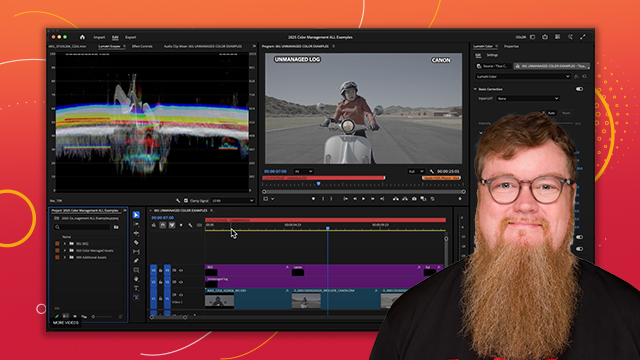
Learn the basics of color correction and the Lumetri color panel.

This summary is AI generated

Learning Outcomes:

  • Change workspace to access color tools.
  • Utilize Lumetri Color panel for adjustments.
  • Apply color corrections using Scopes.

Level: Advanced

Skills you'll gain:

Premiere Pro, Color Correction, LUTs, Scopes

Key Insights

  • Activate color workspace for dedicated color tools.
  • Use comparison view for shot analysis.
  • Adjust color settings for different color spaces.
  • Utilize auto-detect features for log color space.
  • Apply technical and creative LUTs for grading.
  • Use Scopes to monitor color and exposure.
  • Stack multiple Lumetri effects for complex corrections.
  • Color correct at the source level for consistency.
  • Utilize masks for selective color adjustments.
  • Experiment with HSL secondary for targeted corrections.

Learning outcomes

  • Change workspace to access color tools.
  • Utilize Lumetri Color panel for adjustments.
  • Apply color corrections using Scopes.

Key insights

  • Activate color workspace for dedicated color tools.
  • Use comparison view for shot analysis.
  • Adjust color settings for different color spaces.
  • Utilize auto-detect features for log color space.
  • Apply technical and creative LUTs for grading.
  • Use Scopes to monitor color and exposure.
  • Stack multiple Lumetri effects for complex corrections.
  • Color correct at the source level for consistency.
  • Utilize masks for selective color adjustments.
  • Experiment with HSL secondary for targeted corrections.

Skills

Premiere Pro, Color Correction, LUTs, Scopes

Transcript

[00:00:00] hi I'm John N software trainer for Adobe

[00:00:02] and today we'll be talking all about

[00:00:04] color in Premiere Pro all right here we

[00:00:07] are inside our sample project now before

[00:00:09] I start working with color I want to

[00:00:11] change the workspace here to activate

[00:00:14] all of my color panels much like other

[00:00:16] software there's a dedicated color

[00:00:18] workspace here in Premiere Pro that will

[00:00:21] activate all the tools this is similar

[00:00:23] to the color workspace option in Avid or

[00:00:26] the color Tab In Da Vinci resolve but

[00:00:28] the idea is the same it's just a

[00:00:30] dedicated interface for working with

[00:00:32] color so I'm going to go up to window

[00:00:34] workspaces and select

[00:00:38] color and this does two things it opens

[00:00:41] up the lumetri color panel over here on

[00:00:43] the right as well as our

[00:00:46] Scopes now we'll dive into the lary

[00:00:48] panel here in a moment but I just want

[00:00:50] to explain the rest of the interface so

[00:00:53] lry itself is actually an effect if we

[00:00:56] were to look here in the effects palet

[00:00:59] and go down here to video effects and

[00:01:01] color correction we see lumry right

[00:01:04] there and when we could always just drag

[00:01:06] and drop that onto a clip from the

[00:01:09] effects panel but we don't even have to

[00:01:11] do that with the lry panel open all you

[00:01:13] do is touch one slider and the effect is

[00:01:16] automatically added to the clip you

[00:01:19] don't have to do anything else you don't

[00:01:20] have to pull it here from the effects

[00:01:22] library and I'll show you here in

[00:01:24] effects controls when we click on this

[00:01:26] clip lumetri is indeed applied right

[00:01:29] there I'm going to remove that instance

[00:01:31] for now just hit delete and go back pull

[00:01:34] up my color project there we go now

[00:01:37] unlike Avid you won't see the previous

[00:01:39] current and next frame viewers up here

[00:01:42] you can however turn on this option

[00:01:44] called comparison view I'm going to go

[00:01:46] into a couple of clips from a short film

[00:01:49] here this is from the same scene and I

[00:01:50] want to compare these two shots with

[00:01:53] each other in the program Monitor and we

[00:01:55] have a dedicated button down here called

[00:01:58] comparison view can see it right there

[00:02:00] if you don't see that button by the way

[00:02:02] just click on the button editor and drag

[00:02:04] it down from this tray but by turning on

[00:02:07] comparison view I can look at other

[00:02:09] shots in the sequence I just go by time

[00:02:11] code or just use this quick slider to

[00:02:13] find a shot and now as I color correct

[00:02:15] the right hand side I can see how it

[00:02:17] compares to another shot already in the

[00:02:19] sequence there this is the side by side

[00:02:22] view I can also split them vertically or

[00:02:25] split them horizontally if I want to see

[00:02:27] that type of comparison now Scopes have

[00:02:30] their own dedicated panel usually opens

[00:02:32] right behind the source monitor now you

[00:02:34] can leave it in that position or you can

[00:02:36] pull it off and put it somewhere else

[00:02:38] make your own custom workspace if you

[00:02:39] want to see other panels next to it or

[00:02:42] just leave it there and move it into

[00:02:44] position like

[00:02:46] so there's a vector scope histogram

[00:02:48] parade and waveform similar to the quad

[00:02:52] display option that you know from abot

[00:02:54] or you can choose just one scope at a

[00:02:57] time you can do that by clicking on the

[00:02:59] ren down here or just right clicking

[00:03:02] right there in the Scopes viewer you can

[00:03:04] turn off the ones you don't want to see

[00:03:06] here so in this case I'll get rid of the

[00:03:08] vector scope and the parade and just

[00:03:10] look at the histogram and waveform

[00:03:14] together or I can just look at the

[00:03:15] histogram by itself for example there

[00:03:17] are presets in here for different scope

[00:03:20] configurations all right so that's

[00:03:22] looking at the parade there and I can

[00:03:25] choose different options for those as

[00:03:27] well so if I go to parade type I can

[00:03:29] change that from RGB to yuv for

[00:03:34] example or the waveform type just look

[00:03:36] at things as Luma values instead of RGB

[00:03:39] values so all those are found here under

[00:03:42] the wrench and it will automatically

[00:03:44] choose the color space for you so if you

[00:03:46] know you're definitely working in re 709

[00:03:48] you can set that or if you were

[00:03:49] definitely working in HDR color space

[00:03:51] you can set that up and these Scopes

[00:03:54] will reflect that accordingly and down

[00:03:56] here you can see you can work here in 10

[00:03:57] bit float or HDR

[00:04:00] and there's even options in here to

[00:04:02] reduce the brightness of the Scopes or

[00:04:04] increase the brightness depending on how

[00:04:06] you like to view them just leave that

[00:04:08] set here for normal now let's talk about

[00:04:12] the color settings in Premiere Pro

[00:04:14] there's been many changes made in the

[00:04:15] last few versions to simplify and

[00:04:17] consolidate all the color settings for

[00:04:19] displaying Clips properly especially

[00:04:22] when they're in different color spaces

[00:04:23] like log or HDR so the color settings in

[00:04:26] Premiere Pro which were previously

[00:04:28] scattered across several panels and

[00:04:30] preferences have now been Consolidated

[00:04:31] in the settings tab next to the edit tab

[00:04:34] in the elmary color panel starting at

[00:04:36] the top here we have our main

[00:04:38] preferences and we can enable things

[00:04:40] like display color management and

[00:04:42] extended dynamic range monitoring and

[00:04:45] then below that there's a quick shortcut

[00:04:47] to change the transmit option to an

[00:04:49] external monitor in this case I have a

[00:04:51] black magic card hooked up so that video

[00:04:53] stream is on there's settings there for

[00:04:55] the production or the project in this

[00:04:57] case I have a production open right now

[00:04:59] this would say project instead of

[00:05:00] production there settings for the source

[00:05:03] clip and for the sequence so how do

[00:05:06] these all work together I have two

[00:05:08] example sequences here this one has a

[00:05:10] log clip and this one has an a series of

[00:05:14] HDR Clips here you can see that those

[00:05:16] are very blown out this is pretty

[00:05:18] typical of iPhone footage now most of

[00:05:21] them shoot HDR uh by default and you'll

[00:05:23] get this kind of look when you first

[00:05:24] bring a clip into Premiere Pro so in

[00:05:27] order to clean both of these up we can

[00:05:29] change a few of the color settings so

[00:05:32] starting here at the top display color

[00:05:33] management ensures consistent color

[00:05:35] management across all your applications

[00:05:38] and whatever screen you happen to be

[00:05:39] using it works with the monitor profile

[00:05:41] that you have to try to basically ensure

[00:05:44] that you've got the the best possible

[00:05:45] representation of the color and the

[00:05:47] contrast of your image so that when you

[00:05:49] start grading you're look you're doing

[00:05:51] it uh from the same Baseline level

[00:05:54] essentially and then below that we have

[00:05:56] extended dynamic range monitoring we're

[00:05:58] going to turn that on let me go over to

[00:05:59] the HDR

[00:06:01] timeline all right so you can see that

[00:06:03] that starts to clean up that image a

[00:06:04] little bit and let me go ahead and turn

[00:06:06] on the Scopes so we can see what's

[00:06:08] happening here all right and then in the

[00:06:10] production settings me flip back to that

[00:06:13] log clip now here under viewer gamma we

[00:06:16] now have options to change the way that

[00:06:18] the program monitor looks right now the

[00:06:20] viewer gamma is set to 2.4 which is

[00:06:22] broadcast you can set that to preview

[00:06:24] for the web which is 2.2 or and this is

[00:06:27] new 1.96 which is the gamma standard for

[00:06:30] the QuickTime Player in Mac OS and

[00:06:33] that's been a consistent issue where uh

[00:06:35] people will output color corrected

[00:06:37] projects from Premier Pro send it to

[00:06:39] someone who loads it in QuickTime Player

[00:06:41] and it looks different from what the

[00:06:43] output was on the original premere

[00:06:45] system and this allows you to preview

[00:06:47] that without adding any Luts none of

[00:06:49] these will add a lot or affect the

[00:06:51] output in any way it's simply way to

[00:06:53] preview different color gamas right here

[00:06:55] in the program monitor so you get more

[00:06:57] of a sense of what your client might be

[00:06:59] seeing on their end let me change that

[00:07:01] back to broadcast below that we have the

[00:07:04] option to autod detect log color space

[00:07:06] and watch what happens to the image on

[00:07:08] screen so with that autodetect log

[00:07:11] switch on it detects that this is indeed

[00:07:13] log color space and it pushes it back

[00:07:15] towards a normal looking image kind of

[00:07:18] removes that washed out log look without

[00:07:20] having to add a color effect or a l to

[00:07:23] it if you click on a clip in the

[00:07:25] timeline you can override the input L

[00:07:28] for a source clip here we see that was

[00:07:29] captured with Canon log 3 and it's using

[00:07:32] that color space we can apply a l right

[00:07:35] there there's a l drop down or you can

[00:07:37] override that color space and apply a

[00:07:39] different color space like so which kind

[00:07:41] of brings us back to where we were or we

[00:07:45] leave that back to

[00:07:46] the media color space there there's also

[00:07:50] color settings for the sequence itself

[00:07:53] this color space is set to rec 709 if I

[00:07:55] wanted to grade an HDR I could choose

[00:07:57] from one of those two options in there

[00:07:59] and let me switch back over here to the

[00:08:00] HDR timeline which we can see that that

[00:08:03] clip is pretty washed out here we're

[00:08:05] losing the whites because this is an HDR

[00:08:07] clip but it's in a Rec 709 color space

[00:08:10] there and we can see here from the

[00:08:11] Scopes that it's clipping the whites

[00:08:13] here at the top but we have the ability

[00:08:16] to autoone map media this is a switch

[00:08:19] for the sequence if I turn that on and I

[00:08:22] get that warning there I say okay and

[00:08:24] see how it brought down all the

[00:08:26] highlights that they're no longer blown

[00:08:28] out we picked up a little more detail

[00:08:30] there we can see that that cleaned up on

[00:08:32] the Scopes a little bit and gave us a

[00:08:34] broader color spectrum to work with

[00:08:36] there and if I was to change that back

[00:08:39] to hlg I go back and I could grade this

[00:08:41] in HDR or keep it as Rec

[00:08:44] 709 and we'll kind of clamp down on

[00:08:46] those colors so they're not blown out

[00:08:49] setting autoone map media on especially

[00:08:52] if you're going to stay in the rec 79

[00:08:53] color space for output is really really

[00:08:56] important for your HDR footage

[00:08:57] especially anything from an iPhone like

[00:08:59] as I mentioned that they typically shoot

[00:09:01] in HDR now so to get the proper color

[00:09:04] and to get the proper Rex 709 signal out

[00:09:06] of that HDR footage you want to turn on

[00:09:08] autoone map media and you can override

[00:09:11] it for individual Clips as well so down

[00:09:13] here you have a sequence clip option and

[00:09:16] there's a different ways to do the tone

[00:09:18] mapping so you see there's Hue

[00:09:19] preservation which it says it's good for

[00:09:21] iPhone HDR let me go back to this first

[00:09:23] clip

[00:09:24] here and you can play around with it

[00:09:26] there there's also an option for log

[00:09:28] video

[00:09:30] and for PQ and hlg I'll set that back to

[00:09:33] Hue preservation and then you can play

[00:09:35] around in here with the exposure and

[00:09:37] actually dial in the settings right

[00:09:39] there on the clip before you even touch

[00:09:41] the rest of the lry color panel and you

[00:09:43] can change how saturated those

[00:09:45] highlights are right there and apply to

[00:09:47] all Clips instances will apply to every

[00:09:49] instance of that

[00:09:50] clip so in general you probably want to

[00:09:53] have all of these turned on unless you

[00:09:54] know you have a specific reason to turn

[00:09:56] them off display color management

[00:09:58] extended dynamic range monitoring autod

[00:10:00] detect color log space and autoone map

[00:10:03] media that's going to ensure you get the

[00:10:04] best possible representation of the true

[00:10:06] color and contrast of these clips when

[00:10:08] you bring them into Premier Pro all

[00:10:10] right let's get back over here to the

[00:10:12] lumetri panel and I'll show you what all

[00:10:14] the different sections are about I'm

[00:10:17] just going to park my playhead here on a

[00:10:19] shot from this short film where these

[00:10:22] two guys are talking here in the office

[00:10:23] I just want to see a single shot of this

[00:10:26] gentleman right here as I explain the

[00:10:29] panel so I click on the clip like so and

[00:10:32] right here at the top you can see

[00:10:33] there's the option to do an input L now

[00:10:36] these are technical lots a lot of times

[00:10:38] you get these from set the DP or the

[00:10:40] camera assistant will do this in camera

[00:10:43] they'll agree on the look and then that

[00:10:44] L will come along with the footage you

[00:10:47] can go to browse here at the top of the

[00:10:48] panel and just go ahead and navigate to

[00:10:52] where those Luts are and you notice that

[00:10:55] you can import things like a cube or a

[00:10:58] 3dl so different L formats are all

[00:11:02] supported but as with all color

[00:11:04] correction you don't have to use a l in

[00:11:06] this case we didn't start with one so

[00:11:08] we'll just leave that at none now below

[00:11:11] this is this Auto button this is

[00:11:13] actually using a little bit of AI

[00:11:15] Premiere is going to take a look at your

[00:11:16] footage and try to determine the best

[00:11:18] possible settings for it so I'm going to

[00:11:20] click that and right away you can see

[00:11:22] that it brighten things up and all the

[00:11:25] sliders have moved on their own with

[00:11:27] that auto function and you can see that

[00:11:29] it added some exposure some contrast and

[00:11:32] some highlights kind of pushed

[00:11:34] everything up didn't Crush any Shadows

[00:11:36] or anything like that it doesn't make

[00:11:37] these big creative choices it's just

[00:11:39] trying to find the best possible

[00:11:41] exposure and look on the shot here and

[00:11:44] you can adjust the intensity of that

[00:11:46] automatic setting with this slider right

[00:11:48] here so by moving it further over it's

[00:11:50] going to increase all the settings that

[00:11:52] it added to the footage or if you go the

[00:11:55] opposite direction it's going to pull

[00:11:56] them back down towards basically Z zero

[00:12:00] no

[00:12:02] correction now if you don't like this

[00:12:04] Auto look or you want to adjust these

[00:12:06] sliders on your own from scratch that's

[00:12:09] totally fine you can always just hit

[00:12:10] reset and everything will basically go

[00:12:12] back to

[00:12:13] zero so the rest of the basic correction

[00:12:17] space here includes options for white

[00:12:19] balance so I'll just pick a spot there

[00:12:22] and you can see how it adjust the

[00:12:23] temperature and the tits there's a

[00:12:25] saturation slider right here and then

[00:12:27] under light we have options for like

[00:12:29] exposure contrast highlights Shadows the

[00:12:33] amount of white or black you want to see

[00:12:35] in the shot and again anytime

[00:12:39] you get results that you're not happy

[00:12:42] with you want to just reset everything

[00:12:43] to a baseline just hit reset and

[00:12:45] everything snaps back to the way it was

[00:12:47] before you touch the lary panel I'm just

[00:12:49] going to go ahead and keep that on auto

[00:12:51] for now I thought that was a pretty good

[00:12:52] place to start and then down here under

[00:12:55] creative there's another place where we

[00:12:57] can put Luts before this we had the

[00:12:59] technical Luts these are the creative

[00:13:01] Luts where you can actually give

[00:13:02] everything a look and there is a browser

[00:13:06] here and these are all the creative

[00:13:08] looks that are in Premiere Pro I can

[00:13:11] pull up this Fuji option for example now

[00:13:15] this is the actual look browser right

[00:13:18] here and what you can do is go through

[00:13:20] all of them one by one right here in

[00:13:23] this little

[00:13:25] browser just by clicking on this right

[00:13:28] arrow here

[00:13:32] and if you get to another look that you

[00:13:33] like let's go back one there we go I'm

[00:13:36] going to apply this Kodak look instead

[00:13:38] of the Fuji look just double click and

[00:13:39] it automatically loads that L onto the

[00:13:43] footage now if you want to add your own

[00:13:45] technical or creative Luts to those

[00:13:46] drop- down menus there are specific

[00:13:48] folders on your computer where you're

[00:13:49] going to want to place those L files

[00:13:51] look inside the class materials that

[00:13:52] accompany this lesson and I'll show you

[00:13:54] the exact folder path that you need to

[00:13:56] follow in order to place those files

[00:13:58] correctly now just like with the

[00:13:59] technical L we have an intensity slider

[00:14:02] to change the effect of this creative L

[00:14:05] here more or less

[00:14:08] intense there's a faded film option

[00:14:10] which basically kind of washes out the

[00:14:12] image if you're going for that type of

[00:14:13] look there is a sharpener here and you

[00:14:17] don't want to put in uh all the way to

[00:14:19] 100 but somewhere around here if you

[00:14:22] want to just add a little bit of

[00:14:23] sharpness if the edges don't quite feel

[00:14:26] crispy enough you can push this a little

[00:14:28] bit here or take it all the way down and

[00:14:30] actually add blur if you go into the

[00:14:32] negative

[00:14:34] side now Vibrance and saturation work in

[00:14:38] similar yet different ways they're

[00:14:39] basically affecting the overall

[00:14:41] intensity of the color saturation just

[00:14:44] increases

[00:14:46] everything and if you desaturate

[00:14:48] completely obviously you will go to

[00:14:50] black and white I'm just going to

[00:14:51] quickly set that back to 100 now

[00:14:53] Vibrance is often called smart

[00:14:56] saturation and that it looks at the

[00:14:57] overall shot and and only attempts to

[00:15:00] intensify those colors that are muted

[00:15:02] and in that in this case it tends to

[00:15:04] favor kind of the Blues and the greens

[00:15:07] and will not affect the Reds and yellows

[00:15:09] as much and because of that it tends to

[00:15:11] be pretty good about not overdoing skin

[00:15:14] tones so you see by just pumping up the

[00:15:17] Vibrance here it's affecting the other

[00:15:19] parts of the shot and not his face all

[00:15:22] right and again negative Vibrance will

[00:15:24] just lead to black and white so we're

[00:15:27] just going to push that up just a little

[00:15:29] bit and then we have options here to

[00:15:30] push color into the Shadows so I can

[00:15:33] warm those up make them redder and I'm

[00:15:35] just clicking and holding as if this was

[00:15:37] a track ball interface here so you click

[00:15:39] and hold and you see the crosshairs

[00:15:42] move like so I can do the same thing for

[00:15:45] the highlights I can push those more

[00:15:46] towards green for

[00:15:48] example now the quick tip here to reset

[00:15:51] these what if you've already moved these

[00:15:53] balls a little bit you want to put them

[00:15:54] back to where they were just double

[00:15:55] click right hit there in the center you

[00:15:57] want to see that dnut hole that tells

[00:15:58] you that you're basically back to zero

[00:16:01] and then you can control the amount of

[00:16:03] tint that you've added to the shot with

[00:16:04] this balance option here below it's sort

[00:16:07] of like another in version of the

[00:16:08] intensity slider for the effect that

[00:16:10] you've applied here for the Shadow and

[00:16:12] the

[00:16:14] highlights all

[00:16:16] right now some of you are used to

[00:16:18] working in curves those are available

[00:16:21] here in this curves drop down like so

[00:16:24] you've got the main curve selection by

[00:16:26] default it's set to the luminance value

[00:16:29] which is what you're seeing here and

[00:16:32] when you scroll down over this line you

[00:16:34] get the pen tool you can add points and

[00:16:37] push them accordingly like so or you can

[00:16:40] always move the beginning point or end

[00:16:44] point for the Shadows or the highlights

[00:16:47] or adjust the midtones like so if you

[00:16:51] want to again reset any of these values

[00:16:53] just double click in the empty space and

[00:16:55] all of your points will reset to zero

[00:16:58] and the line will go back to the way it

[00:17:00] was if you want to adjust individual

[00:17:02] curves you use this selector here so

[00:17:05] this is the overall luminance but here I

[00:17:07] can select the red the green or the blue

[00:17:10] and just adjust that channel

[00:17:15] accordingly I want to move those curves

[00:17:17] there and again double click to

[00:17:21] reset now below the RGB curves are some

[00:17:24] interesting ways to manipulate color

[00:17:27] based on selection I'm going just go

[00:17:29] back up here to the main RGB curve the

[00:17:32] luminance value here and I'm just going

[00:17:34] to adjust the midtone of the shot and

[00:17:37] bring everything down just a little bit

[00:17:40] and I'm going to play around with the

[00:17:41] color of his shirt so here in Hue verses

[00:17:45] saturation we have ey dropper tool I'm

[00:17:47] going to just select a patch of his

[00:17:48] shirt like so you can see it makes a

[00:17:50] selection right here on this colored

[00:17:52] line and I'm going to adjust that Middle

[00:17:56] Point here and you see if I pull down

[00:17:57] this is adjusting the saturation of the

[00:17:59] selection that I made which is the blue

[00:18:02] if I want to get more of the blue in

[00:18:03] other words get more of the shirt

[00:18:05] captured here I can always pull this

[00:18:08] other point over here to the right that

[00:18:10] captures the tones that are closer to

[00:18:11] purple and in this case I'll pull this

[00:18:13] one on the left over even more which

[00:18:16] will capture any tones closer to cyan

[00:18:18] notice I'm only affecting the shirt it's

[00:18:22] leaving the skin tones alone I am

[00:18:24] catching a little bit of the background

[00:18:25] anything that basically falls into this

[00:18:27] blue area of color here is being

[00:18:30] affected I can push the opposite way and

[00:18:32] I will oversaturate those blue colors

[00:18:34] for example and again double click to

[00:18:37] reset you also have Hue versus Hue so

[00:18:39] you can use that option to actually

[00:18:41] change the color of something I'm going

[00:18:43] to select the shirt a little darker area

[00:18:44] this time and as I pull up and down

[00:18:46] notice I have a second axis of that

[00:18:49] color bar and if I pull down I'm pulling

[00:18:51] it more towards red and

[00:18:54] orange for example and if I pull up I'm

[00:18:57] actually changing it to green and it's

[00:18:59] affecting a lot of the shot there if you

[00:19:01] want to not affect as much of the shot

[00:19:03] then you actually pull these points in

[00:19:06] more and will affect less of the overall

[00:19:09] shot you see there it's actually not

[00:19:11] grabbing that section of the shirt as

[00:19:14] much so I would have to add another

[00:19:16] point there and you can keep adding

[00:19:17] points that you want to adjust as well

[00:19:20] try to get everything to match

[00:19:23] up it's really fun to play around with

[00:19:26] this in this case I can also affect the

[00:19:27] Reds in this which would affect his

[00:19:29] flesh tones so you can achieve some

[00:19:31] pretty interesting effects again double

[00:19:33] click to reset then Hugh versus Luma

[00:19:36] again I'll select that shirt that

[00:19:38] affects the overall luminance of that

[00:19:40] color and you can see that I'm getting

[00:19:42] some pretty nasty results there I need

[00:19:44] to be a little more selective in the

[00:19:47] color there to get the effect that I

[00:19:49] want and a little bit goes a long way

[00:19:51] there we go it's pulling it down again

[00:19:53] if you go too far you're going to see

[00:19:54] some breakup in the image this case I'll

[00:19:57] push up increase alumin

[00:20:01] there I am getting some scattering up

[00:20:03] here in the ceiling so there will be a

[00:20:04] different way to approach this that I'll

[00:20:07] show you in a moment let me reset that

[00:20:10] then we also have Luma versus saturation

[00:20:13] that allows you to adjust the saturation

[00:20:15] based on the tone rather than the Hue

[00:20:18] and then saturation versus saturation

[00:20:21] which allows you to selectively

[00:20:22] manipulate areas of saturation in the

[00:20:24] image now this section here under color

[00:20:27] match is interesting

[00:20:29] this section below curves is called

[00:20:30] color wheels and match this gives us

[00:20:33] additional options for manipulating the

[00:20:35] color based on shadows midtones and

[00:20:38] highlights first of all there are

[00:20:40] sliders next to each of those for

[00:20:42] manipulating those elements separately

[00:20:44] so if I want to adjust just the Shadows

[00:20:46] pump them up or in this case crush them

[00:20:49] a little further can pull down same

[00:20:53] thing with the midtones and the

[00:20:55] highlights

[00:20:59] so I'm adjusting all those independently

[00:21:00] and I can also put color selectively

[00:21:03] into those areas I'll pump some red into

[00:21:05] those highlights and I'll make the

[00:21:07] Shadows even Bluer here for example and

[00:21:10] once again to reset anything you just

[00:21:12] double click so inside the color ball

[00:21:15] circles there it makes the doughnut

[00:21:17] shape and then just double click on the

[00:21:18] slider to reset that to zero if you want

[00:21:22] now at the top of that panel here we

[00:21:24] have the option to color match this is

[00:21:26] for finding another shot on the sequence

[00:21:29] that you may want to apply the same

[00:21:31] overall color effect to this shot

[00:21:34] from I can turn on comparison view with

[00:21:36] the button right here and I'll find

[00:21:38] another shot in the sequence I have a

[00:21:39] different type of clip parked in front

[00:21:40] of this one here so I'll find another

[00:21:43] shot in that it's outdoor scene there we

[00:21:46] go that's kind of nice Sunset shot there

[00:21:48] I'm going to apply the overall kind of

[00:21:50] tone and color of this shot to this shot

[00:21:53] here and I'm just going to hit apply

[00:21:55] match and see what happens and there we

[00:21:58] go we can see it's made some adjustments

[00:22:00] there in the shadows the midtones and

[00:22:02] the highlights and it's touched a little

[00:22:03] bit of color each time and you can

[00:22:06] experiment with this by turning face

[00:22:08] detection on or off as well and see if

[00:22:12] what it does there if it makes any

[00:22:14] difference all right so in this case it

[00:22:16] found some warmth here in this shot and

[00:22:18] kind of added that into the flesh tones

[00:22:21] of our shot there we can turn comparison

[00:22:23] view back off and it looks pretty

[00:22:26] good all right and the next section of

[00:22:29] the panel is called hsl secondary this

[00:22:32] allows you to do a secondary color

[00:22:34] correction on certain areas of the image

[00:22:36] on top of the correction that you've

[00:22:38] already done now what we're doing here

[00:22:40] is creating a key we're going to create

[00:22:41] a mask key basically on his face using

[00:22:45] the flesh tones and the way you preview

[00:22:48] that is flipping this color gray switch

[00:22:51] right here this displays your selection

[00:22:54] versus a gray so with when you see

[00:22:56] nothing but gray you have no selection

[00:22:58] made there turn that off very quickly

[00:23:00] here you can use set color with the eye

[00:23:03] droppers or you can just choose these

[00:23:05] options here so this is selecting all

[00:23:07] the Reds yellows greens and so forth so

[00:23:10] if I turn on that preview option for

[00:23:12] color and gray now if I chose the Reds I

[00:23:14] can see all the Reds the yellows the

[00:23:17] greens the cyan blues and so forth so

[00:23:22] the color gray is a way of actually

[00:23:23] previewing the key that you're going to

[00:23:25] make and what you want to do is once you

[00:23:27] have a decent selection here is you want

[00:23:29] to add to it there's a few different

[00:23:31] ways to do that you can try to use this

[00:23:33] plus dropper to increase your selection

[00:23:36] there so I just added some to it you can

[00:23:38] also use this dropper to remove try to

[00:23:40] remove things you don't want from the

[00:23:41] selection from this key all right that's

[00:23:44] getting there now these arrows on top of

[00:23:47] these triangles here they can be moved

[00:23:50] to add a little bit more color and kind

[00:23:52] of refine the selection as well so I'm

[00:23:54] just working within the Hue here to get

[00:23:56] more of that skin selected

[00:23:59] up top and I can do the same thing down

[00:24:01] here for saturation maybe I have too

[00:24:03] much selected so I'll bring that back in

[00:24:05] but I'll just add back to it like so

[00:24:07] kind of bring that out all right I'm

[00:24:09] getting a pretty good amount of his skin

[00:24:11] there I don't want his eyes so that's

[00:24:14] fine and this goes into the Shadows a

[00:24:16] little bit more there we

[00:24:18] go now one tip here is that I often do

[00:24:22] hsl secondaries as a separate pass I

[00:24:26] don't want to do this as part of this

[00:24:27] main color effect here this main lry

[00:24:29] effect that I've applied because I want

[00:24:31] to be able to actually mask this if I

[00:24:33] need to this is selecting too much

[00:24:36] outside of his skin tones I'm getting

[00:24:38] sections of the office over here so I

[00:24:40] can apply a quick mask in my effects

[00:24:42] controls panel to get rid of that but in

[00:24:45] order to do that I need to separate this

[00:24:48] secondary color effect from the main

[00:24:50] color effect that I'm working on let me

[00:24:52] turn off that selection for now I'm

[00:24:54] going to reset this panel just for a

[00:24:56] moment and up here at the top where says

[00:24:58] lumetri color there's a drop down there

[00:25:02] where I can add a lumetri color effect

[00:25:04] this is a second version of this effect

[00:25:07] stacked on top of the main lumry effect

[00:25:10] I've already applied you can stack as

[00:25:12] many versions of this effect on top of

[00:25:14] itself that you want I'm going to add a

[00:25:17] secondary lumetri color effect and very

[00:25:20] quickly I want to rename it and the

[00:25:23] option is also there to rename it that

[00:25:25] way when I look at them in the effect

[00:25:26] stack I can tell them apart so I'm going

[00:25:28] to click click rename and I'm going to

[00:25:29] call this one

[00:25:31] skin

[00:25:34] pass and now that is separate if I go to

[00:25:36] effects controls I actually can see both

[00:25:39] options there I can see the main lumry

[00:25:41] effect that I applied and then this

[00:25:43] version of the of the lry effect that we

[00:25:45] just made and that was renamed as Skin

[00:25:48] pass so they exist separately and

[00:25:50] because each effect any most effects in

[00:25:53] Premiere Pro can be masked with these

[00:25:55] tools I have the option now to mask out

[00:25:59] the skin pass so I'm going to do that

[00:26:00] right now and I'm just going to just do

[00:26:02] a rough garbage mat around my actor here

[00:26:06] like

[00:26:09] so great so now everything I apply on

[00:26:12] this lumetri pass is going to be within

[00:26:15] this mask and I can always track it I'm

[00:26:17] just going to do a quick scrub here make

[00:26:19] sure that most of his skin Falls within

[00:26:21] the mask so a little further down I'm

[00:26:22] going to need a little more space there

[00:26:25] that looks pretty good so that's going

[00:26:27] to allow me to just affect the skin

[00:26:28] tones right there within the

[00:26:30] mask so now I'll go back up here to the

[00:26:33] lry panel again I want to make sure the

[00:26:35] right one is selected so I see skin pass

[00:26:37] up there not the other lumetri effect

[00:26:39] which is the main base effect here so I

[00:26:43] click on skin pass now I'm going to

[00:26:44] select my Reds me hide that mask real

[00:26:47] quickly just by clicking off of it

[00:26:49] select my Reds turn on color gray there

[00:26:51] we go so now I'm getting that skin tone

[00:26:57] key that I saw earlier I'm just going to

[00:26:58] try to isolate that better and get a

[00:27:02] little more of his skin

[00:27:04] there like

[00:27:08] so pretty good I'll try to use the plus

[00:27:11] side eye dropper to select a little bit

[00:27:12] more that looks good there go back get a

[00:27:14] little bit more in here all right that

[00:27:16] looks pretty good I've gotten most of

[00:27:18] that skin there's a little denoiser pass

[00:27:19] you can do here to try to remove some of

[00:27:21] that kind of crunchy noise that appears

[00:27:23] on the edges and there is a blur option

[00:27:25] as well you're going to want to add just

[00:27:26] a little bit of blur to this not a ton

[00:27:29] but just a little bit to kind of clean

[00:27:31] up those rough edges I'll give it 1.0

[00:27:34] that way the line between the selection

[00:27:36] we made and the parts that are not

[00:27:38] selected won't be quite as Stark all

[00:27:41] right now you have other options by the

[00:27:43] way instead of just the color gray

[00:27:44] preview you can do a color versus black

[00:27:47] and you can also do a black and white

[00:27:49] version of the key just to see

[00:27:50] everything that you are selecting and

[00:27:52] with that selected I can see ah yes it

[00:27:54] is going to get this section of ear that

[00:27:57] was on the other side of his face and

[00:28:00] it's not going to catch much of this

[00:28:01] part of his flesh tones but that's in

[00:28:03] the shadows anyway so we're not going to

[00:28:05] notice much of

[00:28:06] that now below that is where we do the

[00:28:09] actual correction for this hsl secondary

[00:28:13] layer we have one big color wheel we can

[00:28:15] use just to kind of push that in the

[00:28:17] direction we

[00:28:20] want like so and one big kind of luma

[00:28:24] slider over here on the side to brighten

[00:28:28] or darken our selection now if you want

[00:28:32] to break that off into finer controls

[00:28:34] you don't have to use one big wheel you

[00:28:35] can click this button right here and

[00:28:38] that breaks it out into three wheels for

[00:28:40] shadows midtones and highlights and now

[00:28:42] you can be a little more selective in

[00:28:44] what you're going to do it also we also

[00:28:46] have the temperature tint contrast

[00:28:48] sharpen and saturation controls similar

[00:28:50] to what we had up here in the basic

[00:28:52] correction panel so for temperature I'm

[00:28:54] going to push this skin a little more

[00:28:56] warmer like so

[00:28:58] and I'll just see what happens if I

[00:29:00] remove some of that green actually no a

[00:29:01] little more pink in there will do him

[00:29:04] nicely I'm going to increase the mid

[00:29:06] tones just a little bit here to kind of

[00:29:07] open up that

[00:29:09] face and same thing just a little bit

[00:29:12] for the highlights as well and I'm going

[00:29:14] to push the midtones a little warmer

[00:29:16] that's too much go the other just a

[00:29:19] little touch there and pull a little

[00:29:25] warmth and put some warmth as well into

[00:29:27] the high

[00:29:30] highlights and now that I've got it

[00:29:32] there me

[00:29:33] increased I can mess around with

[00:29:43] contrast and I'm going to just decrease

[00:29:46] that saturation he got a little bit too

[00:29:47] hot for me so I'm just going to bring

[00:29:49] that saturation down a little bit now

[00:29:52] let's take a look at our work I can very

[00:29:53] quickly AB that I'm just going to turn

[00:29:55] the checkbox next to hsl secondary on on

[00:29:58] or off like

[00:30:00] so all right a little bit of warmth

[00:30:02] there it's catching a little bit of that

[00:30:03] background I can refine that mask a

[00:30:05] little bit if I want to but for now I

[00:30:07] think this looks pretty good as by way

[00:30:09] of example all right so that's how we

[00:30:11] use the HL secondary and again I prefer

[00:30:13] to use that in a second lumetri pass

[00:30:16] that way I can use masks if I need to or

[00:30:18] I can just isolate that effect to a very

[00:30:20] small portion of the image because a lot

[00:30:22] of times you select something like skin

[00:30:24] and there's some other color in the shot

[00:30:26] that's the same uh color of the skin or

[00:30:28] within the same tonal range and you wind

[00:30:30] up color correcting that when you don't

[00:30:31] want to so by adding the hsl secondary

[00:30:34] to a second lumry effect you can use the

[00:30:37] mass tools to isolate that better and

[00:30:39] finally down here at the bottom we go

[00:30:41] back to the main lumry effect here

[00:30:44] because that's where I might want to do

[00:30:46] a vignette this is very simple if you

[00:30:48] push negative you will get the expected

[00:30:51] effect there on the edges it will go

[00:30:53] darker if you go positive they will

[00:30:55] actually get lighter so in this cas

[00:30:58] we're going to do that and then by

[00:31:00] affecting things like the midpoint you

[00:31:02] increase the amount on the edges there

[00:31:04] the roundness you're basically affecting

[00:31:06] the shape of the vignette there and you

[00:31:08] can feather it and again I'll AB that

[00:31:12] effect like

[00:31:14] so now I'm going to go ahead and turn

[00:31:17] off this skin pass here and I'll go back

[00:31:19] to the base level lry effect now I can

[00:31:23] again turn off the effects badge to see

[00:31:26] before and after I can also do that in

[00:31:29] comparison view so I'll go back here to

[00:31:31] comparison View and there's a switch

[00:31:33] down here in the bottom left shot of

[00:31:35] frame comparison so instead of comparing

[00:31:37] it to a different shot in the sequence

[00:31:40] it Compares it to itself and then I can

[00:31:42] ab it like

[00:31:45] so or I can do a split screen so there's

[00:31:47] a vertical split

[00:31:50] option and a horizontal split option and

[00:31:55] you can leave this on so if you want to

[00:31:58] change it further so I'll go turn my

[00:32:00] effects back on in another basic

[00:32:01] correction there I'm just going to do a

[00:32:03] little bump and exposure and I can

[00:32:07] see the difference there between left

[00:32:09] and right I'll go top and bottom there

[00:32:11] we go I'll warm it up a little bit so

[00:32:13] there on the bottom I can see the

[00:32:15] difference and up top here is where we

[00:32:18] were I can also do that vertically or I

[00:32:21] can do them side by sides so that's just

[00:32:22] a way to compare the shot to itself as

[00:32:25] I'm making further directions and again

[00:32:28] that's the switch down here in the

[00:32:30] bottom left of comparison view otherwise

[00:32:32] it goes back to the selector where you

[00:32:35] can grab something else in the

[00:32:38] sequence now you can also stack lumetri

[00:32:40] effects to do a variation on the idea of

[00:32:43] a power window so we're going to isolate

[00:32:45] the subject of the shot and then reduce

[00:32:48] the background contrast and exposure to

[00:32:50] make him really pop there so I'm looking

[00:32:52] at this shot here I'm not really happy

[00:32:54] with the amount of exposure on this uh

[00:32:57] column here it's a little bright it's

[00:32:59] kind of pulling Focus away from his face

[00:33:01] so again we can add even another layer

[00:33:04] here on top of our base lumry and the

[00:33:06] skin pass I'm going to add another

[00:33:08] lumetri color effect and I'm going to

[00:33:10] rename that

[00:33:14] exposure and for that one I am going to

[00:33:17] bring the

[00:33:18] exposure down and I'm just paying

[00:33:20] attention to that back wall there play

[00:33:22] with the contrast a little bit those

[00:33:24] highlights need to come down a

[00:33:26] lot there we go so I'm just going to

[00:33:28] bring those down like so and again we

[00:33:31] can go back to effects controls and find

[00:33:35] that lumry color effect there we go it's

[00:33:37] called exposure I'm going to put that

[00:33:39] one on the

[00:33:41] top and I'm going to make a quick

[00:33:44] garbage mat around my

[00:33:48] subject like

[00:33:50] so and I'm going to invert that mask and

[00:33:54] feather the heck out of

[00:33:56] it and there we go so now I've really

[00:33:59] darkened that background really make

[00:34:01] made him pop and I can reduce the

[00:34:03] overall opacity of that effect as

[00:34:07] well I play with the mask opacity here

[00:34:10] if I think I've gone a little bit too

[00:34:12] far to extreme I can pull that back

[00:34:15] down like so I'll AB

[00:34:18] that there we go just a nice little drop

[00:34:21] there now I could keep going with this

[00:34:23] shot here maybe try to bring up some of

[00:34:24] the Shadows here on the face but for now

[00:34:27] we've got a Prett pretty good Baseline

[00:34:28] we've got some nice exposure and color

[00:34:30] Happening Here I think the shirt looks

[00:34:32] pretty good I've cleaned up the flesh

[00:34:34] tones made those nice and Rich and

[00:34:37] brought down the exposure there in the

[00:34:39] background and keep our Focus here on

[00:34:41] our main subject now similar to Avid and

[00:34:43] other software you have the ability to

[00:34:45] color correct the source clip in the

[00:34:47] project bins as opposed to just the clip

[00:34:49] on the timeline and those changes to the

[00:34:51] source Clips color will Ripple through

[00:34:53] all of your sequences wherever that clip

[00:34:55] is used so here I have the coach

[00:34:58] and instead of just color correcting

[00:35:00] this clip right here on the timeline and

[00:35:02] then copying pasting that effect to the

[00:35:05] other examples of the same clip here I'm

[00:35:07] going to color correct the source so you

[00:35:10] see up here in lumetri we have two tabs

[00:35:14] up here at the top we've been color

[00:35:15] correcting on the sequence side but you

[00:35:18] can correct on the source side and when

[00:35:21] I click on that it automatically opens

[00:35:22] up the source clip here in the source

[00:35:25] viewer and all these Corrections are now

[00:35:27] going to take place on the source clip

[00:35:30] itself and not just this instance in the

[00:35:32] timeline I'm just going to go to basic

[00:35:33] correction here and hit Auto and I'm

[00:35:36] just going to warm up the

[00:35:38] temperature slightly just make some

[00:35:40] basic moves here I'm going to play

[00:35:42] around with this

[00:35:43] contrast and you see it's color

[00:35:45] correcting on the source side over there

[00:35:47] on the left as well there we go now a

[00:35:50] couple things to note when you color

[00:35:52] correct on the source or actually if you

[00:35:54] apply any effect on the source side of

[00:35:55] things you'll notice that the FX badge

[00:35:57] gets this little red line underneath it

[00:36:00] that visually tells you that there is

[00:36:02] something going on on the source side

[00:36:04] with this clip that there has been a

[00:36:05] source effect applied and indeed if I

[00:36:07] click on that clip and do a match

[00:36:10] frame I can see in effects controls

[00:36:13] there is the regular uh controls for

[00:36:16] this clip on the sequence side but there

[00:36:17] is also a source effects tab here and I

[00:36:20] can see that the lumetri color has been

[00:36:23] applied and because I've applied that on

[00:36:26] the source level if I look at other

[00:36:28] Clips in the timeline they are all the

[00:36:30] same that Source effect has applied

[00:36:33] itself to all instances here because

[00:36:35] it's coming from the main clip in the

[00:36:37] bins and not just this clip and the

[00:36:39] sequence if we alter anything I'm just

[00:36:40] going to do a radical shift here I'll

[00:36:43] just push the temperature way down I'll

[00:36:45] go to Blue you can see that that also

[00:36:47] has changed all the instances so if

[00:36:49] you're going to use a clip several times

[00:36:51] in several sequences or you know it's a

[00:36:53] long form project and that clip is going

[00:36:55] to appear several times just go ahead

[00:36:57] and color correct it at the source level

[00:36:59] as opposed to the sequence level that

[00:37:01] way all your changes will make sure to

[00:37:02] Ripple through every time you use that

[00:37:05] clip in a sequence now I'm going to push

[00:37:07] that clip back to its warmer self that

[00:37:10] looks much better now a quick note here

[00:37:13] sometimes this happens and I do this all

[00:37:15] the time myself when you're color

[00:37:17] correcting and you mean to do it on the

[00:37:19] source side let me go ahead and delete

[00:37:20] this uh effect here and go back to the

[00:37:24] way it

[00:37:25] was you intend to color correct on the

[00:37:28] source side but accidentally you color

[00:37:30] correct it uh on the sequence side at

[00:37:32] the clip level here and not at the

[00:37:33] source clip level I'm just going to go

[00:37:35] back and hit Auto again push it warmer

[00:37:37] and do that same kind of contrast move

[00:37:40] here so I've accidentally done that just

[00:37:44] on this instance of the clip in the

[00:37:45] sequence it has not affected the other

[00:37:47] Clips I meant to do that on the source

[00:37:49] side happens to me all the time no

[00:37:52] problem just go into your effects

[00:37:54] controls click on lumetri color and just

[00:37:57] cut it command or control X in this case

[00:38:02] just cut that and then immediately

[00:38:03] switch to the source effects Tab and

[00:38:06] paste and now you've got the source

[00:38:10] effect so either do it that way or make

[00:38:12] sure that you have the source uh the

[00:38:14] Elementry applied on the source side

[00:38:15] here or use the source tab over here as

[00:38:19] opposed to the sequence tab but again no

[00:38:22] problem if you accidentally start color

[00:38:23] correcting it on the sequence just copy

[00:38:26] paste that elry into the source side and

[00:38:28] obviously you can stack those up so you

[00:38:30] can have a source side

[00:38:33] effect of lry but then also do a

[00:38:36] sequence side effect of lumetri and

[00:38:39] that's just a second instance of that

[00:38:41] where you can push things a lot further

[00:38:43] so in this case I'm going to just do a

[00:38:44] quick vignette on this clip but that's

[00:38:47] only going to affect that clip there and

[00:38:48] not the rest so you can stack lumry

[00:38:50] effects and both the source side and the

[00:38:52] sequence side if you want that's it for

[00:38:55] working with color hopefully this

[00:38:56] overview has given G you the confidence

[00:38:58] to start doing your own correction and

[00:38:59] Grading right inside Premiere Pro thanks

[00:39:02] for watching we'll see you on the next

[00:39:03] one