Working in 3D Space
Position and animated 2D layers in 3D space with lights and cameras.
This summary is AI generated
Learning Outcomes:
Learning outcomes not available.
Level: Advanced
Skills you'll gain:
Skills not available.
Key Insights
Key insights not available.
Did the AI summary help? Let us know.
Learning outcomes
Learning outcomes not available.
Key insights
Key insights not available.
Skills
Skills not available.
Transcript
[00:00:00] if you've ever struggled with
[00:00:00] positioning 2D layers in
[00:00:00] three-dimensional space don't sweat it
[00:00:00] because this is the video for you in
[00:00:00] this video we're going to actually add a
[00:00:00] light into our 3D scene and I'll show
[00:00:00] you how to interact within the 3D
[00:00:00] environment so that we can actually cast
[00:00:00] shadows and take our Graphics from good
[00:00:00] to great so let's go now we're going to
[00:00:00] divide this up into two sections the
[00:00:00] first half we're going to focus on the
[00:00:00] tools what they are and how they
[00:00:00] function and then the second half we're
[00:00:00] going to apply what we've learned to
[00:00:00] actually create a finished project with
[00:00:00] 2D text moving in 3D space with lights
[00:00:00] and shadows so to start let's create a
[00:00:00] new blank composition I'll go up under
[00:00:00] composition and choose new composition
[00:00:00] and let's go ahead and name this I'm
[00:00:00] going to call this camera sample we can
[00:00:00] leave it 1920 1080 at
[00:00:00] 23.976 frames per second for a duration
[00:00:00] of 10 seconds go ahead and click
[00:00:00] okay and let's go up to our tools panel
[00:00:00] and grab the text tool and I just want
[00:00:00] to add the number one into the scene and
[00:00:00] I'll just grab my selection tool to set
[00:00:00] that type you can choose whatever type
[00:00:00] face you want mine is bbus new and I set
[00:00:00] it to a setting of 300 pixels for size
[00:00:00] and I'll just position it roughly in the
[00:00:00] center of my scene I don't need it to be
[00:00:00] exact now I want to enable 3D on this
[00:00:00] layer so it exists in 3D space I know
[00:00:00] right now if I look in the properties
[00:00:00] panel it only has position X and Y so
[00:00:00] when I enable this you'll
[00:00:00] see when I have the layer selected here
[00:00:00] now I have X Y and Z I also have x y and
[00:00:00] Z rotation so just to toggle it off
[00:00:00] toggle it on you can see there's a big
[00:00:00] difference all right now I'm going to go
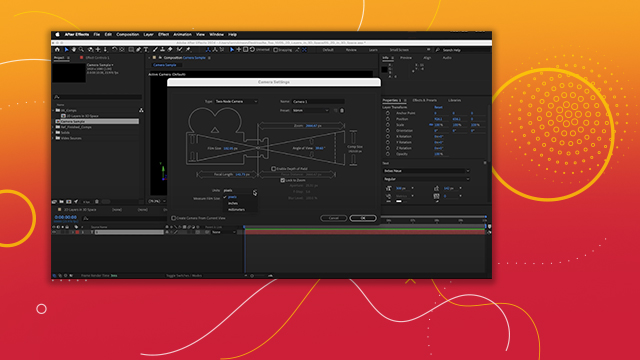
[00:00:00] up under layer and add a new camera into
[00:00:00] the scene when you add cameras into the
[00:00:00] scene we're going to start from the top
[00:00:00] down we could choose a one node camera
[00:00:00] or a two- node
[00:00:00] camera the difference is whether or not
[00:00:00] you have a point of Interest so let me
[00:00:00] show you really quickly I'm going to
[00:00:00] choose a two node camera and I'll choose
[00:00:00] the preset 50 mm these presets are
[00:00:00] designed to mimic the typical focal
[00:00:00] viewing angle of DSLR cameras so 50 mm
[00:00:00] is most similar to the human eye so I'll
[00:00:00] go ahead and choose that and then down
[00:00:00] here under
[00:00:00] units a lot of times it's set to
[00:00:00] millimeters I like using mine to pixels
[00:00:00] so a lot of times it's set up that way
[00:00:00] and then I can click okay so we have a
[00:00:00] camera in the scene I know it's in 3D
[00:00:00] space I can see this little widget here
[00:00:00] in the corner I could turn on draft 3D
[00:00:00] draft 3D can speed up playback of your
[00:00:00] 3D scenes by eliminating things like
[00:00:00] shadows and other details but obviously
[00:00:00] this scene is pretty simple so we really
[00:00:00] don't need it what I do want to do is go
[00:00:00] over here to the left side of the
[00:00:00] composition panel and make it a little
[00:00:00] bit larger so that I can see all of
[00:00:00] these additional dropdowns so here I'll
[00:00:00] turn off draft 3D
[00:00:00] the first one here this is your renderer
[00:00:00] and we're just worried about 2D layers
[00:00:00] in 3D space so we'll use classic 3D if
[00:00:00] we were importing 3D models we would
[00:00:00] want to use the advanced 3D
[00:00:00] renderer I'm going to go ahead and leave
[00:00:00] it to Classic 3D and then if you click
[00:00:00] on this drop down you can see what view
[00:00:00] we're using so we have one camera in the
[00:00:00] scene we're using the active camera if
[00:00:00] you have multiple cameras in your
[00:00:00] timeline whatever camera is at the top
[00:00:00] of the layer stack is the one that
[00:00:00] you're going to be looking at now I
[00:00:00] could say camera one it's going to give
[00:00:00] me the exact same view because there's
[00:00:00] only one camera in the scene these are
[00:00:00] called orthogonal views so I can view uh
[00:00:00] from the left or I can view from the
[00:00:00] right or I can view from the top and
[00:00:00] notice I'm not really seeing what's
[00:00:00] going on if I select layer one here you
[00:00:00] can see there's my layer in 3D space uh
[00:00:00] but there's no depth to it so I can't
[00:00:00] see any of that um The View I like to
[00:00:00] use when I'm not viewing through the
[00:00:00] camera is custom view one this is kind
[00:00:00] of like viewing from the rafters of a
[00:00:00] stage so if you're doing lighting or
[00:00:00] something on the stage it be like you
[00:00:00] were up on one of the sides of the
[00:00:00] rafters looking down so if I click on
[00:00:00] camera
[00:00:00] one I know this is a two node camera
[00:00:00] because I have this thing here which is
[00:00:00] the point of interest if I click cck on
[00:00:00] that and move it around I am changing
[00:00:00] what the camera's actually looking at
[00:00:00] now how do I see what the camera's
[00:00:00] looking at while I'm moving this well I
[00:00:00] can come to this last drop down here and
[00:00:00] say you know what I want to do two
[00:00:00] views and on the right I want to view
[00:00:00] things from Custom view one and on the
[00:00:00] left I want to view from the active
[00:00:00] camera so now when I select my camera
[00:00:00] layer here I can see my my point of
[00:00:00] Interest as I move around I can see what
[00:00:00] that's actually doing to the scene as I
[00:00:00] move things around okay now notice I
[00:00:00] can't see the camera I can press the
[00:00:00] comic key to zoom out and here this will
[00:00:00] give me the 3D Gizmo so I can reposition
[00:00:00] the camera so here if I zoom in on the
[00:00:00] camera you can see I'm zooming in on the
[00:00:00] number one no problem at all now if I
[00:00:00] have the camera selected here in the
[00:00:00] timeline and I just go to my properties
[00:00:00] panel and I drag on the X
[00:00:00] notice as I drag on the X and if I hold
[00:00:00] down shift as I drag it'll it'll move 10
[00:00:00] times faster notice as I drag it is
[00:00:00] staying pointed at the point of Interest
[00:00:00] okay that is a two node camera now I'm
[00:00:00] going to go back up here and just
[00:00:00] doubleclick on this camera to open up
[00:00:00] the type and I'll change it to a one
[00:00:00] node camera now there is no point of
[00:00:00] interest and when I click okay if I move
[00:00:00] on the X a
[00:00:00] notice it's just staying perfectly
[00:00:00] parallel to the actual number itself
[00:00:00] okay this functions a little more like a
[00:00:00] traditional camera would if I were just
[00:00:00] moving this camera around um or let's
[00:00:00] say I wanted to rotate this camera I
[00:00:00] could hover on these little circles on
[00:00:00] these axis
[00:00:00] handles and I could rotate the camera up
[00:00:00] and down notice when I rotate this with
[00:00:00] no point of Interest it's just really
[00:00:00] changing the angle of view pretty easily
[00:00:00] and pretty quickly
[00:00:00] okay so I just wanted you to understand
[00:00:00] the fundamentals of a one- node camera
[00:00:00] and a two node camera and the fact that
[00:00:00] we have these additional dropdowns here
[00:00:00] so you can change how you're viewing
[00:00:00] things in the scene I showed you one
[00:00:00] View and two view you can even do four
[00:00:00] views and view it from many different
[00:00:00] angles if you like but uh I tend to use
[00:00:00] one view or two view when I am working
[00:00:00] in my system if I say one view it's
[00:00:00] going to go ahead and choose one View
[00:00:00] and notice in the upper left it's
[00:00:00] showing me what I'm actually using I can
[00:00:00] come up here and I could say yeah I just
[00:00:00] want to see the active camera and if I
[00:00:00] need to resize this panel I could use
[00:00:00] period and comma but I could also press
[00:00:00] shift in the forward slash key or the
[00:00:00] question mark key and that will
[00:00:00] automatically reframe and fit the view
[00:00:00] to to what it is that I'm actually
[00:00:00] looking at so that's it for cameras now
[00:00:00] let's jump back to our 2D layers in 3D
[00:00:00] space so we can look at this first off I
[00:00:00] have my 3D camera tracker notice I have
[00:00:00] position orientation XYZ rotation I do
[00:00:00] not have a point of Interest so if I
[00:00:00] double click on this layer you guessed
[00:00:00] it it's a one node camera all
[00:00:00] right now depth of field has been
[00:00:00] enabled on this camera so when I scrub
[00:00:00] you'll notice the type actually goes in
[00:00:00] and out of focus now I want to do
[00:00:00] multiple things here the first thing I
[00:00:00] want to do is add a shadow to this text
[00:00:00] notice when the runner is running I can
[00:00:00] see a shadow here but this text no
[00:00:00] Shadow so let's add a light to the
[00:00:00] scene I'm going to go up under layer and
[00:00:00] choose new light now there are four
[00:00:00] different kinds of Lights I could choose
[00:00:00] from with the classic 3D renderer I want
[00:00:00] to choose a point light okay a point
[00:00:00] light is sort of like a light bulb in a
[00:00:00] lamp that doesn't have a lampshade on
[00:00:00] okay I could choose the
[00:00:00] falloff and cast
[00:00:00] Shadows so the falloff is how fast or
[00:00:00] how quickly the light will fall away I'm
[00:00:00] going to choose smooth and it has a
[00:00:00] radius of 500 pixels and then a fall off
[00:00:00] of 500 so if this light is 1,01 pixels
[00:00:00] away from something it's not going to
[00:00:00] affect that because the farthest this
[00:00:00] light could reach would be 1,000 pixels
[00:00:00] okay at radius 51 52 5003 the light
[00:00:00] starts getting more and more dim until
[00:00:00] it falls off at 1,000 pixels away I'm
[00:00:00] going to leave cast Shadows on and I do
[00:00:00] want Shadow Darkness at 100% so I can
[00:00:00] see what's happening and I want the
[00:00:00] Fusion at0 pixels I'm going to leave
[00:00:00] this setup as Point light one and I'll
[00:00:00] click okay now that's been added into
[00:00:00] the scene I have no idea where it is but
[00:00:00] I do want to position it right at my
[00:00:00] text so I'm going to use this neat
[00:00:00] shortcut that I love if you hold down
[00:00:00] the shift key and then go to the parent
[00:00:00] and Link column and click on the P Whip
[00:00:00] and point it at the word or the layer
[00:00:00] where you would like the light to go it
[00:00:00] will automatically move to that position
[00:00:00] if you hold down shift then when I let
[00:00:00] go of my
[00:00:00] mouse and then let go of shift you can
[00:00:00] see my light is at the Anchor Point of
[00:00:00] the word I'm going to hover over the
[00:00:00] z-axis handle here in order to
[00:00:00] reposition the light and that didn't
[00:00:00] work very well so I'll just undo that
[00:00:00] you know what I'll hover over the Y AIS
[00:00:00] and I'll move this light up in the scene
[00:00:00] and I might want to move it back so here
[00:00:00] on the POS position I do want to move it
[00:00:00] on the z-axis if I move it in front I'm
[00:00:00] actually going to illuminate the text if
[00:00:00] I move it behind it's going to cast
[00:00:00] shadows in the other direction and you
[00:00:00] know what I need to position this over
[00:00:00] towards the right now I know this is
[00:00:00] behind the
[00:00:00] text what I want to see happen is I
[00:00:00] don't want the light to actually
[00:00:00] illuminate this text at all or be
[00:00:00] responsible for Illuminating the text so
[00:00:00] if I select
[00:00:00] the textt layer and I press AA on my
[00:00:00] keyboards on my keyboard I can adjust
[00:00:00] the material options so here I don't
[00:00:00] want it I do not want it to accept
[00:00:00] lights so when I turn that off I get the
[00:00:00] white back okay but I do want it to cast
[00:00:00] Shadows so I need to turn that
[00:00:00] on even though I've turned this on I
[00:00:00] need a place for these Shadows to
[00:00:00] appear I added this track solid a very
[00:00:00] long time ago but when I turn on the
[00:00:00] track solid here and I select that layer
[00:00:00] and press a a under my material options
[00:00:00] it is accepting Shadows see how I see
[00:00:00] that I can see the Shadows here now I
[00:00:00] want it to accept the
[00:00:00] Shadows only not just the light I don't
[00:00:00] want to see the layer I only want to see
[00:00:00] the Shadows so if I click on that one
[00:00:00] more time it goes to only and so now I'm
[00:00:00] only seeing the shadows and of course
[00:00:00] the edges of the Shadow will get cut off
[00:00:00] based on the size of the solid so I can
[00:00:00] press s to open up my scale and I can
[00:00:00] just scale up this solid and now I have
[00:00:00] the Shadows going off in the
[00:00:00] distance
[00:00:00] now I'm seeing my Shadows now if I
[00:00:00] select my point light and I start moving
[00:00:00] it around like let's say I want to move
[00:00:00] it further back in the scene as I move
[00:00:00] it further back in the scene you can see
[00:00:00] I'm getting
[00:00:00] much closer to what the runner is
[00:00:00] projecting if I want the darkness to be
[00:00:00] a little lighter I can go ahead and
[00:00:00] bring the darkness down like
[00:00:00] so and now I can better match what we're
[00:00:00] actually seeing from the
[00:00:00] runner okay and of course I can adjust
[00:00:00] on the X or the adjust on the X to to
[00:00:00] have the angle be different but I kind
[00:00:00] of like how this is looking so now if I
[00:00:00] scrub through you can see I not only
[00:00:00] have text but I have a nice shadow on
[00:00:00] that
[00:00:00] text now as I scrub through you can see
[00:00:00] the shadow on the runner but I could
[00:00:00] adjust whether that Shadows on them much
[00:00:00] more easily then having to rotoscope
[00:00:00] them I could just reposition this on the
[00:00:00] x- axis so I'm going to scrub on the X
[00:00:00] so it's just a little bit off to the
[00:00:00] side like so and so now when we see the
[00:00:00] runner she's going to run right past
[00:00:00] and we're not going to have any issues
[00:00:00] there and we still have a pretty good
[00:00:00] strong Shadow on that word okay so now
[00:00:00] that we've added the lights in the
[00:00:00] shadow I want to have two more words
[00:00:00] added into the scene to do that I'm
[00:00:00] going to use this exact same setup and
[00:00:00] just reposition it in 3D space so what I
[00:00:00] need to do is use parenting so what I
[00:00:00] want to have happen I want the point
[00:00:00] light to
[00:00:00] follow the text layer and I want the
[00:00:00] shadow to follow the point light okay so
[00:00:00] this is already following the text layer
[00:00:00] and the shadow I want to follow the
[00:00:00] point
[00:00:00] light okay so now if I grab my text
[00:00:00] layer and anytime I move it the light
[00:00:00] and the shadow is going to move with
[00:00:00] this text layer so if I move it on the
[00:00:00] z-axis notice everything is moving all
[00:00:00] tied together exactly the way that I
[00:00:00] want
[00:00:00] okay now when you're repositioning
[00:00:00] layers in 3D space you have this thing
[00:00:00] here and these are the multiple views
[00:00:00] there is uh the local axis mode and then
[00:00:00] World axis mode and then this axis is
[00:00:00] based on where you are viewing the scene
[00:00:00] from so I going to duplicate these three
[00:00:00] layers by selecting them all I'm
[00:00:00] pressing command D or controll D
[00:00:00] depending on whether you're on Mac or
[00:00:00] Windows and I'll reposition these layers
[00:00:00] to the top of the layer stack and I want
[00:00:00] to make sure everything is following
[00:00:00] everything accordingly so notice the
[00:00:00] point light is following Layer Two and
[00:00:00] the track solid here is following the
[00:00:00] point light so now I know this is going
[00:00:00] to move exactly the way that I want and
[00:00:00] I want this to move further down the
[00:00:00] track say to something like this and so
[00:00:00] I'm going to look at that axis if I say
[00:00:00] World axis let's see what that does in
[00:00:00] changing
[00:00:00] this oh it's not that different if I do
[00:00:00] my view yeah you know what I'll just
[00:00:00] leave it set to its local position and
[00:00:00] I'll move it along the z-axis like this
[00:00:00] so now it's closer to where we want and
[00:00:00] then I'll just move it on the xaxis so
[00:00:00] it has to come back over here and this
[00:00:00] will be my next
[00:00:00] word so for this word I want it to say
[00:00:00] sweat okay and then we could repeat this
[00:00:00] process one more time I'll move down the
[00:00:00] timeline
[00:00:00] here and the last one I want it to be
[00:00:00] heart so I'll select all three duplicate
[00:00:00] move this to the top of the layer stack
[00:00:00] here making sure all my parenting works
[00:00:00] and I'll just call this heart
[00:00:00] okay and I did that in upper lower so I
[00:00:00] could say you know what I want it to be
[00:00:00] in all caps over here in the text
[00:00:00] options and with this once again I'll
[00:00:00] just hover over the Z axis I'll slide it
[00:00:00] out and then I'll slide it over I could
[00:00:00] slide it a little further down there we
[00:00:00] go heart
[00:00:00] okay and so now now I have that last one
[00:00:00] so if I really want to kind of
[00:00:00] accentuate this one thing that I could
[00:00:00] do is animate the opacity of the words
[00:00:00] as they go off in the distance so
[00:00:00] there's a little bit more pop between
[00:00:00] the words as they're overlapping each
[00:00:00] other but the most important thing that
[00:00:00] you get out of this specific tutorial is
[00:00:00] the understanding of how to position
[00:00:00] things in 3D space how to add lights uh
[00:00:00] what the different cameras are and how
[00:00:00] to add shadows and adjust your material
[00:00:00] options so you can get something that
[00:00:00] you really enjoy