
Adobe Trainer (Korean)
Adobe Certified Trainer

제목
필수 그래픽 패널을 사용하여 Adobe Premiere Pro에서 타이틀을 제작하는 방법을 알아봅니다. 템플릿을 사용하여 타이틀을 만들거나 직접 타이틀을 만드는 방법에 대해 알아봅니다.
This summary is AI generated
Learning Outcomes:
- Create subtitles in Premiere Pro
- Use templates from Adobe Stock
- Customize text and graphics
Level: Intermediate
Skills you'll gain:
Premiere Pro, Subtitles, Templates, Text Editing
Key Insights
- Open project files to start editing.
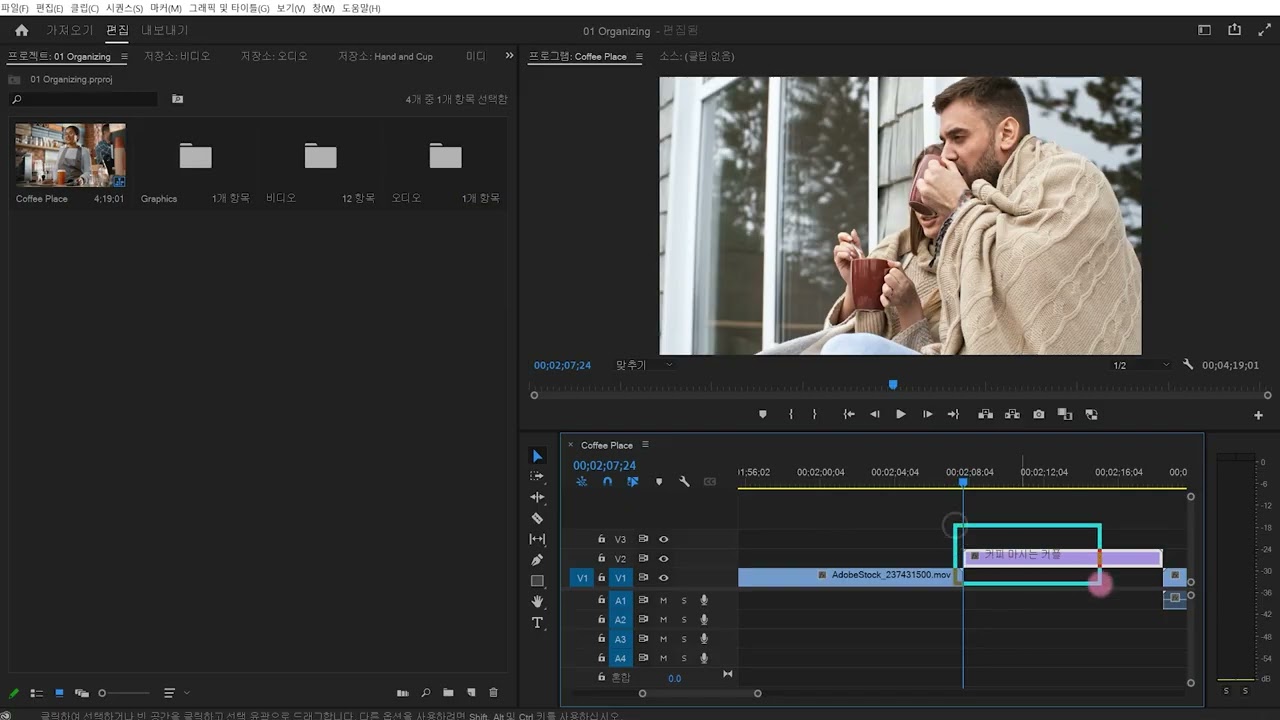
- Access captions and graphics in the workspace.
- Download templates from Adobe Stock for use.
- Modify text by double-clicking on it.
- Adjust font size, color, and style easily.
- Use shape tools to create subtitle backgrounds.
- Group elements for better organization.
- Align text using the alignment options.
- Set the duration of subtitles on the timeline.












 AdChoice