Timeline Basics
Discover how to create sequences, choose appropriate frame rates, and understand image dimensions for optimal video quality. Learn to color-code clips, place them in the timeline, navigate efficiently, and make precise cuts to build your video's foundation.
This summary is AI generated
Learning Outcomes:
- Create a new sequence in Premiere Pro
- Organize clips using color coding
- Match sequence settings to footage
Level: Beginner
Skills you'll gain:
Premiere Pro, Editing, Organization, Color Coding
Key Insights
- Use the new item indicator to create sequences.
- Select clips and drag them into the timeline.
- Label clips for better organization.
- Ensure sequence settings match the lowest frame rate.
- Zoom in and out of the timeline for better navigation.
- Use keyboard shortcuts for efficiency.
- Deselect linked selection to edit audio and video separately.
- Organize clips alphabetically or by frame rate.
- Adjust playback resolution for smoother editing.
- Utilize the snap feature for precise clip placement.

Did the AI summary help? Let us know.
Learning outcomes
- Create a new sequence in Premiere Pro
- Organize clips using color coding
- Match sequence settings to footage
Key insights
- Use the new item indicator to create sequences.
- Select clips and drag them into the timeline.
- Label clips for better organization.
- Ensure sequence settings match the lowest frame rate.
- Zoom in and out of the timeline for better navigation.
- Use keyboard shortcuts for efficiency.
- Deselect linked selection to edit audio and video separately.
- Organize clips alphabetically or by frame rate.
- Adjust playback resolution for smoother editing.
- Utilize the snap feature for precise clip placement.

Skills
Premiere Pro, Editing, Organization, Color Coding
Transcript
[00:00:00] Let's go back to our main project folder
[00:00:03] here and go to the sequences subfolder
[00:00:06] that we created. Right now, there's
[00:00:08] nothing in it. Let's create a sequence.
[00:00:10] We'll go down here to the new item
[00:00:13] indicator, which is this page turn icon.
[00:00:16] Click it and click sequence. Us creating
[00:00:19] a new sequence. You can also go to file,
[00:00:22] new sequence. And you can see the
[00:00:24] shortcut for new sequence is ctrlN.
[00:00:28] But I like just clicking on the actual
[00:00:32] bin because then the new sequence will
[00:00:35] go directly in that bin. Going to the
[00:00:37] page turn and clicking sequence. You're
[00:00:40] going to get this window. There's a lot
[00:00:42] of stuff in this window that you don't
[00:00:44] have to worry about because we know that
[00:00:46] we're creating a YouTube video. And this
[00:00:49] is the preset that is the best for
[00:00:52] YouTube videos. It's here in the drop-
[00:00:54] down menu under available presets. It's
[00:00:57] HD 1080p 23.976.
[00:01:00] How do we double check that that is the
[00:01:02] case? We can go to the settings tab and
[00:01:05] it shows us that our time base is
[00:01:08] 23.976.
[00:01:09] Our frame size is horizontally 1920
[00:01:12] vertically 1080. That also happens to be
[00:01:16] the frame size and frame rate of our
[00:01:20] clips. So we know that our sequence is
[00:01:24] going to match our clips. Don't worry
[00:01:26] about any of this stuff. Just go down to
[00:01:28] the bottom and give it a sequence name.
[00:01:31] And I like doing things alphabetically
[00:01:33] and numbered. So, I'm going to say 01
[00:01:36] string out. A string out is just all of
[00:01:40] your clips put together in a row. And
[00:01:43] we're going to say okay. It's created a
[00:01:46] sequence here for us. There's nothing in
[00:01:48] the sequence. Therefore, our program
[00:01:50] monitor is black. But you can see
[00:01:53] there's a tab that's open. When we have
[00:01:56] multiple sequences, we will have
[00:01:57] multiple tabs and be able to switch
[00:02:00] between them. You can also see Premiere
[00:02:02] has added that sequence to our sequences
[00:02:06] bin and it has a special little graphic
[00:02:09] next to it. That is what a sequence
[00:02:12] looks like in Premiere. The frame rate
[00:02:14] value literally tells us how many photos
[00:02:17] per second is this video recorded in or
[00:02:20] displaying. Meaning here it is 24. Let's
[00:02:24] just say 24, even though it says 23.976
[00:02:27] photos per second. If this were a flip
[00:02:31] book and you were flipping through the
[00:02:33] flip book, it would be 24 pages of the
[00:02:36] flip book that you get through in 1
[00:02:38] second. And there's an easy way to test
[00:02:40] this. I'll double click on the very
[00:02:42] first clip. And here, the time
[00:02:45] indicator, I can move it back and forth.
[00:02:48] as I move it. The number on the left
[00:02:51] indicates what point in the clip I'm at.
[00:02:54] Like for example, right now I'm at 15
[00:02:57] seconds into the clip and 10 frames. And
[00:03:00] then the number on the right indicates
[00:03:03] how long the entire clip is. So the
[00:03:05] entire clip is 1 minute and 39 seconds
[00:03:08] and 8 frames. If I take this time
[00:03:11] indicator all the way to the left, I can
[00:03:14] scoot it frame by frame. And if I scoot
[00:03:18] it 24 frames, you'll see that this
[00:03:21] number changes to 1. Let's do it. I'm
[00:03:25] going to press the right arrow on my
[00:03:28] keyboard 24 times. Count it with me. 1 2
[00:03:31] 3 4 5 6 7 8 9 10 11 12 13 14 15 16 17 18
[00:03:35] 19 20 1 2 3 4.
[00:03:39] We're at 1 second of footage. Later in
[00:03:43] the project, you'll see some clips that
[00:03:45] are 60 frames per second. Well,
[00:03:47] technically 59.94.
[00:03:50] But if I open that up and I do the same
[00:03:54] exact experiment where I click right 24
[00:03:57] times, it will not get to 1 second.
[00:03:59] Check it out. 1 2 3 4 5 6 7 8 9 10 11 12
[00:04:03] 13 14 15 16 17 18 19 20 1 2 3 4 Oh, look
[00:04:08] at that. I have to go all the way to 60
[00:04:12] frames in order to get 1 second of
[00:04:15] footage. The frame rate of your sequence
[00:04:18] doesn't necessarily have to match the
[00:04:20] frame rate of your footage, but for best
[00:04:22] practices, make sure that the frame rate
[00:04:25] of your sequence is matching to the
[00:04:29] lowest frame rate of your footage. And
[00:04:32] if you want to just make sure that your
[00:04:34] sequence is correct, you can go up here
[00:04:36] to sequence sequence settings and see
[00:04:38] those settings again. Here, time base
[00:04:41] 23.976.
[00:04:43] That is the lowest frame rate of any of
[00:04:45] the clips we have. So that's perfect.
[00:04:47] And our frame size is the smallest frame
[00:04:49] size of any of the clips we have, which
[00:04:51] is also what you want. Frame size refers
[00:04:54] to how many pixels are in the image. Any
[00:04:58] image that you look at, even a photo, is
[00:05:00] made of dots of color called pixels. And
[00:05:03] these numbers 1920 and 1080 literally
[00:05:07] indicate how many dots of color are
[00:05:10] across the top of the image and the side
[00:05:12] of the image. 1920 dots of color versus
[00:05:15] 1080 dots of color. So it's like 1920 x
[00:05:20] 1080 makes the surface area of the image
[00:05:22] that you're looking at. That number 1920
[00:05:26] x 1080 is a very standard size of video.
[00:05:30] It's what you mostly see on YouTube and
[00:05:34] it's what we call HD. When we talk about
[00:05:37] 4K, we're talking about a size like
[00:05:39] this, 3840x 2160. Because each side is
[00:05:44] double the size of an HD image, so
[00:05:46] across the top is 3840 and down the side
[00:05:49] is 2160. It's technically four times the
[00:05:54] size of an HD image. We'll dip into
[00:05:57] working with 4K footage a little bit
[00:05:59] later, but for this first project, all
[00:06:01] of our clips are 1080 and our sequence
[00:06:04] is also 1080. All of our clips are
[00:06:07] 23.976
[00:06:08] frames per second and our sequence is
[00:06:11] also that same time base. Right now, all
[00:06:14] of our clips are this cyan color. And I
[00:06:18] want to differentiate them a little bit.
[00:06:19] So, I'm going to select the first lights
[00:06:22] clip. Go down to the last one while
[00:06:25] pressing down shift. Select it. And now
[00:06:28] I've selected all of them. Rightclick.
[00:06:31] Go to label. And I'm going to choose a
[00:06:34] different color. So, let's say for
[00:06:35] example, violet. And now you can see all
[00:06:38] of the clips from the first project are
[00:06:41] labeled violet. Now, I'm going to go
[00:06:43] down to the molding project, and I'm
[00:06:47] going to make sure that all of the A cam
[00:06:50] clips are, let's leave them in the blue
[00:06:52] family, but the Bcam clips here at the
[00:06:56] bottom, let's rightclick, label, and
[00:06:59] make them magenta.
[00:07:01] Now, the A cam clips, let's also
[00:07:04] organize them a little bit by frame
[00:07:07] rate. So, I'm going to select the word
[00:07:10] frame rate. It's going to organize
[00:07:14] everything by what the frame rate is,
[00:07:17] and it's going to put all of the clips
[00:07:19] that are 23.976 at the top and all of
[00:07:22] the clips that are 60 frames per second
[00:07:24] at the bottom. So, I can go ahead and
[00:07:25] select the first 60 frames per second
[00:07:28] clip. Scroll down, holding down shift,
[00:07:31] select the last one that selects
[00:07:33] everything in between. And because this
[00:07:35] is still the molding project and a cam
[00:07:37] and everything, I'll keep it in the blue
[00:07:39] family, but I will instead of the iris
[00:07:42] color, I'll just make them blue.
[00:07:45] Of course, now everything's out of
[00:07:46] order. So, we click the word name to
[00:07:49] organize it back to the way it was.
[00:07:52] Learning to color code before you put
[00:07:54] your clips into your sequence. huge tip
[00:07:56] because it saves you a lot of time
[00:07:58] later. In order to put clips into the
[00:08:00] timeline, you can just drag them in just
[00:08:04] like that. And now my sequence has a
[00:08:07] clip and I can preview it here. There's
[00:08:10] also a time indicator here, just as
[00:08:13] there is one here, except this one shows
[00:08:16] you the clip and this one shows you your
[00:08:19] project. Right now, my project is 1
[00:08:23] minute and 39 seconds because I only
[00:08:26] have one clip in there. If I were to
[00:08:27] bring a second one in there,
[00:08:32] my project length has expanded because
[00:08:34] now it's counting up these two clips
[00:08:37] together. You can also see now that I've
[00:08:41] put clips into my project, the
[00:08:43] properties panel really came to life
[00:08:46] because it's showing me all the
[00:08:48] different properties that I can change.
[00:08:50] quickly within each clip. If you're not
[00:08:54] sure which sequence settings are going
[00:08:55] to be best for your video and you don't
[00:08:57] want to mess down here with the new item
[00:09:00] sequence and choosing all this, even
[00:09:02] easier. Just take your first clip, one
[00:09:05] of your clips, and drag it onto the new
[00:09:08] item page turn icon. It will create a
[00:09:12] sequence that has the exact same
[00:09:14] settings as your clip and it will put
[00:09:16] your clip into the sequence, but it puts
[00:09:19] that sequence into that same bin where
[00:09:22] your footage was. So, I like moving it
[00:09:25] to the sequence bin just to keep it
[00:09:27] organized. So, I'm going to name it uh
[00:09:31] ZZ
[00:09:32] cuz then alphabetically it puts it at
[00:09:36] the very bottom of the footage bin. And
[00:09:39] then I could just drag that sequence
[00:09:41] into the sequence bin and rename it from
[00:09:44] there. 01
[00:09:48] string out. Meaning all of the clips in
[00:09:52] the entire project go into this one
[00:09:55] sequence.
[00:09:57] Bringing clips one by one into the
[00:09:58] project takes a little bit of time. So
[00:10:01] instead of doing that, let's bring the
[00:10:02] rest of them in all together. I'm going
[00:10:05] to select lights three. Hold down shift,
[00:10:09] scroll down, select the very last lights
[00:10:13] clip, and then drag them all in here. If
[00:10:16] you've just opened Premiere Pro, you may
[00:10:18] not actually be seeing the thumbnails on
[00:10:20] your sequence. Your tracks might be
[00:10:24] condensed like this to where you don't
[00:10:26] see the thumbnails, even if you zoom in
[00:10:29] all the way. So, the way to see the
[00:10:32] thumbnails is hover your mouse between
[00:10:34] the tracks and
[00:10:39] expand them. If you still don't see the
[00:10:42] thumbnails, then it's probably in the
[00:10:44] settings menu over here in the wrench
[00:10:45] menu. Click that and make sure show
[00:10:49] video thumbnails is enabled because if
[00:10:51] it's disabled, you don't see them. Just
[00:10:54] a few simple tips for navigating the
[00:10:56] timeline. You can zoom in and out at
[00:10:58] your play head here by moving these two
[00:11:01] dots here and here on the bottom bar
[00:11:04] closer to each other like so.
[00:11:07] You can move the playhead left to right.
[00:11:10] And you can see that the timeline moves
[00:11:12] with the playhead or you can just move
[00:11:14] the bottom bar left to right. If you
[00:11:16] want to zoom into or out of the
[00:11:18] timeline, you can press the plus or
[00:11:20] minus buttons. You can also just scroll
[00:11:23] on your mouse while holding down alt or
[00:11:25] option.
[00:11:28] If you're zoomed in and you want to see
[00:11:29] the whole timeline without having to go
[00:11:32] down here and zoom out, you can just
[00:11:34] press the backslash key. That'll pop you
[00:11:37] out to the entire timeline. Instead of
[00:11:40] using this play button to play and
[00:11:42] pause, you can just use the space bar.
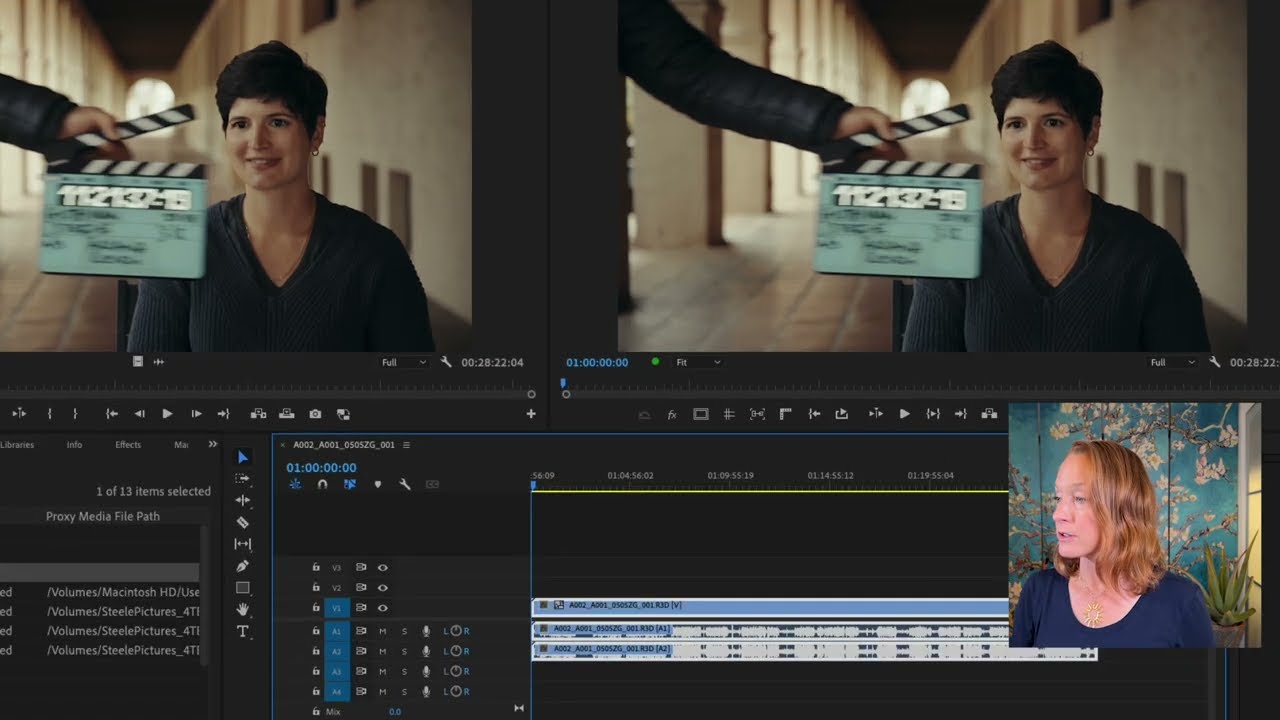
[00:11:44] Laid out the light strip here. You may
[00:11:49] see me going left to right on the
[00:11:51] timeline without pressing anything. And
[00:11:53] that's because I have a special mouse
[00:11:56] with a horizontal scroll wheel. But if
[00:12:00] you don't have that, just grab this
[00:12:01] bottom bar and go left to right. As far
[00:12:03] as the timeline goes, it's split up into
[00:12:07] the top and the bottom half. The top
[00:12:10] half here, this is all video tracks. So
[00:12:14] right now, for the first video, we only
[00:12:16] have one video track that we're working
[00:12:17] with. But you can stack them on top of
[00:12:20] each other. I've had projects with a
[00:12:21] hundred video tracks. On the bottom
[00:12:24] here, those are the audio tracks. Pretty
[00:12:27] easy to tell which is which. V stands
[00:12:30] for video and A stands for audio. And
[00:12:33] you can also have many, many audio
[00:12:35] tracks. For this video, we're just
[00:12:37] working with one video track and one
[00:12:39] audio track. All right, so we have all
[00:12:42] of our clips in this one sequence. We
[00:12:45] don't really need the source window too
[00:12:47] much anymore because we're mainly just
[00:12:50] working with this sequence and the
[00:12:52] program window. So, I can sort of
[00:12:55] rearrange some of these sizes to make it
[00:12:58] work for us. You can also see that I am
[00:13:00] playing all the videos back at full
[00:13:02] resolution. If your computer is having
[00:13:05] trouble playing them back, this is where
[00:13:07] you can go and drop down in resolution.
[00:13:10] It doesn't mean that your final video is
[00:13:12] going to be at one quarter quality, but
[00:13:15] it means that it'll make it easier for
[00:13:17] the computer to show you your own
[00:13:19] footage. As I'm moving my playhead, the
[00:13:22] clip that's underneath my playhead is
[00:13:24] getting selected, both the video and the
[00:13:28] audio portion because they are linked.
[00:13:32] Also, as I click on the clips
[00:13:33] themselves, even when the play head over
[00:13:36] here is not directly above the clip,
[00:13:38] it's also selecting the audio and video
[00:13:41] together. If I wanted to select only one
[00:13:45] at a time, I can go ahead and deselect
[00:13:48] linked selection over here, and that way
[00:13:51] it would only select one at a time. I'm
[00:13:54] currently using the selection tool,
[00:13:56] which again, the shortcut is V, to
[00:13:58] select the clips. I can then move them
[00:14:02] around. For example, I can move this one
[00:14:04] here and it stays there. I can move the
[00:14:07] other two. Select both of them by
[00:14:09] dragging a box around them and move it
[00:14:12] behind this one. You'll see that they
[00:14:16] sort of snap to the natural end points
[00:14:19] of each clip. It's almost like the clips
[00:14:22] are magnetized to each other. If I want
[00:14:26] a little bit more precision and I don't
[00:14:27] want that magnetic snap, I can deselect
[00:14:32] this snap in timeline button or I could
[00:14:34] press the S key. And now they're not
[00:14:38] going to just automatically jump to that
[00:14:42] point.
[00:14:43] Let's keep snapping selected, though.
[00:14:46] I'm going to put these back. Snap.
[00:14:50] Snap.