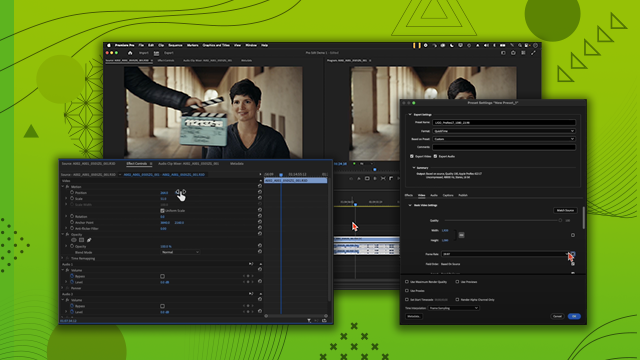
Organizing Your Workspace
Explore the five main windows of the Premiere Pro interface and master import tools for efficient media management. Learn how to organize your workspace to streamline your editing process to boost productivity.
This summary is AI generated
Learning Outcomes:
Learning outcomes not available.
Level: Beginner
Skills you'll gain:
Skills not available.
Key Insights
Key insights not available.
Did the AI summary help? Let us know.
Learning outcomes
Learning outcomes not available.
Key insights
Key insights not available.
Skills
Skills not available.
Transcript
[00:00:00] Okay, here we are inside Premiere Pro.
[00:00:00] We have no clips in here yet, which is
[00:00:00] great. Here at the top left we have our
[00:00:00] three different modes. We have import
[00:00:00] mode, edit, and export. If you wanted to
[00:00:00] go back to import mode, you could just
[00:00:00] click import and you're back in import
[00:00:00] mode.
[00:00:00] But we're going to live in the edit tab
[00:00:00] for the majority of this entire
[00:00:00] tutorial. You can also see we have all
[00:00:00] these windows here and they're
[00:00:00] highlighted in blue once we click on
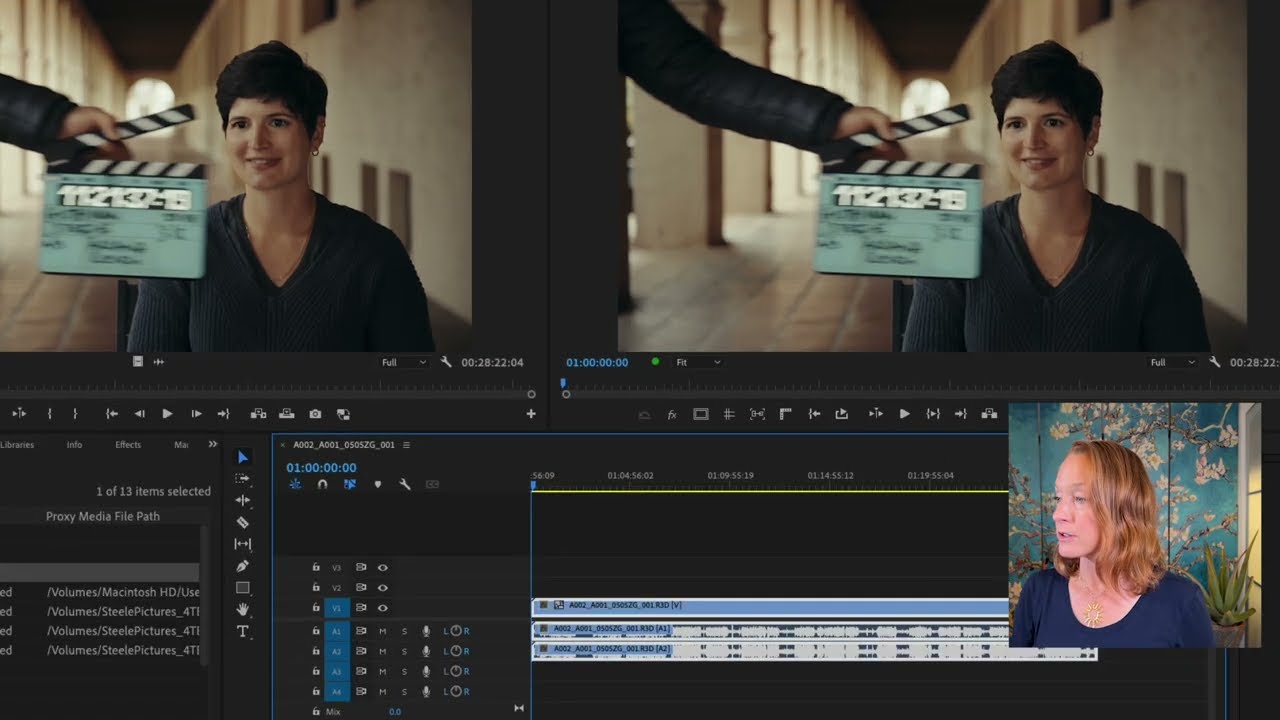
[00:00:00] them. The four main windows of Premiere
[00:00:00] Pro are going to be your project window,
[00:00:00] your source window, your timeline
[00:00:00] window, and your program window. What do
[00:00:00] they all do? The project window is where
[00:00:00] all of your clips are. Think of this as
[00:00:00] your file explorer or your finder within
[00:00:00] Premiere Pro. You can create folders in
[00:00:00] here. You can put those clips in
[00:00:00] folders. You can do all of your
[00:00:00] organizing inside the project window.
[00:00:00] And the types of folders and the type of
[00:00:00] organization that you create here will
[00:00:00] not have an impact on the folders and
[00:00:00] the organization that's on your hard
[00:00:00] drive, on your computer. The source
[00:00:00] window is where you preview all of your
[00:00:00] clips. So you can view them before you
[00:00:00] put them into your project. And the
[00:00:00] timeline window is where all of the
[00:00:00] clips are glued together one after the
[00:00:00] other in a sequence. And then in the
[00:00:00] program window is where you preview that
[00:00:00] sequence, aka your final project. So it
[00:00:00] makes sense. In the source window you
[00:00:00] preview your clips and in the program
[00:00:00] window you preview your sequence. This
[00:00:00] is a new update in Premiere Pro 2025,
[00:00:00] the properties panel. This panel will
[00:00:00] help you adjust different properties of
[00:00:00] the clips as you click on them. You can
[00:00:00] also adjust audio in here. You can
[00:00:00] adjust graphics in here. We'll get into
[00:00:00] that a little later.
[00:00:00] The tool panel is going to be your best
[00:00:00] friend. This is how you choose how to
[00:00:00] manipulate the clips.
[00:00:00] The main tool you're going to be working
[00:00:00] with is called the selection tool. It's
[00:00:00] this top left one. And when you hover
[00:00:00] over it, you can actually see the
[00:00:00] keyboard shortcut that is linked to that
[00:00:00] tool. So, let's say I'm on some other
[00:00:00] tool and I want to go back to the
[00:00:00] selection tool. I just press V and I'm
[00:00:00] back on the selection tool. Let's say
[00:00:00] I'm on the type tool. I press V. I'm
[00:00:00] back on the selection tool. So, V is the
[00:00:00] first shortcut that you're going to need
[00:00:00] to learn cuz you're going to be using it
[00:00:00] a lot.
[00:00:00] And then over here, that is your decibel
[00:00:00] scale. It tells you how loud your video
[00:00:00] is going to be. I don't know about you,
[00:00:00] but personally, I don't like to rely on
[00:00:00] my ears to tell me how loud things are.
[00:00:00] This will visually show you. So, you
[00:00:00] want your video to land kind of at this
[00:00:00] -12 decibel between -12 and -18. This is
[00:00:00] the sweet spot right here. So, you'll be
[00:00:00] able to see if your video is too loud,
[00:00:00] peaking over here, or if it's too quiet.
[00:00:00] There are a couple different ways to
[00:00:00] import clips, meaning bring clips into
[00:00:00] the project. You can click import media
[00:00:00] and that'll bring up your finder or file
[00:00:00] explorer and then you can find that
[00:00:00] footage here. You can
[00:00:00] bring them in obviously one by one, but
[00:00:00] you can also
[00:00:00] By the way, I did command Z in order to
[00:00:00] get back and undo.
[00:00:00] You can select the first one. You can
[00:00:00] hold down shift, select the last one.
[00:00:00] That selects all of them and you can say
[00:00:00] open and now they're all populated in
[00:00:00] here. You can also, command Z, my
[00:00:00] favorite way of doing it is simply just
[00:00:00] bringing them in on a folder level. So,
[00:00:00] here I'll bring in both footage and
[00:00:00] audio
[00:00:00] folders,
[00:00:00] drop them directly into Premiere, and it
[00:00:00] already creates bins for me.
[00:00:00] Folders, bins, same thing.
[00:00:00] I like putting numbers in front of my
[00:00:00] folders because otherwise, if I didn't
[00:00:00] have numbers, I wouldn't be able to do
[00:00:00] this.
[00:00:00] Click name, and they're alphabetized. I
[00:00:00] can create some more bins, too. If I go
[00:00:00] down here to new bin,
[00:00:00] I can call it 03 music.
[00:00:00] I can do 04 sequences.
[00:00:00] Maybe 05 graphics.
[00:00:00] And you can see the files here in the
[00:00:00] footage folder, they're already
[00:00:00] populating, as well as in the audio
[00:00:00] folder. I have my audio files.
[00:00:00] If I double-click the footage folder, it
[00:00:00] pulls it up in a separate little tab,
[00:00:00] and I still have the main project folder
[00:00:00] in this tab, so I can go back between
[00:00:00] them. Now, one great thing about
[00:00:00] Premiere Pro is that these borders are
[00:00:00] not rigid. If you hover your mouse over
[00:00:00] the border between two windows, you can
[00:00:00] make them smaller and larger to fit your
[00:00:00] needs. You can also go over here to the
[00:00:00] hamburger menu,
[00:00:00] the three lines, and you can close the
[00:00:00] panel, you can undock the panel, so now
[00:00:00] the panel's floating in space, or you
[00:00:00] can bring it back in wherever you want
[00:00:00] to. Now, let's say we got a little wild
[00:00:00] here, and we decided to,
[00:00:00] you know,
[00:00:00] experiment. And now everything is messed
[00:00:00] up, we don't know where anything is, and
[00:00:00] we can't get back to where we started.
[00:00:00] Well,
[00:00:00] have no fear because there's a default
[00:00:00] window configuration you can go back to.
[00:00:00] Just go to window, workspaces,
[00:00:00] editing, cuz that's the workspace we're
[00:00:00] working in, and go to reset to saved
[00:00:00] layout. Bam, we're back at it again.
[00:00:00] These workspaces can also be found up
[00:00:00] here in this workspaces button. Each
[00:00:00] workspace is essentially a way of
[00:00:00] organizing windows. So, you can do the
[00:00:00] captions workspace, and the captions
[00:00:00] workspace pulls up your text window and
[00:00:00] your sound window. You can go to the
[00:00:00] uh effects workspace, and that pulls up
[00:00:00] the effects panel.
[00:00:00] I just exclusively live in the editing
[00:00:00] workspace, and if I need to pull up a
[00:00:00] different panel of some sort, I go to
[00:00:00] window, I find that panel, and I pull it
[00:00:00] up. Like, for example, the learn panel,
[00:00:00] which you can see just popped up here,
[00:00:00] and you have all sorts of other
[00:00:00] tutorials that you can take. A lot of
[00:00:00] them are ones that I've shot.
[00:00:00] Going to close that learn panel. So,
[00:00:00] let's take a look at this footage bin
[00:00:00] and see what we've got. We've got a long
[00:00:00] list of clips, and we have information
[00:00:00] about each clip, such as the frame rate,
[00:00:00] the media start, the media end, the
[00:00:00] duration, and there's even more if you
[00:00:00] take this line here and move it to the
[00:00:00] right. If you didn't want to scroll to
[00:00:00] see all this stuff, and you didn't want
[00:00:00] to keep expanding this panel and then
[00:00:00] contracting it, you can use the tilde
[00:00:00] key, which is the squiggly line on the
[00:00:00] top left of your keyboard, to hover over
[00:00:00] the panel and expand it so you can see
[00:00:00] all that information. Now, for our
[00:00:00] purposes, we don't need all this, but we
[00:00:00] do need some of it.
[00:00:00] Take a look at what changes throughout
[00:00:00] these clips. We have this thing called
[00:00:00] frame rate, which changes. Some of them
[00:00:00] are this frame rate, 23.976,
[00:00:00] and then some of them are this frame
[00:00:00] rate, 59.94. Other useful information is
[00:00:00] here in the video info column, because
[00:00:00] some of the clips are 3840 by 2160, some
[00:00:00] of them 1920 by 1080. That might be
[00:00:00] useful later. So, let's take the video
[00:00:00] info column and drag it
[00:00:00] right next to the frame rate column, so
[00:00:00] we have all that information at our
[00:00:00] fingertips. And when we press tilde
[00:00:00] again, and this contracts,
[00:00:00] that will be what we see, the frame rate
[00:00:00] and the video info. There's also
[00:00:00] multiple ways of seeing your clips in
[00:00:00] these bins. Right now, we are in list
[00:00:00] view, which lists them out. But, if you
[00:00:00] want to see them as thumbnails, just go
[00:00:00] to icon view, and you can now see them
[00:00:00] as thumbnails. You can hover scrub over
[00:00:00] them left to right to see what's in
[00:00:00] there. If you wanted to make it larger,
[00:00:00] you can go here to this size wheel,
[00:00:00] and make them larger. So, now it's
[00:00:00] easier to see. And if you wanted to pull
[00:00:00] them up in your source window, just
[00:00:00] double-click. And now you can use this
[00:00:00] blue mark, which is called the current
[00:00:00] time indicator or the playhead, to move
[00:00:00] among the clip and see what is inside
[00:00:00] that clip. If your clips aren't
[00:00:00] organized alphabetically, you can go
[00:00:00] down here and organize them by name.