Advanced Project Management
Discover how to efficiently organize multiple videos within a single project and master manual audio syncing for precise clip alignment. Learn to use the "Synchronize" feature and implement a multi-camera sync workflow to streamline complex editing tasks.
This summary is AI generated
Learning Outcomes:
Learning outcomes not available.
Level: Beginner
Skills you'll gain:
Skills not available.
Key Insights
Key insights not available.
Did the AI summary help? Let us know.
Learning outcomes
Learning outcomes not available.
Key insights
Key insights not available.
Skills
Skills not available.
Transcript
[00:00:00] took so long today is because I was also
[00:00:00] painting and trimming the next project,
[00:00:00] which is the ceiling balance that I'm
[00:00:00] going to put all over the room to you
[00:00:00] can kind of get it to hide these tracks.
[00:00:00] So, you see the effect of the lights,
[00:00:00] but you don't see the lights themselves.
[00:00:00] Okay, let's get started with our second
[00:00:00] video. But now you have a choice. You
[00:00:00] can either continue on with this
[00:00:00] Premiere Pro project and edit two videos
[00:00:00] inside of it. You can actually edit as
[00:00:00] many videos as you want inside of a
[00:00:00] project because you just create new
[00:00:00] sequences every time. Or you can open a
[00:00:00] new project and start from scratch. The
[00:00:00] advantage to doing a new project is that
[00:00:00] all of your clips for both videos don't
[00:00:00] weigh your project down. Sometimes when
[00:00:00] you're working with hundreds of 4K
[00:00:00] clips, having a really large project
[00:00:00] slows your computer down. In this case,
[00:00:00] let's just keep working on this same
[00:00:00] Premiere Pro project, and I'll show you
[00:00:00] how to organize your clips so that you
[00:00:00] don't get lost. First, let's close all
[00:00:00] the sequences that are related to the
[00:00:00] previous video.
[00:00:00] Then, let's do a little bit more
[00:00:00] organization of the footage. Here in the
[00:00:00] footage bin, while I have it selected,
[00:00:00] I'm going to select new bin. And inside
[00:00:00] of there, I'm going to write 01
[00:00:00] lights. Then I'm going to take all of
[00:00:00] the lights clips. So the first one, hold
[00:00:00] down shift, select the last one, and I'm
[00:00:00] going to put them in this sub bin. There
[00:00:00] we go. Then I'm going to go back, select
[00:00:00] the footage bin again, new bin, O2
[00:00:00] molding, and I'm going to put all of my
[00:00:00] molding clips again. Select, hold down
[00:00:00] shift, select the last one, put it in.
[00:00:00] So now my footage bin has two sub bins
[00:00:00] in it for my two different projects that
[00:00:00] I'm doing. The same thing here for
[00:00:00] sequences. I'm going to create a sub
[00:00:00] bin, 01 lights, and the sequences that I
[00:00:00] had for lights, I'm going to drop in
[00:00:00] there. I might even want to rename them
[00:00:00] to
[00:00:00] specify what they are. Lights string
[00:00:00] out.
[00:00:00] I hope you can understand the importance
[00:00:00] of labeling everything because you can
[00:00:00] get lost pretty quickly. I'm going to
[00:00:00] select the sequences bin again. I'm
[00:00:00] going to write alt to molding. And
[00:00:00] that's our molding project. Now, let's
[00:00:00] make a new sequence in the molding bin.
[00:00:00] So, we'll go to new item, sequence, and
[00:00:00] keep the first thing selected here, HD
[00:00:00] 1080p 23.976.
[00:00:00] Same as before, and we'll give it the
[00:00:00] sequence name 01
[00:00:00] interview string out.
[00:00:00] This will be our interview footage. And
[00:00:00] then we will create yet another
[00:00:00] sequence. And this is going to be called
[00:00:00] 02
[00:00:00] B-roll string out.
[00:00:00] So now we have one of our sequences that
[00:00:00] has the interview footage in it and one
[00:00:00] of the sequences that has the B-roll. In
[00:00:00] order to see what the interview footage
[00:00:00] is, we'll go over here to footage
[00:00:00] molding and let's take a look at the
[00:00:00] thumbnails.
[00:00:00] Okay, looks like a lot of B-roll.
[00:00:00] and wait till we get to the interview.
[00:00:00] Aha. So, here are the interview clips.
[00:00:00] We have AAM interview clips and bcam
[00:00:00] interview clips.
[00:00:00] And I believe they're different colors
[00:00:00] as well. So, if we go over here to list
[00:00:00] view, we'll be able to see that the Bcam
[00:00:00] clips are this magenta color and the A
[00:00:00] cam clips are this light blue color.
[00:00:00] There's also this clip right here, 48.
[00:00:00] Let's double click to pull it up. This
[00:00:00] is B-roll, so we know that that's not
[00:00:00] one of our interview clips. So, this is
[00:00:00] what we're working with. 46, 47, and
[00:00:00] then one and two from Bcam. Which is
[00:00:00] which, which matches with which? Well,
[00:00:00] there's a couple of ways you can see,
[00:00:00] especially if you have a lot of clips to
[00:00:00] match. Right now, we have the frame rate
[00:00:00] column and the video info column. We
[00:00:00] also have media start and media end,
[00:00:00] which aren't that useful, but media
[00:00:00] duration sure is. So, instead of having
[00:00:00] to scroll over, I'm just going to move
[00:00:00] that media duration column right next to
[00:00:00] us so we can see all that information.
[00:00:00] Now, we can see here for this first A
[00:00:00] cam clip, it is 14 minutes long. And
[00:00:00] this first B cam clip is also 14 minutes
[00:00:00] long. So, those they match together. And
[00:00:00] then we have our second A cam clip. It's
[00:00:00] 8 minutes and 46 seconds long. And our
[00:00:00] second Bcam clip is 8 minutes and 52
[00:00:00] seconds long. So even though they're not
[00:00:00] obviously perfectly aligned cuz I had to
[00:00:00] press record on one camera, then press
[00:00:00] record on the other camera. At the very
[00:00:00] least, you can sort of get an idea for
[00:00:00] which clips match with which and which
[00:00:00] sound clips match with them as well. So
[00:00:00] if we go back one or two different
[00:00:00] levels here under audio, if we open this
[00:00:00] audio bin, we can see that one of these
[00:00:00] is 16 minutes and the other one is much
[00:00:00] shorter, almost 9 minutes. So that also
[00:00:00] clues us in to which audio file matches
[00:00:00] with which video files. And if we wanted
[00:00:00] to do this manually, here's how we would
[00:00:00] do it. We would go to where we know our
[00:00:00] two clips are from our A cam, our two
[00:00:00] clips from Bcam and our two clips from
[00:00:00] audio. And we would just drag them into
[00:00:00] the timeline. So I'm going to select
[00:00:00] both of those A cam clips, drag them in.
[00:00:00] Then I'm going to select both of those
[00:00:00] Bcam clips, drag them in, and then both
[00:00:00] of the audio clips, and I'm holding down
[00:00:00] command as I click on them to select
[00:00:00] multiple and drag them in. So you can
[00:00:00] see here's the long clip, here's the
[00:00:00] short clip, long clip, short clip, long
[00:00:00] clip, short clip. And then if I were to
[00:00:00] do this manually, I would use the
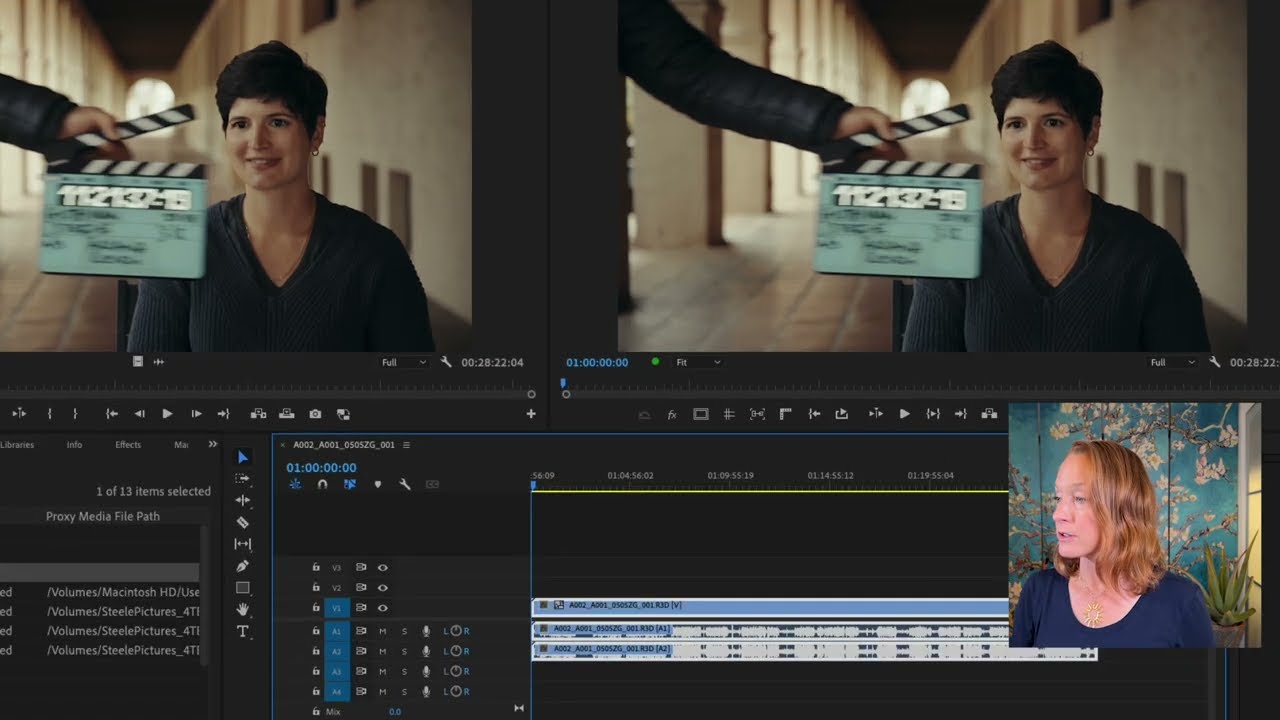
[00:00:00] waveforms to line them up to sync them.
[00:00:00] So I would draw a box over these at the
[00:00:00] end here, move them off a little bit,
[00:00:00] then go back here to the beginning. And
[00:00:00] there usually is some sort of visual
[00:00:00] cue. It can be a slate clap or you can
[00:00:00] clap with your hands to show you exactly
[00:00:00] where that cut point is. So, for
[00:00:00] example, here we have our
[00:00:00] B angle on top of our A angle, right?
[00:00:00] So, we're only seeing Bcam clip. And
[00:00:00] therefore, I'm going to solo just the
[00:00:00] Bcam audio so we can hear where that
[00:00:00] clap happens. Let's play. Um,
[00:00:00] this is the video about the crown
[00:00:00] molding. Take one. So, that's where my
[00:00:00] click was, right? So, I can both see it
[00:00:00] visually because you can see my hands
[00:00:00] coming together and I can see it
[00:00:00] visually here on the waveform. So, I'm
[00:00:00] going to zoom way in and you can see
[00:00:00] this is where my little clap happens.
[00:00:00] I'm going to put my play head where on
[00:00:00] this magenta clip the clap happens. And
[00:00:00] then I'm going to press the M button.
[00:00:00] The M button is going to insert a marker
[00:00:00] right there. That way I know that this
[00:00:00] is the clap, not this and not something
[00:00:00] else, but that is the clap. The same
[00:00:00] thing. Now I'm going to go to the other
[00:00:00] clip and I'm going to see where that
[00:00:00] clap happens. So, I'm going to unsolo
[00:00:00] that track. And I'm going to hide by
[00:00:00] using this little eye icon the top track
[00:00:00] so I can see what's underneath. And I'm
[00:00:00] going to solo that one that's blue.
[00:00:00] And go back to the beginning and watch
[00:00:00] for the clap.
[00:00:00] Take um
[00:00:00] this is the video about the crown
[00:00:00] molding. Take one. So, this right here
[00:00:00] is the clap. I'll do the same thing.
[00:00:00] I'll put my play head right where the
[00:00:00] clap is. And then I will put M for my
[00:00:00] marker. Now, I know that this marker
[00:00:00] here and this marker here have to line
[00:00:00] up. So, I'll just move over by holding
[00:00:00] and dragging my bottom clip to match
[00:00:00] with my top clip. And because I've got
[00:00:00] snapping enabled over here, it'll just
[00:00:00] snap to that marker. Now, for this
[00:00:00] bottom audio only, I don't have a visual
[00:00:00] clap that I can see where my hands come
[00:00:00] together. So, I'll need to listen for
[00:00:00] it. Let me unsolo that and then solo
[00:00:00] that last one. And then I'm going to
[00:00:00] hide both just so I'm not distracted by
[00:00:00] it. Now, let's play through that audio.
[00:00:00] Um,
[00:00:00] this is the video about the crown
[00:00:00] molding, take one. So, that's where the
[00:00:00] clap happens right there. I can use the
[00:00:00] left and right button to kind of jump to
[00:00:00] where I need to go, but you can see it's
[00:00:00] actually either jumping before the clap
[00:00:00] or after the clap. Why is that
[00:00:00] happening? Because
[00:00:00] Premiere Pro works in frames, right?
[00:00:00] Each of these is a frame. 1 2 3 4. So,
[00:00:00] if I want to get even more granular in
[00:00:00] between the frames, I can rightclick
[00:00:00] here, show audio time units, deselect
[00:00:00] the snapping, and now I can bring my
[00:00:00] play head even closer and put the marker
[00:00:00] right there. M for marker, and then turn
[00:00:00] the snapping back on,
[00:00:00] deselect, show audio time units. So, now
[00:00:00] I'm back in frame mode. So, basically, I
[00:00:00] want to get rid of everything before the
[00:00:00] clap, or at least I want to line up the
[00:00:00] claps, right? So, I'm just going to
[00:00:00] shorten this bottom clip. Bring it over
[00:00:00] until you can see it snaps.
[00:00:00] So, now
[00:00:00] all I'm going to do is solo that third
[00:00:00] track and it should line up with the top
[00:00:00] two. So, let's try with a cam. showed
[00:00:00] you how I did the track lighting in the
[00:00:00] ceiling and then let's look at Bcam. But
[00:00:00] as much as I love light strips, I don't
[00:00:00] love looking at them. Why do we do it
[00:00:00] like this? Well, because the audio that
[00:00:00] your camera records is never going to be
[00:00:00] as good as the audio that an external
[00:00:00] mic records. So, when I was doing this
[00:00:00] interview setup, I had a lavalier mic
[00:00:00] right here. So, that was picking up the
[00:00:00] clearest audio and much better than a
[00:00:00] camera that's far away. A lot of times
[00:00:00] when you're recording external audio,
[00:00:00] you have to use an external audio
[00:00:00] recorder, which is why you have to do
[00:00:00] this synchronization process, but it
[00:00:00] actually takes a long time. You know, we
[00:00:00] just did it manually just to learn, but
[00:00:00] it took a while. So, instead of doing
[00:00:00] that here with the second group of
[00:00:00] clips, I can just select all of them,
[00:00:00] rightclick, and go to synchronize. It's
[00:00:00] going to ask, okay, what do I want to
[00:00:00] synchronize? I want to synchronize the
[00:00:00] audio track channel. And I'm going to
[00:00:00] say, okay,
[00:00:00] it's put them in sync for me. And let's
[00:00:00] just double check that.
[00:00:00] So, on this wood wall that I installed,
[00:00:00] but I don't want to. Now, this select,
[00:00:00] rightclick, and synchronize technique is
[00:00:00] great, but we already knew that this
[00:00:00] video clip goes with this video clip
[00:00:00] goes with this audio clip because we
[00:00:00] looked at the durations, right? But what
[00:00:00] if you have literally hundreds of them
[00:00:00] and you don't know which clip goes with
[00:00:00] which? Maybe all of them are 4 minutes
[00:00:00] long and you have no idea. How do you
[00:00:00] then synchronize and autosynchronize all
[00:00:00] those clips? Let's see. So, I'm going to
[00:00:00] select everything here and delete it and
[00:00:00] do it an even better way. So, I'm just
[00:00:00] going to select all of the clips that I
[00:00:00] need to synchronize. So, while holding
[00:00:00] down command, I'm going to select the
[00:00:00] first two clips from A, the clips from
[00:00:00] B, and the audio. With all six of those
[00:00:00] selected, I'm going to rightclick and go
[00:00:00] to create multi- camera source sequence.
[00:00:00] This will create little mini sequences
[00:00:00] that are all synced for me. And this is
[00:00:00] great if you have a lot of clips. So for
[00:00:00] the name, I'm going to say custom and
[00:00:00] I'm going to say molding interview.
[00:00:00] For the synchronize point, I'm going to
[00:00:00] do the same thing as I did before. So
[00:00:00] the audio track channel mixdown just
[00:00:00] like I did before. Here for the options,
[00:00:00] this is something to note. So, if you
[00:00:00] select move source clips to processed
[00:00:00] clips bin, that means that all of the
[00:00:00] clips that Premiere Pro does find to be
[00:00:00] a match, it will put in its own bin. I'm
[00:00:00] going to deselect it because I already
[00:00:00] like the organization that I have in
[00:00:00] this project. And then I'm going to make
[00:00:00] sure that enumerate cameras is on.
[00:00:00] Meaning that for camera one, I can just
[00:00:00] go to camera one by selecting the number
[00:00:00] one. For camera two, I can just go to
[00:00:00] camera two by selecting the number two
[00:00:00] on my keyboard. And I'm going to press
[00:00:00] okay. Imagine this happening for
[00:00:00] hundreds of clips.
[00:00:00] So here at the bottom, it's actually
[00:00:00] created the multi- camera source
[00:00:00] sequences and they're not organized,
[00:00:00] right? They're just at the bottom. So,
[00:00:00] what I want to do is I want to move them
[00:00:00] into my sequences bin that I've made for
[00:00:00] molding. So, I'm going to select both of
[00:00:00] them and move them into the sequences
[00:00:00] bin. So, a regular sequence icon looks
[00:00:00] like this where you know it almost looks
[00:00:00] like the tracks aren't perfectly in
[00:00:00] sync. But when you create a multi-
[00:00:00] camera source sequence, it looks like
[00:00:00] this where you know it's telling you all
[00:00:00] the tracks are in sync. So, the regular
[00:00:00] sequence and the multi- camera source
[00:00:00] sequence are different and act
[00:00:00] differently. But first, let's just uh
[00:00:00] clean up a little bit and rename them.
[00:00:00] So, I'm going to say take one. And then
[00:00:00] for this one, I'm going to say take two.
[00:00:00] And then in order to see all of those
[00:00:00] words, I'm going to just make that
[00:00:00] column a little bit thicker. If I go
[00:00:00] ahead and drag this molding interview
[00:00:00] take one directly into my timeline,
[00:00:00] it will look like this. And you're
[00:00:00] probably wondering where are the takes?
[00:00:00] Why is it just one row? Well, because we
[00:00:00] selected enumerate cameras, I can
[00:00:00] actually toggle between camera one and
[00:00:00] two like so.
[00:00:00] And I can see the different angles. One,
[00:00:00] two, one, two, one, two. It created
[00:00:00] essentially a Russian nesting doll
[00:00:00] effect. So this is a sequence now within
[00:00:00] a sequence. And if I want to take a look
[00:00:00] at what's inside of here, I go ahead and
[00:00:00] hold down alt to select just the audio
[00:00:00] and double click. You can see it opened
[00:00:00] that sequence here. And all of that info
[00:00:00] is here. You're also probably wondering
[00:00:00] why does it look like this? Well, it
[00:00:00] looks like that because if we go to the
[00:00:00] video info column under Bcam, my B
[00:00:00] camera clips were shot in HD 1920x 1080.
[00:00:00] However, my A camera clips were shot in
[00:00:00] 4K 3840 by 2160. So, they are different
[00:00:00] sizes. The A cam is four times the size
[00:00:00] of the Bcam. And so when Premiere was
[00:00:00] making the multi- camera source
[00:00:00] sequences, it made them based on the
[00:00:00] larger size of the clip. So it made
[00:00:00] those multi- camera source sequences
[00:00:00] 3840x
[00:00:00] 2160
[00:00:00] instead of 1920x 1080, which is what we
[00:00:00] want our sequence to be. Now, let me go
[00:00:00] back to the main sequence. That's why
[00:00:00] when you actually click on this multi-
[00:00:00] camera source sequence inside of our
[00:00:00] main sequence and you go to effect
[00:00:00] controls, you'll see that it has been
[00:00:00] scaled to 50%.
[00:00:00] Because the main sequence is 1080, the
[00:00:00] source sequence is 4K, so it has to be
[00:00:00] scaled down in order for the entire
[00:00:00] frame to be filled. This technique is
[00:00:00] great if you have not just two cameras,
[00:00:00] but a lot of cameras because you can
[00:00:00] actually see what both cameras are at
[00:00:00] the same time. If you go over here to
[00:00:00] toggle multi- camera view, and if you
[00:00:00] don't have the toggle multi- camera view
[00:00:00] button, you're just going to have to go
[00:00:00] to the button editor with the plus, open
[00:00:00] it up, and then drag the icon for toggle
[00:00:00] multi- camera view into your buttons.
[00:00:00] here.
[00:00:00] You're going to press that
[00:00:00] and all of a sudden you can see both
[00:00:00] cameras at the same time. You can toggle
[00:00:00] between them by pressing one and two on
[00:00:00] your keyboard,
[00:00:00] just like that. You can also use those
[00:00:00] one and two keys on your keyboard to
[00:00:00] actually create cuts as you're playing
[00:00:00] through. For that, you're going to need
[00:00:00] to have another button. This red button.
[00:00:00] The red button is the multi- camera
[00:00:00] record onoff toggle. And again, if it's
[00:00:00] not there, go to the button editor and
[00:00:00] drag the red button down into your
[00:00:00] button editor. Once that is enabled and
[00:00:00] you hit play, you keep your fingers on
[00:00:00] the one and two keys. And as this plays
[00:00:00] through, the one and two keys will
[00:00:00] actually create cuts for you. Let's play
[00:00:00] it. Y project having to do with the
[00:00:00] ceiling and I want to go through it.
[00:00:00] >> True.
[00:00:00] >> In my last video that was more of a
[00:00:00] vlog, I showed you how I did the track
[00:00:00] lighting in the ceiling.
[00:00:00] >> But as much as I love light strips, I
[00:00:00] don't love looking at them. I like the
[00:00:00] effect they make. You can see here on
[00:00:00] the curtains it. So, now that I've done
[00:00:00] the one, two, one, two, you can see that
[00:00:00] it has created cuts here on the video
[00:00:00] layer. and they toggle back and forth.
[00:00:00] Let me turn the multi- camera view off
[00:00:00] so you can see.
[00:00:00] So then I can, for example, go to the
[00:00:00] Bcam clips and scale them up. Right now
[00:00:00] 50%, you can do it either in the effect
[00:00:00] controls panel here under scale or in
[00:00:00] the properties panel under scale. You'll
[00:00:00] see the number is the same. I can take
[00:00:00] that to 100.
[00:00:00] Or I can select both Bcam clips by
[00:00:00] holding down shift as I select them. And
[00:00:00] then I can scale both of them at the
[00:00:00] same time over here. Scale 100. Let's
[00:00:00] say I have a lot more cuts though. Let's
[00:00:00] say I have a cut every couple seconds.
[00:00:00] I'm going to select every other one here
[00:00:00] and press the two button in order to
[00:00:00] make all of those BCAM. And let's say
[00:00:00] I'm zoomed out, so I can't exactly see
[00:00:00] which one's Bcam, which one's A cam, is
[00:00:00] this Bcam. I'm not sure. Holding down
[00:00:00] shift, but I I don't know. So, another
[00:00:00] way I can determine which ones are Bcam,
[00:00:00] which ones are A cam. I'll select them,
[00:00:00] rightclick,
[00:00:00] and in the multi- camera options, I'll
[00:00:00] select flatten.
[00:00:00] And now they revert back to my original
[00:00:00] colors. I know that BCAM is this
[00:00:00] magenta. So I can rightclick, go to
[00:00:00] label, select label group. Now all the
[00:00:00] magenta are selected and I can scale
[00:00:00] those 100.
[00:00:00] Or even simpler, maybe I don't know the
[00:00:00] exact number to scale it. Maybe I shot
[00:00:00] at a different resolution or I'm not
[00:00:00] sure exactly what number will take me to
[00:00:00] full screen. I'll right click and go to
[00:00:00] fit to frame.
[00:00:00] And now all of those magenta clips are
[00:00:00] fit to the frame. Personally, this is
[00:00:00] not my favorite way of working with
[00:00:00] multicam clips. I kind of like working
[00:00:00] with them where I see all of the stacks.
[00:00:00] So, for the second take, instead of
[00:00:00] bringing it over again like this, what
[00:00:00] I'm going to do is deselect this button.
[00:00:00] It's called insert and overwrite
[00:00:00] sequences as nests or individual clips.
[00:00:00] All you got to know is now that it's
[00:00:00] deselected and I bring over my multi-
[00:00:00] camera source sequence, it comes over as
[00:00:00] a stack instead of as a sequence. If
[00:00:00] you're trying to drag the multi- camera
[00:00:00] sequence over and it's still coming as
[00:00:00] just one giant clip, that probably means
[00:00:00] that you have this setting disabled, the
[00:00:00] multi- camera falls nest setting here in
[00:00:00] the sequence menu. So, make sure that
[00:00:00] that is checked. You can see here I have
[00:00:00] a cam, bcam, and the audio. When I'm on
[00:00:00] a cam, I can simply just go to scale,
[00:00:00] take it down to 50%.
[00:00:00] And then BCAM is already at the perfect
[00:00:00] scale for me